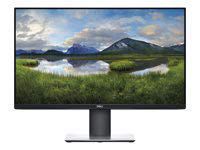
Description
Ultimate connectivity in one: clutter your desk with the included USB-C cable, a single cable solution that transmits power, data, video and audio.
big convenience in one cable: get an easy charge with USB-C, the same cable that connects your device to the monitor. Also, as you Charge your device with up to 65WI of power, Protect it with Dell built-in surge protection.
connect to productivity: easily daisy chain up to two FHD monitors with DisplayPort 1.2 output. (Dual monitors in the above image are mounted on Dell dual monitor stand - MDS19; sold separately.)
smooth transitions: conveniently connect to a variety of laptops, or switch seamlessly between users, thanks to USB-C connectivity for shared workspaces.
product brochure: download the PDF file for the Dell 27 monitor - p2719hc
push your productivity room to work: with a thin profile and monitor base that's Approximately 23% smaller than its predecessor, you can free up valuable desk space.
expand your efficiency: The three-sided Ultra Thin bezel design lets you enjoy an uninterrupted view of your content across multiple monitors. And, with dual monitors, You can increase your productivity by up to 18%i.
more ways to multitask: work conveniently across multiple screens and select from predefined templates with the easy Arrange feature on Dell display Manager software. Quickly tile and arrange your applications and get back to work faster with auto-restore, a feature that remembers where you left off.
consistent and rich colors: A wide viewing angle enabled by In-plane switching (IPS) Technology lets you see vibrant colors—no matter where you sit.clean and clutter-free: focus on your work while hiding away cable clutter with an improved cable management design.
big convenience in one cable: get an easy charge with USB-C, the same cable that connects your device to the monitor. Also, as you Charge your device with up to 65WI of power, Protect it with Dell built-in surge protection.
connect to productivity: easily daisy chain up to two FHD monitors with DisplayPort 1.2 output. (Dual monitors in the above image are mounted on Dell dual monitor stand - MDS19; sold separately.)
smooth transitions: conveniently connect to a variety of laptops, or switch seamlessly between users, thanks to USB-C connectivity for shared workspaces.
product brochure: download the PDF file for the Dell 27 monitor - p2719hc
push your productivity room to work: with a thin profile and monitor base that's Approximately 23% smaller than its predecessor, you can free up valuable desk space.
expand your efficiency: The three-sided Ultra Thin bezel design lets you enjoy an uninterrupted view of your content across multiple monitors. And, with dual monitors, You can increase your productivity by up to 18%i.
more ways to multitask: work conveniently across multiple screens and select from predefined templates with the easy Arrange feature on Dell display Manager software. Quickly tile and arrange your applications and get back to work faster with auto-restore, a feature that remembers where you left off.
consistent and rich colors: A wide viewing angle enabled by In-plane switching (IPS) Technology lets you see vibrant colors—no matter where you sit.
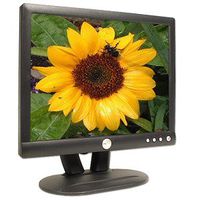
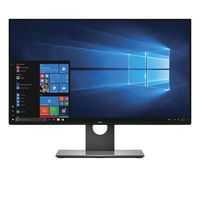
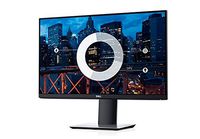
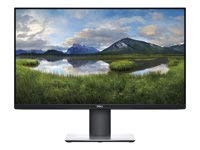
Dell P2719HC - LED Monitor - Full HD (1080P) - 27"
Price is below average
Current Price
$272.99
Average
$289.02
Min Price
$193.94
Max Price
$352.26
Price dynamics
6%
Description
Ultimate connectivity in one: clutter your desk with the included USB-C cable, a single cable solution that transmits power, data, video and audio.
big convenience in one cable: get an easy charge with USB-C, the same cable that connects your device to the monitor. Also, as you Charge your device with up to 65WI of power, Protect it with Dell built-in surge protection.
connect to productivity: easily daisy chain up to two FHD monitors with DisplayPort 1.2 output. (Dual monitors in the above image are mounted on Dell dual monitor stand - MDS19; sold separately.)
smooth transitions: conveniently connect to a variety of laptops, or switch seamlessly between users, thanks to USB-C connectivity for shared workspaces.
product brochure: download the PDF file for the Dell 27 monitor - p2719hc
push your productivity room to work: with a thin profile and monitor base that's Approximately 23% smaller than its predecessor, you can free up valuable desk space.
expand your efficiency: The three-sided Ultra Thin bezel design lets you enjoy an uninterrupted view of your content across multiple monitors. And, with dual monitors, You can increase your productivity by up to 18%i.
more ways to multitask: work conveniently across multiple screens and select from predefined templates with the easy Arrange feature on Dell display Manager software. Quickly tile and arrange your applications and get back to work faster with auto-restore, a feature that remembers where you left off.
consistent and rich colors: A wide viewing angle enabled by In-plane switching (IPS) Technology lets you see vibrant colors—no matter where you sit.clean and clutter-free: focus on your work while hiding away cable clutter with an improved cable management design.
big convenience in one cable: get an easy charge with USB-C, the same cable that connects your device to the monitor. Also, as you Charge your device with up to 65WI of power, Protect it with Dell built-in surge protection.
connect to productivity: easily daisy chain up to two FHD monitors with DisplayPort 1.2 output. (Dual monitors in the above image are mounted on Dell dual monitor stand - MDS19; sold separately.)
smooth transitions: conveniently connect to a variety of laptops, or switch seamlessly between users, thanks to USB-C connectivity for shared workspaces.
product brochure: download the PDF file for the Dell 27 monitor - p2719hc
push your productivity room to work: with a thin profile and monitor base that's Approximately 23% smaller than its predecessor, you can free up valuable desk space.
expand your efficiency: The three-sided Ultra Thin bezel design lets you enjoy an uninterrupted view of your content across multiple monitors. And, with dual monitors, You can increase your productivity by up to 18%i.
more ways to multitask: work conveniently across multiple screens and select from predefined templates with the easy Arrange feature on Dell display Manager software. Quickly tile and arrange your applications and get back to work faster with auto-restore, a feature that remembers where you left off.
consistent and rich colors: A wide viewing angle enabled by In-plane switching (IPS) Technology lets you see vibrant colors—no matter where you sit.
Price will be lower
in next 2 weeks
in next 2 weeks
According to the data, price will be lower in next two weeks, so not waste your money and track better price!
Product review & video
- One of the coolest
things in technology today has got to be USB Type-C. We can use it everything power, display, even charging your device. And today we're gonna take a look at the Dell P Series desktop display. It's a 27 inch monitor,
it's powered by Type-C, it can even recharge your laptop. It works great with
Surface Go, Surface Book 2, and even your smartphone. So is it any good? Well here's my full review. Stay tuned. (soft music) The refreshed Dell P Series
comes in multiple sizes, including 22, 24, and 27 inches. For this review, we're
using the 27 inch model, which is available usually for $420, but can be found discounted for 310. Compared to last year's release, the new P Series line is 23% smaller, and you immediately notice
that reduction with the bezels, which are now micro thin. Tech specs are basic, but solid for those who
need a display for work. Those specs include 19


Similar products