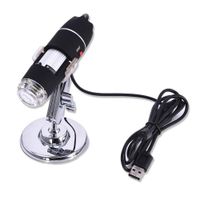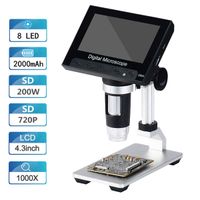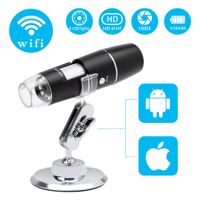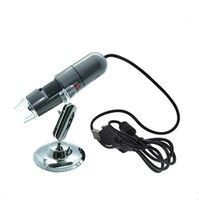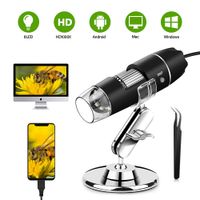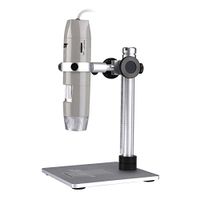
Description
Specification:
Photo resolution: UP to 2560*1920
Image sensor: 0.3m CMOS Sensor
Video resolution: UP to 640*480
Magnification range: 15mm-40mm
Frame rate: up to 30 FPS
Magnification: 50x~500x, 1x~1000x
PC interface: USB 3.0/2.0/1.1
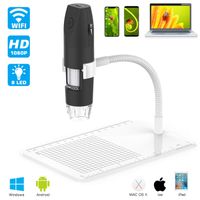
Adjustable lighting: 8 white LED lights
CD Driver User:
♥1920 * 1080P pixels need CD driver download software HiViewSetup,
only win10 / win7 computers can download CD drivers.
♥Follow the instructions to open it and need to restart the computer.
After that, you can use the zoom function.
♥MAC system download HiView software can only use 640 * 480 pixels.
Warm Reminder:
♥The installation of new software on the computer will prompt the risk of viruses, please do not worry.
Our product installation CD-driven website has undergone strict testing and is virus-free.
♥Focus Wheel can be used on ALL devices. But SNAP button can only be recognize on Windows system.
Window & Mac System User:
1.Please plug the USB cable into the computer before installing the software and install using 7-zip,
Winrar or Winzip to extract the rar file.
2.Install the software: Please login to http://soft.hvscam.com to download the software,
select and open the icon "Hi View Setup.exe", and then click Next-Reccive-Insall-Finish.
3.Double click the icon "HiViewSetup.exe" on the desktop to open the software and after entering the software,
you will see the interface.
4. Click "Device" in the menu bar and then click "Open" and select the microscope device name,
color/compression, and image resolution and so on.
5.Click "Open" to enter the system page to implement various operations
Android User:
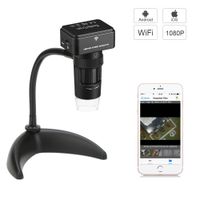
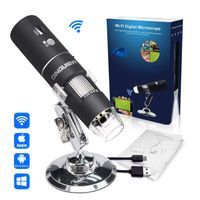
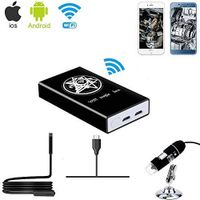
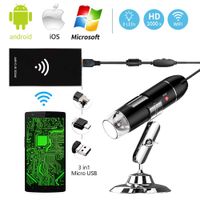
Please use your smart phone scan the QR code of the cover to get the app from Google App Stop.
Package listing:
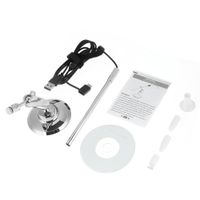
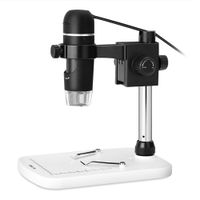
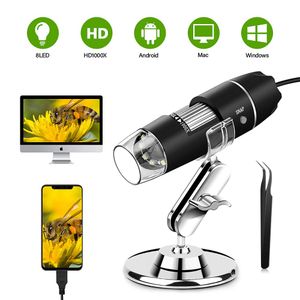
1x USB Microscope
1x Metal Tripod
1x CD Driver
1x Ruler
1x Instruction
1x Tweezers
Photo resolution: UP to 2560*1920
Image sensor: 0.3m CMOS Sensor
Video resolution: UP to 640*480
Magnification range: 15mm-40mm
Frame rate: up to 30 FPS
Magnification: 50x~500x, 1x~1000x
PC interface: USB 3.0/2.0/1.1
Adjustable lighting: 8 white LED lights
CD Driver User:
♥1920 * 1080P pixels need CD driver download software HiViewSetup,
only win10 / win7 computers can download CD drivers.
♥Follow the instructions to open it and need to restart the computer.
After that, you can use the zoom function.
♥MAC system download HiView software can only use 640 * 480 pixels.
Warm Reminder:
♥The installation of new software on the computer will prompt the risk of viruses, please do not worry.
Our product installation CD-driven website has undergone strict testing and is virus-free.
♥Focus Wheel can be used on ALL devices. But SNAP button can only be recognize on Windows system.
Window & Mac System User:
1.Please plug the USB cable into the computer before installing the software and install using 7-zip,
Winrar or Winzip to extract the rar file.
2.Install the software: Please login to http://soft.hvscam.com to download the software,
select and open the icon "Hi View Setup.exe", and then click Next-Reccive-Insall-Finish.
3.Double click the icon "HiViewSetup.exe" on the desktop to open the software and after entering the software,
you will see the interface.
4. Click "Device" in the menu bar and then click "Open" and select the microscope device name,
color/compression, and image resolution and so on.
5.Click "Open" to enter the system page to implement various operations
Android User:
Please use your smart phone scan the QR code of the cover to get the app from Google App Stop.
Package listing:
1x USB Microscope
1x Metal Tripod
1x CD Driver
1x Ruler
1x Instruction
1x Tweezers
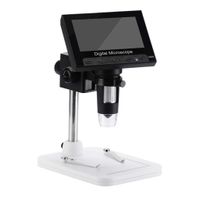
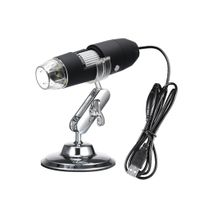
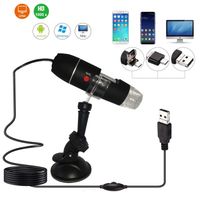
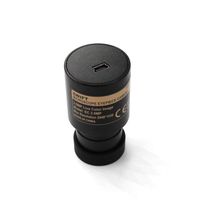
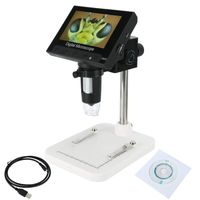
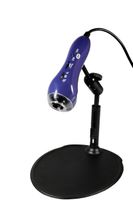
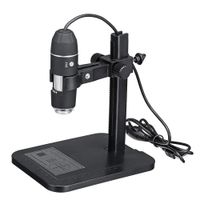
Digital Microscope, 50X to 1000X Magnification USB Microscope Endoscope Camera with 8 LEDs and Microscope Stand,Compatible with Android, Mac,Window 7 8 10 for Kids, Students, Adults (Black)
Current Price
$20.99
Average
$20.99
Min Price
$20.99
Max Price
$20.99
Price dynamics
0%
Description
Specification:
Photo resolution: UP to 2560*1920
Image sensor: 0.3m CMOS Sensor
Video resolution: UP to 640*480
Magnification range: 15mm-40mm
Frame rate: up to 30 FPS
Magnification: 50x~500x, 1x~1000x
PC interface: USB 3.0/2.0/1.1
Adjustable lighting: 8 white LED lights
CD Driver User:
♥1920 * 1080P pixels need CD driver download software HiViewSetup,
only win10 / win7 computers can download CD drivers.
♥Follow the instructions to open it and need to restart the computer.
After that, you can use the zoom function.
♥MAC system download HiView software can only use 640 * 480 pixels.
Warm Reminder:
♥The installation of new software on the computer will prompt the risk of viruses, please do not worry.
Our product installation CD-driven website has undergone strict testing and is virus-free.
♥Focus Wheel can be used on ALL devices. But SNAP button can only be recognize on Windows system.
Window & Mac System User:
1.Please plug the USB cable into the computer before installing the software and install using 7-zip,
Winrar or Winzip to extract the rar file.
2.Install the software: Please login to http://soft.hvscam.com to download the software,
select and open the icon "Hi View Setup.exe", and then click Next-Reccive-Insall-Finish.
3.Double click the icon "HiViewSetup.exe" on the desktop to open the software and after entering the software,
you will see the interface.
4. Click "Device" in the menu bar and then click "Open" and select the microscope device name,
color/compression, and image resolution and so on.
5.Click "Open" to enter the system page to implement various operations
Android User:
Please use your smart phone scan the QR code of the cover to get the app from Google App Stop.
Package listing:
1x USB Microscope
1x Metal Tripod
1x CD Driver
1x Ruler
1x Instruction
1x Tweezers
Photo resolution: UP to 2560*1920
Image sensor: 0.3m CMOS Sensor
Video resolution: UP to 640*480
Magnification range: 15mm-40mm
Frame rate: up to 30 FPS
Magnification: 50x~500x, 1x~1000x
PC interface: USB 3.0/2.0/1.1
Adjustable lighting: 8 white LED lights
CD Driver User:
♥1920 * 1080P pixels need CD driver download software HiViewSetup,
only win10 / win7 computers can download CD drivers.
♥Follow the instructions to open it and need to restart the computer.
After that, you can use the zoom function.
♥MAC system download HiView software can only use 640 * 480 pixels.
Warm Reminder:
♥The installation of new software on the computer will prompt the risk of viruses, please do not worry.
Our product installation CD-driven website has undergone strict testing and is virus-free.
♥Focus Wheel can be used on ALL devices. But SNAP button can only be recognize on Windows system.
Window & Mac System User:
1.Please plug the USB cable into the computer before installing the software and install using 7-zip,
Winrar or Winzip to extract the rar file.
2.Install the software: Please login to http://soft.hvscam.com to download the software,
select and open the icon "Hi View Setup.exe", and then click Next-Reccive-Insall-Finish.
3.Double click the icon "HiViewSetup.exe" on the desktop to open the software and after entering the software,
you will see the interface.
4. Click "Device" in the menu bar and then click "Open" and select the microscope device name,
color/compression, and image resolution and so on.
5.Click "Open" to enter the system page to implement various operations
Android User:
Please use your smart phone scan the QR code of the cover to get the app from Google App Stop.
Package listing:
1x USB Microscope
1x Metal Tripod
1x CD Driver
1x Ruler
1x Instruction
1x Tweezers
Price will be lower
in next 2 weeks
in next 2 weeks
According to the data, price will be lower in next two weeks, so not waste your money and track better price!