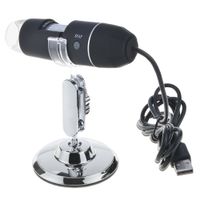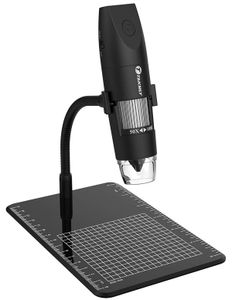
Description
How to use it?
For Android and IOS(Please switch to WIFI mode on the microscope body first.
1. Download the software "Inskam" from Google Play or APP Store;
2. Long press power button to turn on the microscope;
3. Connect the wifi "Inskam"(no password, If the wifi shows an exclamation point when connecting, this is normal.)
4. Run the app and it is easy to use.
NOTE: Do not connect your mobile phone network during use, and do not connect your home wifi.
For Windows system(Please switch to WIFI mode on the microscope body first.
1. Download the app from link
www.inskam.com/download/camera.zip, and install it in your PC;
2. Connect the microscope to your computer via USB cable;
For MAC system(Please switch to WIFI mode on the microscope body first.)
1. Connect the microscope to your computer via USB cable;
2. Open the "Photo Booth" software in the Apple App;
3. Click on the Camera and select the GENERAL-UVC#2(default).
Specifications:
Pixels: 2,000,000 pixels
Enlarge multiple: 50-1000X
Photo resolution: 1920x1080
Manual Focus: 0-40mm
Wireless connection: 10M(open environment)
Image Format: JPG
Video Format: MP4/AVI
Dynamic frame number: 10-30f/s
USB Interface Type: USB2.0
Operating System: IOS 8.0 or later, Windows Vista/7/8/10, Mac OS X 10.8 or later. Android 4.4 or later. Work for iPhone, Samsung, etc.
Package includes:
Microscope
USB cable
Metal Shelf
User's manual
For Android and IOS(Please switch to WIFI mode on the microscope body first.
1. Download the software "Inskam" from Google Play or APP Store;
2. Long press power button to turn on the microscope;
3. Connect the wifi "Inskam"(no password, If the wifi shows an exclamation point when connecting, this is normal.)
4. Run the app and it is easy to use.
NOTE: Do not connect your mobile phone network during use, and do not connect your home wifi.
For Windows system(Please switch to WIFI mode on the microscope body first.
1. Download the app from link
www.inskam.com/download/camera.zip, and install it in your PC;
2. Connect the microscope to your computer via USB cable;
For MAC system(Please switch to WIFI mode on the microscope body first.)
1. Connect the microscope to your computer via USB cable;
2. Open the "Photo Booth" software in the Apple App;
3. Click on the Camera and select the GENERAL-UVC#2(default).
Specifications:
Pixels: 2,000,000 pixels
Enlarge multiple: 50-1000X
Photo resolution: 1920x1080
Manual Focus: 0-40mm
Wireless connection: 10M(open environment)
Image Format: JPG
Video Format: MP4/AVI
Dynamic frame number: 10-30f/s
USB Interface Type: USB2.0
Operating System: IOS 8.0 or later, Windows Vista/7/8/10, Mac OS X 10.8 or later. Android 4.4 or later. Work for iPhone, Samsung, etc.
Package includes:
Microscope
USB cable
Metal Shelf
User's manual
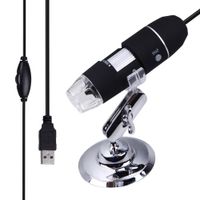
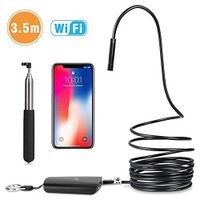
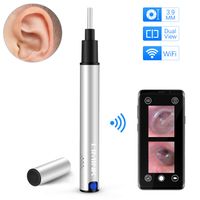
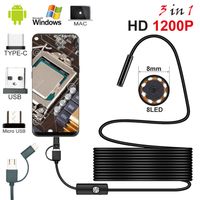
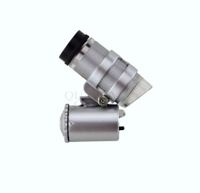
Digital Wireless Microscope USB WiFi 50X to 1000X Magnification Mini Handheld Endoscope Inspection Camera with 8 LED Lights Compatible with iPhone, iPad, Android Smartphone, Mac, Windows Computer
Price is below average
Current Price
$39.99
Average
$50.99
Min Price
$39.99
Max Price
$69.99
Price dynamics
22%
Description
How to use it?
For Android and IOS(Please switch to WIFI mode on the microscope body first.
1. Download the software "Inskam" from Google Play or APP Store;
2. Long press power button to turn on the microscope;
3. Connect the wifi "Inskam"(no password, If the wifi shows an exclamation point when connecting, this is normal.)
4. Run the app and it is easy to use.
NOTE: Do not connect your mobile phone network during use, and do not connect your home wifi.
For Windows system(Please switch to WIFI mode on the microscope body first.
1. Download the app from link
www.inskam.com/download/camera.zip, and install it in your PC;
2. Connect the microscope to your computer via USB cable;
For MAC system(Please switch to WIFI mode on the microscope body first.)
1. Connect the microscope to your computer via USB cable;
2. Open the "Photo Booth" software in the Apple App;
3. Click on the Camera and select the GENERAL-UVC#2(default).
Specifications:
Pixels: 2,000,000 pixels
Enlarge multiple: 50-1000X
Photo resolution: 1920x1080
Manual Focus: 0-40mm
Wireless connection: 10M(open environment)
Image Format: JPG
Video Format: MP4/AVI
Dynamic frame number: 10-30f/s
USB Interface Type: USB2.0
Operating System: IOS 8.0 or later, Windows Vista/7/8/10, Mac OS X 10.8 or later. Android 4.4 or later. Work for iPhone, Samsung, etc.
Package includes:
Microscope
USB cable
Metal Shelf
User's manual
For Android and IOS(Please switch to WIFI mode on the microscope body first.
1. Download the software "Inskam" from Google Play or APP Store;
2. Long press power button to turn on the microscope;
3. Connect the wifi "Inskam"(no password, If the wifi shows an exclamation point when connecting, this is normal.)
4. Run the app and it is easy to use.
NOTE: Do not connect your mobile phone network during use, and do not connect your home wifi.
For Windows system(Please switch to WIFI mode on the microscope body first.
1. Download the app from link
www.inskam.com/download/camera.zip, and install it in your PC;
2. Connect the microscope to your computer via USB cable;
For MAC system(Please switch to WIFI mode on the microscope body first.)
1. Connect the microscope to your computer via USB cable;
2. Open the "Photo Booth" software in the Apple App;
3. Click on the Camera and select the GENERAL-UVC#2(default).
Specifications:
Pixels: 2,000,000 pixels
Enlarge multiple: 50-1000X
Photo resolution: 1920x1080
Manual Focus: 0-40mm
Wireless connection: 10M(open environment)
Image Format: JPG
Video Format: MP4/AVI
Dynamic frame number: 10-30f/s
USB Interface Type: USB2.0
Operating System: IOS 8.0 or later, Windows Vista/7/8/10, Mac OS X 10.8 or later. Android 4.4 or later. Work for iPhone, Samsung, etc.
Package includes:
Microscope
USB cable
Metal Shelf
User's manual
Price will be lower
in next 2 weeks
in next 2 weeks
According to the data, price will be lower in next two weeks, so not waste your money and track better price!
Similar products