Description
What is Dino-Lite
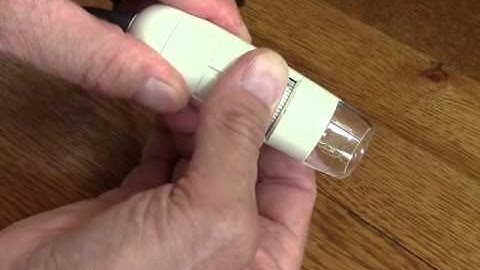
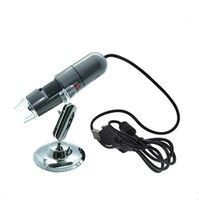
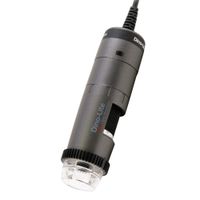
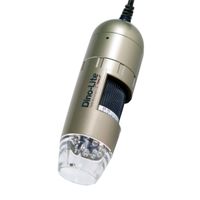
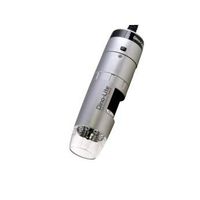
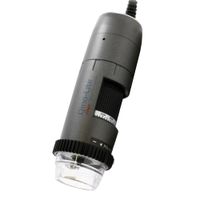
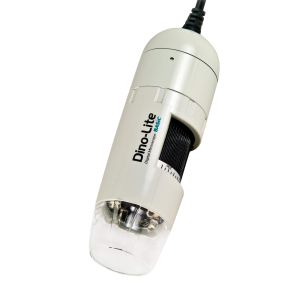
Dino-Lite digital microscope is an easy-to-use portable handheld device. Use for inspection, testing, documentation, and seeing more of the world around you.
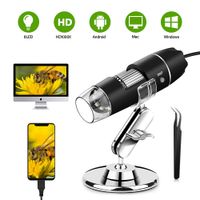
Plug into a computer and use the live image to inspect and analyze.
Take images and video using software. All while sitting in a comfortable and upright position.
Magnify images with variable magnification up to 200x without carrying or changing a lens. Always have lights to illuminate the things you are viewing with built-in LED lighting.
Change the focus by changing your distance and magnification. Using the cap, you can focus at ~50x and ~200x.
Simple and intuitive.
Plug the scope into the USB and install the software and you are ready to work.
Dino-Lite include DinoXcope software for Macintosh computers with OS 10.4(and up) and DinoCapture 2.0 for Windows XP, Vista, 7, 8 and 10 operating systems.
Details:
Working Distance - Standard
Lens Type - Glass
Sensor Size - 1/4 inch
Sensor Type - CMOS
Frame Rate (max) - 30 FPS
Operating System - Windows XP, Vista, 7, 8, 10, Mac OS 10.5(and up)
Included Software - DinoCapture 2.0 (Windows), DinoXcope (Mac OS)
Connection Type - USB 2.0
Image Save Formats (Windows) - BMP, GIF, PNG, JPG, TIF, RAS, PNM, TGA, PCX, MNG, WBMP, JP2, JPC, PGX
Image Save Formats (Mac OS) - JPEG, PNG
Video Save Formats (Mac OS) - MOV
Imaging Standards - DirectShow, UVC
Dimensions - 10.5 centimeters (L) x 3.2 centimeters (D) (4.13 inch x 1.26 inch)
Weight - 105grams (3.7 ounces)
Cable Length - 182 centimeter (71.65 inches)
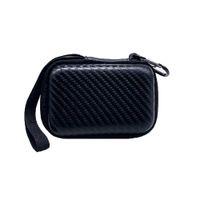
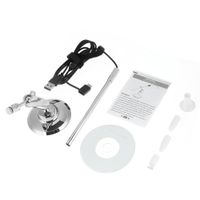
Package Includes - Microscope, Carry Pouch, Software CD
Service and Support - U.S.(www.dinolite.us) English and Spanish
Regulatory Approval - CE, FCC
SDK and Customization - Software Development Kit and scope customization options available
Dino-Lite digital microscope is an easy-to-use portable handheld device. Use for inspection, testing, documentation, and seeing more of the world around you.
Plug into a computer and use the live image to inspect and analyze.
Take images and video using software. All while sitting in a comfortable and upright position.
Magnify images with variable magnification up to 200x without carrying or changing a lens. Always have lights to illuminate the things you are viewing with built-in LED lighting.
Change the focus by changing your distance and magnification. Using the cap, you can focus at ~50x and ~200x.
Simple and intuitive.
Plug the scope into the USB and install the software and you are ready to work.
Dino-Lite include DinoXcope software for Macintosh computers with OS 10.4(and up) and DinoCapture 2.0 for Windows XP, Vista, 7, 8 and 10 operating systems.
Details:
Working Distance - Standard
Lens Type - Glass
Sensor Size - 1/4 inch
Sensor Type - CMOS
Frame Rate (max) - 30 FPS
Operating System - Windows XP, Vista, 7, 8, 10, Mac OS 10.5(and up)
Included Software - DinoCapture 2.0 (Windows), DinoXcope (Mac OS)
Connection Type - USB 2.0
Image Save Formats (Windows) - BMP, GIF, PNG, JPG, TIF, RAS, PNM, TGA, PCX, MNG, WBMP, JP2, JPC, PGX
Image Save Formats (Mac OS) - JPEG, PNG
Video Save Formats (Mac OS) - MOV
Imaging Standards - DirectShow, UVC
Dimensions - 10.5 centimeters (L) x 3.2 centimeters (D) (4.13 inch x 1.26 inch)
Weight - 105grams (3.7 ounces)
Cable Length - 182 centimeter (71.65 inches)
Package Includes - Microscope, Carry Pouch, Software CD
Service and Support - U.S.(www.dinolite.us) English and Spanish
Regulatory Approval - CE, FCC
SDK and Customization - Software Development Kit and scope customization options available
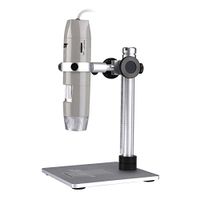
Dino-Lite USB Digital Microscope AM2111-0.3MP, 10x - 50x, 230x Optical Magnification, 4 LEDs
Current Price
$99
Average
$90.33
Min Price
$75
Max Price
$99
Price dynamics
9%
Description
What is Dino-Lite
Dino-Lite digital microscope is an easy-to-use portable handheld device. Use for inspection, testing, documentation, and seeing more of the world around you.
Plug into a computer and use the live image to inspect and analyze.
Take images and video using software. All while sitting in a comfortable and upright position.
Magnify images with variable magnification up to 200x without carrying or changing a lens. Always have lights to illuminate the things you are viewing with built-in LED lighting.
Change the focus by changing your distance and magnification. Using the cap, you can focus at ~50x and ~200x.
Simple and intuitive.
Plug the scope into the USB and install the software and you are ready to work.
Dino-Lite include DinoXcope software for Macintosh computers with OS 10.4(and up) and DinoCapture 2.0 for Windows XP, Vista, 7, 8 and 10 operating systems.
Details:
Working Distance - Standard
Lens Type - Glass
Sensor Size - 1/4 inch
Sensor Type - CMOS
Frame Rate (max) - 30 FPS
Operating System - Windows XP, Vista, 7, 8, 10, Mac OS 10.5(and up)
Included Software - DinoCapture 2.0 (Windows), DinoXcope (Mac OS)
Connection Type - USB 2.0
Image Save Formats (Windows) - BMP, GIF, PNG, JPG, TIF, RAS, PNM, TGA, PCX, MNG, WBMP, JP2, JPC, PGX
Image Save Formats (Mac OS) - JPEG, PNG
Video Save Formats (Mac OS) - MOV
Imaging Standards - DirectShow, UVC
Dimensions - 10.5 centimeters (L) x 3.2 centimeters (D) (4.13 inch x 1.26 inch)
Weight - 105grams (3.7 ounces)
Cable Length - 182 centimeter (71.65 inches)
Package Includes - Microscope, Carry Pouch, Software CD
Service and Support - U.S.(www.dinolite.us) English and Spanish
Regulatory Approval - CE, FCC
SDK and Customization - Software Development Kit and scope customization options available
Dino-Lite digital microscope is an easy-to-use portable handheld device. Use for inspection, testing, documentation, and seeing more of the world around you.
Plug into a computer and use the live image to inspect and analyze.
Take images and video using software. All while sitting in a comfortable and upright position.
Magnify images with variable magnification up to 200x without carrying or changing a lens. Always have lights to illuminate the things you are viewing with built-in LED lighting.
Change the focus by changing your distance and magnification. Using the cap, you can focus at ~50x and ~200x.
Simple and intuitive.
Plug the scope into the USB and install the software and you are ready to work.
Dino-Lite include DinoXcope software for Macintosh computers with OS 10.4(and up) and DinoCapture 2.0 for Windows XP, Vista, 7, 8 and 10 operating systems.
Details:
Working Distance - Standard
Lens Type - Glass
Sensor Size - 1/4 inch
Sensor Type - CMOS
Frame Rate (max) - 30 FPS
Operating System - Windows XP, Vista, 7, 8, 10, Mac OS 10.5(and up)
Included Software - DinoCapture 2.0 (Windows), DinoXcope (Mac OS)
Connection Type - USB 2.0
Image Save Formats (Windows) - BMP, GIF, PNG, JPG, TIF, RAS, PNM, TGA, PCX, MNG, WBMP, JP2, JPC, PGX
Image Save Formats (Mac OS) - JPEG, PNG
Video Save Formats (Mac OS) - MOV
Imaging Standards - DirectShow, UVC
Dimensions - 10.5 centimeters (L) x 3.2 centimeters (D) (4.13 inch x 1.26 inch)
Weight - 105grams (3.7 ounces)
Cable Length - 182 centimeter (71.65 inches)
Package Includes - Microscope, Carry Pouch, Software CD
Service and Support - U.S.(www.dinolite.us) English and Spanish
Regulatory Approval - CE, FCC
SDK and Customization - Software Development Kit and scope customization options available
Price will be lower
in next 2 weeks
in next 2 weeks
According to the data, price will be lower in next two weeks, so not waste your money and track better price!
Product review & video
hi this is Michael and this is my review of the Dynalite digital microscope the model of this one is the am two one one one it's a very handy USB digital microscope and it's pretty amazing really four for the price of this it lets you get up to 230 X magnification and it only comes with a couple of little accessories here this is just a simple plastic stand that you can store this in when you're not using it and then they give you a court management wrap here that you can just use to keep the cord tidy when not in use now this connects to your Macintosh computer or it'll also connect to PC just using the USB cord the court is pretty lengthy it's almost 6 feet long so it gives you some flexibility in how you can use this and this is just very simple to use you have the lights in the end here which light up and that illuminates the object that you want to look at and then you simply have