Description
Product specification:
Download rate: 150Mbps
Upload rate: 50Mbps
Wireless transmission rate: 300Mbps
(Note: The above is the theoretical rate. The actual rate depends on the carrier network)
Support Band:
LTE:B2/B3/B4/B5/B7/B12/B25/B28/B38/B40/B41
WCDMA: B2/B5
US Carrier :
Not compatible with Verizon and Sprint
Support AT&T, T-mobile. (Plug and play)
Support U.S Cellular, Cricket Wireless, H2O wireless, Mint Mobile,Google Project Fi, Lycamobile, MetroPCS, Ting, Telcel, Movistar, Digitel, Claro,Movilnet
Support Americas Country: Canada, Mexico, Brazil, Argentina, Colombia, Chile, Venezuela, Peru, etc.
Website: www.frequencycheck.com. Enter the name of the country and carriers. Please check the carrier frequency band information before purchase to ensure compatibility.
If the SIM Card isn't AT&T or T-mobile. Set its APN before using the router.
Before inserting the SIM card into the router. Make sure the SIM card is activated
Set Access Point Name (APN)
Enter the router IP address: 192.168.188.1
Click Network-APN-Enable. Modify APN.
You can find the APN of the SIM card from the carrier's official website or mobile phone.
(For example. Insert the SIM card into your phone. Click on "Wi-Fi & internet - SIM & network - SIM - Access Point Names". You can find APN.)
Download rate: 150Mbps
Upload rate: 50Mbps
Wireless transmission rate: 300Mbps
(Note: The above is the theoretical rate. The actual rate depends on the carrier network)
Support Band:
LTE:B2/B3/B4/B5/B7/B12/B25/B28/B38/B40/B41
WCDMA: B2/B5
US Carrier :
Not compatible with Verizon and Sprint
Support AT&T, T-mobile. (Plug and play)
Support U.S Cellular, Cricket Wireless, H2O wireless, Mint Mobile,Google Project Fi, Lycamobile, MetroPCS, Ting, Telcel, Movistar, Digitel, Claro,Movilnet
Support Americas Country: Canada, Mexico, Brazil, Argentina, Colombia, Chile, Venezuela, Peru, etc.
Website: www.frequencycheck.com. Enter the name of the country and carriers. Please check the carrier frequency band information before purchase to ensure compatibility.
If the SIM Card isn't AT&T or T-mobile. Set its APN before using the router.
Before inserting the SIM card into the router. Make sure the SIM card is activated
Set Access Point Name (APN)
Enter the router IP address: 192.168.188.1
Click Network-APN-Enable. Modify APN.
You can find the APN of the SIM card from the carrier's official website or mobile phone.
(For example. Insert the SIM card into your phone. Click on "Wi-Fi & internet - SIM & network - SIM - Access Point Names". You can find APN.)
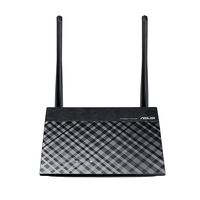
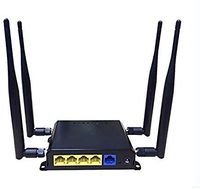
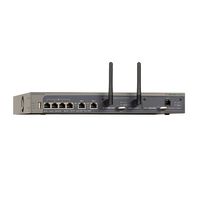
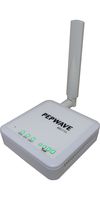
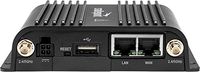
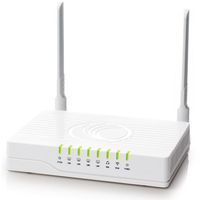
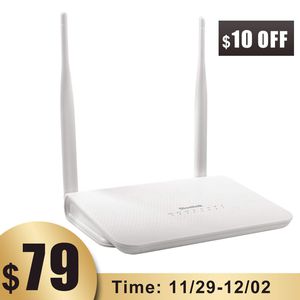
Dionlink 4G LTE CPE Unlocked 4G Wireless Router with SIM Card Slot-300Mbps WiFi Router, WiFi Hotspot,Support T-Mobile AT&T (2 Antenna)
Price is below average
Current Price
$89
Average
$112.33
Min Price
$89
Max Price
$199
Price dynamics
21%
Description
Product specification:
Download rate: 150Mbps
Upload rate: 50Mbps
Wireless transmission rate: 300Mbps
(Note: The above is the theoretical rate. The actual rate depends on the carrier network)
Support Band:
LTE:B2/B3/B4/B5/B7/B12/B25/B28/B38/B40/B41
WCDMA: B2/B5
US Carrier :
Not compatible with Verizon and Sprint
Support AT&T, T-mobile. (Plug and play)
Support U.S Cellular, Cricket Wireless, H2O wireless, Mint Mobile,Google Project Fi, Lycamobile, MetroPCS, Ting, Telcel, Movistar, Digitel, Claro,Movilnet
Support Americas Country: Canada, Mexico, Brazil, Argentina, Colombia, Chile, Venezuela, Peru, etc.
Website: www.frequencycheck.com. Enter the name of the country and carriers. Please check the carrier frequency band information before purchase to ensure compatibility.
If the SIM Card isn't AT&T or T-mobile. Set its APN before using the router.
Before inserting the SIM card into the router. Make sure the SIM card is activated
Set Access Point Name (APN)
Enter the router IP address: 192.168.188.1
Click Network-APN-Enable. Modify APN.
You can find the APN of the SIM card from the carrier's official website or mobile phone.
(For example. Insert the SIM card into your phone. Click on "Wi-Fi & internet - SIM & network - SIM - Access Point Names". You can find APN.)
Download rate: 150Mbps
Upload rate: 50Mbps
Wireless transmission rate: 300Mbps
(Note: The above is the theoretical rate. The actual rate depends on the carrier network)
Support Band:
LTE:B2/B3/B4/B5/B7/B12/B25/B28/B38/B40/B41
WCDMA: B2/B5
US Carrier :
Not compatible with Verizon and Sprint
Support AT&T, T-mobile. (Plug and play)
Support U.S Cellular, Cricket Wireless, H2O wireless, Mint Mobile,Google Project Fi, Lycamobile, MetroPCS, Ting, Telcel, Movistar, Digitel, Claro,Movilnet
Support Americas Country: Canada, Mexico, Brazil, Argentina, Colombia, Chile, Venezuela, Peru, etc.
Website: www.frequencycheck.com. Enter the name of the country and carriers. Please check the carrier frequency band information before purchase to ensure compatibility.
If the SIM Card isn't AT&T or T-mobile. Set its APN before using the router.
Before inserting the SIM card into the router. Make sure the SIM card is activated
Set Access Point Name (APN)
Enter the router IP address: 192.168.188.1
Click Network-APN-Enable. Modify APN.
You can find the APN of the SIM card from the carrier's official website or mobile phone.
(For example. Insert the SIM card into your phone. Click on "Wi-Fi & internet - SIM & network - SIM - Access Point Names". You can find APN.)
Price will be lower
in next 2 weeks
in next 2 weeks
According to the data, price will be lower in next two weeks, so not waste your money and track better price!