Description
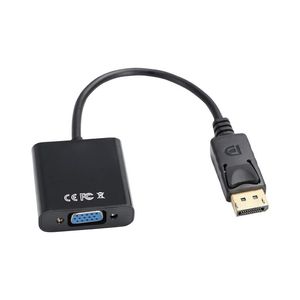
Description: This is the DisplayPort Display Port DP Male To VGA Female Cable Adapter Converter for PC Laptop etc, with multifunction, you can use this product to convert the signal of the Displayport(DP) display card into similative VGA(RGB) signal, and it is suitable for the devices with the Displayport interface connecting the display devices with the VGA interface. With this product, you can greatly enjoy the videos, you will love it! Buy it today! You can not miss it! Features: 1. High quality 2. Input Type: Display Port Male (20 Pin) 3. Output Type: VGA Female (15 Pin) 4. Display Port v1.1 compliant 5. Support the video bandwidth up to 10.8Gbps 6. Support the 1Mbps bidirectional auxiliary channel 7. Embedded clock architecture to reduce EMI susceptibility 8. Comes with built-in chip, which can convert the signal of the Displayport(DP) display card into similative VGA(RGB) video signal, and the resolution is up to 1920x1080. Specification: Size: 20.5 x 4.1 x 1.7cm Color: Black Package weight: 2.0/56g Compatible Mode: Compatible With all displayport interface, like as digital monitor, PC, projector, macbook How to use: a. Inserting one end of the Displayport into the related interface of PC/laptop. b. Insert the VGA cable into the other end of the PC/laptop. c. Play the video, PPT and documentation, the image will display on the screen of the other end displayer(if it is can not display, please repeat the steps several times or change a computer to try again) . Package included: 1 x Display Port DP Male to VGA Female Cable Adapter Converter
DisplayPort to VGA Adapter,Toptekits 1080P 20 Pin DP DisplayPort Male to 15 Pin VGA Female Adapter Cable Converter for MacBook, ThinkPad, PC, Laptop, Digital Monitor, Projector, Computers(6inch/15cm)
Current Price
$7.99
Average
$6.7
Min Price
$5.99
Max Price
$7.99
Price dynamics
16%
Description
Description: This is the DisplayPort Display Port DP Male To VGA Female Cable Adapter Converter for PC Laptop etc, with multifunction, you can use this product to convert the signal of the Displayport(DP) display card into similative VGA(RGB) signal, and it is suitable for the devices with the Displayport interface connecting the display devices with the VGA interface. With this product, you can greatly enjoy the videos, you will love it! Buy it today! You can not miss it! Features: 1. High quality 2. Input Type: Display Port Male (20 Pin) 3. Output Type: VGA Female (15 Pin) 4. Display Port v1.1 compliant 5. Support the video bandwidth up to 10.8Gbps 6. Support the 1Mbps bidirectional auxiliary channel 7. Embedded clock architecture to reduce EMI susceptibility 8. Comes with built-in chip, which can convert the signal of the Displayport(DP) display card into similative VGA(RGB) video signal, and the resolution is up to 1920x1080. Specification: Size: 20.5 x 4.1 x 1.7cm Color: Black Package weight: 2.0/56g Compatible Mode: Compatible With all displayport interface, like as digital monitor, PC, projector, macbook How to use: a. Inserting one end of the Displayport into the related interface of PC/laptop. b. Insert the VGA cable into the other end of the PC/laptop. c. Play the video, PPT and documentation, the image will display on the screen of the other end displayer(if it is can not display, please repeat the steps several times or change a computer to try again) . Package included: 1 x Display Port DP Male to VGA Female Cable Adapter Converter
Price will be lower
in next 2 weeks
in next 2 weeks
According to the data, price will be lower in next two weeks, so not waste your money and track better price!
Product review & video
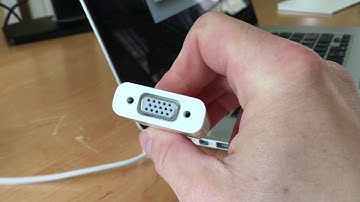
hi-tec 128 here today I want to show you another way you can connect your macbook to an external display or monitor now I have here my macbook pro 15 this is a retina model from mid-2015 and i'm gonna connect it to one of these displays now today I'm going to show you how to use the Apple mini DisplayPort to VGA adapter many monitors and projectors use VGA cables you can connect the cable coming out of the monitor or projector to this end of the adapter and then this end to your Mac now quickly taking a look at the side of my Mac you'll see the ports I have here now if you have a different Mac you may have different ports and you need to understand what the ports are and what kind of connectors they have but on the MacBook Pro 15 2015 Retina we have the power connector the MagSafe 2 connector then we have 2 Thunderbolt 2 ports that use mini DisplayPort connectors now these two can be us

Similar products