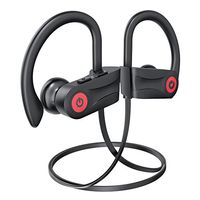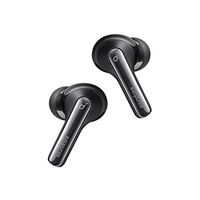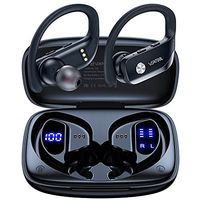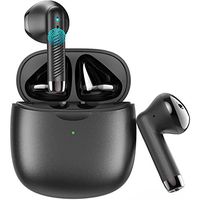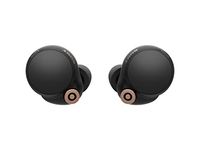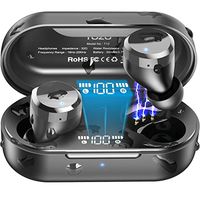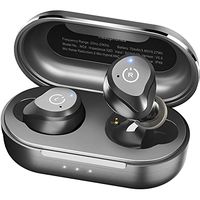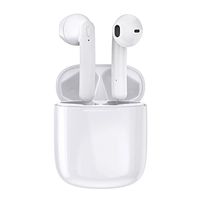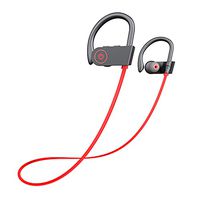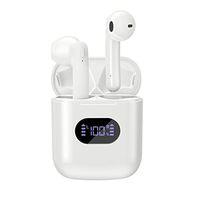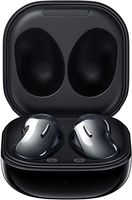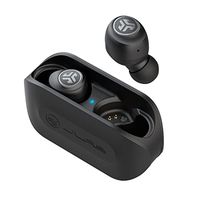
Description
When use the USAMS Products,We Do Not Compromise with Anything Less Than Perfection When It Comes To Product Quality
Color:White
Bluetooth Version:Bluetooth V5.0+EDR
Bluetooth Frequency Range:2.402GHz-2.480GHz
Calling time:5H
Playing time:6H
Standby time:60H
Charging current:5V-50mA
Bluetooth range:10m
Battery capacity:55mA
The Weight of Whole Set:60g
Charge for approximately for an hour( Power Indication:red light, full charge; blue light, the red light disappear)
Power:DC 5V(Round Hole Interface), USB Port,Cellphone Charger, Car Charger
Including:Earphones+USB Cable+Manual+Package Box+4 Earbuds caps
How to Switch Languages Mode?
Three-tap the "L" or "R" earbud when not on a call to switch Language mode. Both English and Chinese are available.
Steps to switch from Mono mode to Stereo mode
Step 1: Open the Bluetooth on Settings, find the "USAMS-LN". Forgot this device, then trun off the Bluetooth.
Step 2: Turn off both right earbud and left earbud manually. -Press the Multi-function button 8s on both R&L earbuds until LED indicator go out and release your hands.
Step 3: Press both earbuds at the same time, don't release about 20s until LED indicator go out (both earbuds turn off ), then put them back to charging case.
Step 4: Take out both earbuds from charging case, earbuds will turn on automatically. No any further operation. Please don't touch the touch area, when left earbud's LED green light and the white light alternately flash, left earbud and right earbud will connect with each other.
Step 5: Turn on your phone's Bluetooth, search the devices in the Bluetooth panel of the phone. The device ID is "USAMS-LN
Color:White
Bluetooth Version:Bluetooth V5.0+EDR
Bluetooth Frequency Range:2.402GHz-2.480GHz
Calling time:5H
Playing time:6H
Standby time:60H
Charging current:5V-50mA
Bluetooth range:10m
Battery capacity:55mA
The Weight of Whole Set:60g
Charge for approximately for an hour( Power Indication:red light, full charge; blue light, the red light disappear)
Power:DC 5V(Round Hole Interface), USB Port,Cellphone Charger, Car Charger
Including:Earphones+USB Cable+Manual+Package Box+4 Earbuds caps
How to Switch Languages Mode?
Three-tap the "L" or "R" earbud when not on a call to switch Language mode. Both English and Chinese are available.
Steps to switch from Mono mode to Stereo mode
Step 1: Open the Bluetooth on Settings, find the "USAMS-LN". Forgot this device, then trun off the Bluetooth.
Step 2: Turn off both right earbud and left earbud manually. -Press the Multi-function button 8s on both R&L earbuds until LED indicator go out and release your hands.
Step 3: Press both earbuds at the same time, don't release about 20s until LED indicator go out (both earbuds turn off ), then put them back to charging case.
Step 4: Take out both earbuds from charging case, earbuds will turn on automatically. No any further operation. Please don't touch the touch area, when left earbud's LED green light and the white light alternately flash, left earbud and right earbud will connect with each other.
Step 5: Turn on your phone's Bluetooth, search the devices in the Bluetooth panel of the phone. The device ID is "USAMS-LN
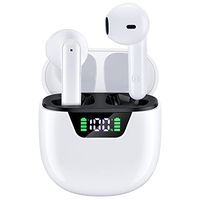
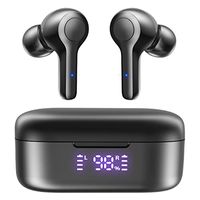
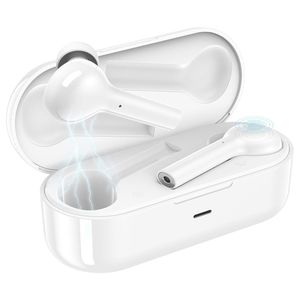
Bluetooth Earbuds, Usams Wireless Headphones,Latest Bluetooth 5.0 Bluetooth Headsets,6-Hr Playing Time Bluetooth Headset,Built-in Mic Stereo Sports Headphones for IOS For Android for Smart Phone-White
Current Price
$39.99
Average
$39.57
Min Price
$36.95
Max Price
$39.99
Price dynamics
1%
Description
When use the USAMS Products,We Do Not Compromise with Anything Less Than Perfection When It Comes To Product Quality
Color:White
Bluetooth Version:Bluetooth V5.0+EDR
Bluetooth Frequency Range:2.402GHz-2.480GHz
Calling time:5H
Playing time:6H
Standby time:60H
Charging current:5V-50mA
Bluetooth range:10m
Battery capacity:55mA
The Weight of Whole Set:60g
Charge for approximately for an hour( Power Indication:red light, full charge; blue light, the red light disappear)
Power:DC 5V(Round Hole Interface), USB Port,Cellphone Charger, Car Charger
Including:Earphones+USB Cable+Manual+Package Box+4 Earbuds caps
How to Switch Languages Mode?
Three-tap the "L" or "R" earbud when not on a call to switch Language mode. Both English and Chinese are available.
Steps to switch from Mono mode to Stereo mode
Step 1: Open the Bluetooth on Settings, find the "USAMS-LN". Forgot this device, then trun off the Bluetooth.
Step 2: Turn off both right earbud and left earbud manually. -Press the Multi-function button 8s on both R&L earbuds until LED indicator go out and release your hands.
Step 3: Press both earbuds at the same time, don't release about 20s until LED indicator go out (both earbuds turn off ), then put them back to charging case.
Step 4: Take out both earbuds from charging case, earbuds will turn on automatically. No any further operation. Please don't touch the touch area, when left earbud's LED green light and the white light alternately flash, left earbud and right earbud will connect with each other.
Step 5: Turn on your phone's Bluetooth, search the devices in the Bluetooth panel of the phone. The device ID is "USAMS-LN
Color:White
Bluetooth Version:Bluetooth V5.0+EDR
Bluetooth Frequency Range:2.402GHz-2.480GHz
Calling time:5H
Playing time:6H
Standby time:60H
Charging current:5V-50mA
Bluetooth range:10m
Battery capacity:55mA
The Weight of Whole Set:60g
Charge for approximately for an hour( Power Indication:red light, full charge; blue light, the red light disappear)
Power:DC 5V(Round Hole Interface), USB Port,Cellphone Charger, Car Charger
Including:Earphones+USB Cable+Manual+Package Box+4 Earbuds caps
How to Switch Languages Mode?
Three-tap the "L" or "R" earbud when not on a call to switch Language mode. Both English and Chinese are available.
Steps to switch from Mono mode to Stereo mode
Step 1: Open the Bluetooth on Settings, find the "USAMS-LN". Forgot this device, then trun off the Bluetooth.
Step 2: Turn off both right earbud and left earbud manually. -Press the Multi-function button 8s on both R&L earbuds until LED indicator go out and release your hands.
Step 3: Press both earbuds at the same time, don't release about 20s until LED indicator go out (both earbuds turn off ), then put them back to charging case.
Step 4: Take out both earbuds from charging case, earbuds will turn on automatically. No any further operation. Please don't touch the touch area, when left earbud's LED green light and the white light alternately flash, left earbud and right earbud will connect with each other.
Step 5: Turn on your phone's Bluetooth, search the devices in the Bluetooth panel of the phone. The device ID is "USAMS-LN
Price will be lower
in next 2 weeks
in next 2 weeks
According to the data, price will be lower in next two weeks, so not waste your money and track better price!
Product review & video
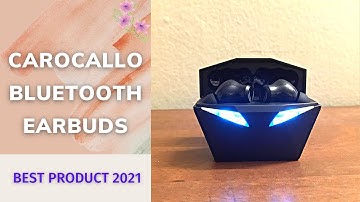
so quick little overview of the new bluetooth 5 wireless earbuds here as you can see it has a usbc in the back um look pretty cool with the led flashing lights i got the airbots pro here for comparison okay earbuds there then you have these here okay similar in size similar in weight so these when you open up they start flashing the leds here in the back and once they're connected they stop flashing so as you can see they connected pretty quickly to my phone and then just to take a look at the headphones side by side here you have the um these and then you have the airpods similar similar size similar look the exception of the these being black and these being white and then you have the leds on these uh pretty good um good value for the money for sure compare the airpods in terms of of sound quality they're very similar to the airpods i would say uh with the only exception is that thes

Similar products