Description
Dvorak studied letter frequencies and the physiology of people's hands and created a layout to adhere to these principles:
It is easier to type letters alternating between hands.
For maximum speed and efficiency, the most common letters and digraphs should be the easiest to type. This means that they should be on the home row, which is where the fingers rest, and under the strongest fingers.
Likewise, the least common letters should be on the bottom row, which is the hardest row to reach.
The right hand should do more of the typing, because most people are right-handed.
It is more difficult to type digraphs with adjacent fingers than non-adjacent fingers.
Stroking should generally move from the edges of the board to the middle. An observation of this principle is that, for many people, when tapping fingers on a table, it is easier going from little finger to index than vice versa. This motion on a keyboard is called inboard stroke flow.
The Dvorak keyboard layout became easier to access in the computer age. Currently, all major Operating Systems (such as Apple OS X, Microsoft Windows, GNU/Linux and BSD) ship with Dvorak keyboard layout in addition to the standard QWERTY layout. So far, DSK has failed to displace the QWERTY standard.
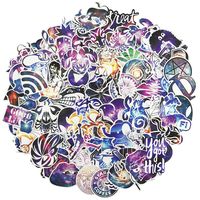
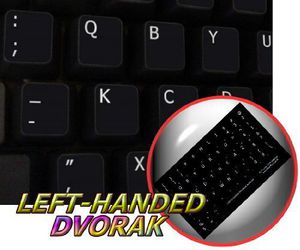
What you're offered now is high-quality stickers, intended to simplify you work and enjoy it while doing it on computer.
OUR MOTTO IS - QUALITY!
The product listed above is copyrighted, has been manufactured and distributed by Royal Galaxy Ltd.
Usage of the images posted, distribution or resale has NOT been authorized by Royal Galaxy Ltd, and is in direct violation of its written terms.
Federal law provides severe civil and criminal penalties for the unauthorized usage, distribution or resale of copyrighted product, its listings with all imaged posted.
For all requests regarding usage of images of this product, its distribution and resale, please contact us by email.
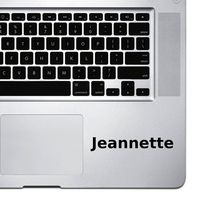
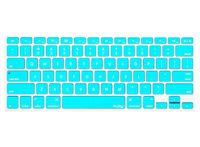
DVORAK LEFT-HANDED NON-TRANSPARENT KEYBOARD STICKER ON BLACK BACKGROUND FOR DESKTOP, LAPTOP AND NOTEBOOK
Current Price
$2.39
Average
$2.39
Min Price
$2.39
Max Price
$2.39
Description
Dvorak studied letter frequencies and the physiology of people's hands and created a layout to adhere to these principles:
It is easier to type letters alternating between hands.
For maximum speed and efficiency, the most common letters and digraphs should be the easiest to type. This means that they should be on the home row, which is where the fingers rest, and under the strongest fingers.
Likewise, the least common letters should be on the bottom row, which is the hardest row to reach.
The right hand should do more of the typing, because most people are right-handed.
It is more difficult to type digraphs with adjacent fingers than non-adjacent fingers.
Stroking should generally move from the edges of the board to the middle. An observation of this principle is that, for many people, when tapping fingers on a table, it is easier going from little finger to index than vice versa. This motion on a keyboard is called inboard stroke flow.
The Dvorak keyboard layout became easier to access in the computer age. Currently, all major Operating Systems (such as Apple OS X, Microsoft Windows, GNU/Linux and BSD) ship with Dvorak keyboard layout in addition to the standard QWERTY layout. So far, DSK has failed to displace the QWERTY standard.
What you're offered now is high-quality stickers, intended to simplify you work and enjoy it while doing it on computer.
OUR MOTTO IS - QUALITY!
The product listed above is copyrighted, has been manufactured and distributed by Royal Galaxy Ltd.
Usage of the images posted, distribution or resale has NOT been authorized by Royal Galaxy Ltd, and is in direct violation of its written terms.
Federal law provides severe civil and criminal penalties for the unauthorized usage, distribution or resale of copyrighted product, its listings with all imaged posted.
For all requests regarding usage of images of this product, its distribution and resale, please contact us by email.
Price will be lower
in next 2 weeks
in next 2 weeks
According to the data, price will be lower in next two weeks, so not waste your money and track better price!
Product review & video
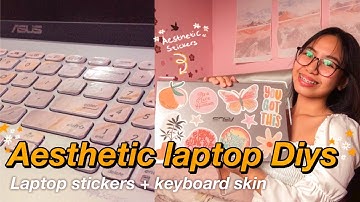
hey guys what's up welcome back to my youtube channel so for today's video is i'm gonna show you how to make your diy aesthetic laptop stickers and diy keyboard skin so without further ado let's jump right into the video hey guys so for the first diy is we're gonna make some aesthetic stickers so first thing you're gonna do is find us some stickers and i'm gonna link her account in the description box so you can check her stickers so i got my stickers on her account lauren and just search aesthetic stickers or it depends on what is your theme so after you got some stickers just open microsoft word and insert the photos on the document so here i'm just resizing and cropping some photos and resizing on how big i want it to be in this part it depends on you and how big you want your stickers so i believe this is about three inches three by three or four by four inches i'm gonna link also d

Similar products