- HomeElectronicsComputers & AccessoriesComputer Accessories & PeripheralsKeyboards, Mice & AccessoriesKeyboard & Mice AccessoriesKeyboard Skins
Description
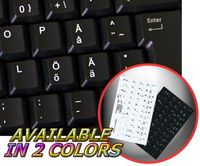
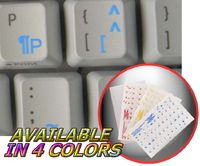
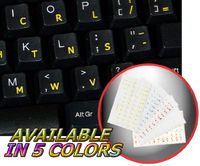
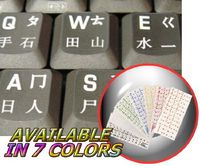
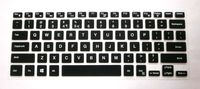
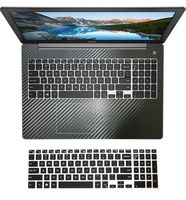
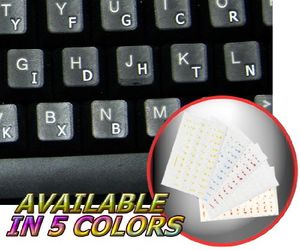
The Dvorak layout is spread onto transparent - matt sticker, with white color.
Dvorak studied letter frequencies and the physiology of people's hands and created a layout to adhere to these principles:
It is easier to type letters alternating between hands.
For maximum speed and efficiency, the most common letters and digraphs should be the easiest to type. This means that they should be on the home row, which is where the fingers rest, and under the strongest fingers.
Likewise, the least common letters should be on the bottom row, which is the hardest row to reach.
The right hand should do more of the typing, because most people are right-handed.
It is more difficult to type digraphs with adjacent fingers than non-adjacent fingers.
Stroking should generally move from the edges of the board to the middle. An observation of this principle is that, for many people, when tapping fingers on a table, it is easier going from little finger to index than vice versa. This motion on a keyboard is called inboard stroke flow.
The Dvorak keyboard layout became easier to access in the computer age. Currently, all major Operating Systems (such as Apple OS X, Microsoft Windows, GNU/Linux and BSD) ship with Dvorak keyboard layout in addition to the standard QWERTY layout. So far, DSK has failed to displace the QWERTY standard.
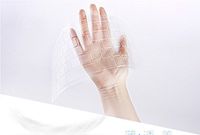
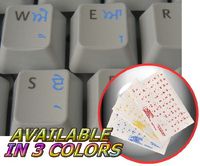
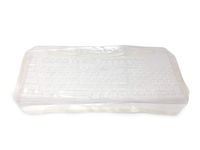
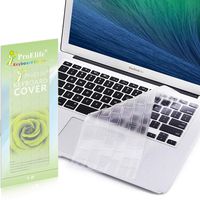
Clear transparent background makes stickers invisible, and allows existing characters to show through.
The product listed above is copyrighted, has been manufactured and distributed by Royal Galaxy Ltd.
Usage of the images posted, distribution or resale has NOT been authorized by Royal Galaxy Ltd, and is in direct violation of its written terms.
Federal law provides severe civil and criminal penalties for the unauthorized usage, distribution or resale of copyrighted product, its listings with all imaged posted.
For all requests regarding usage of images of this product, its distribution and resale, please contact us by email.
DVORAK SIMPLIFIED KEYBOARD STICKER WITH WHITE LETTERING TRANSPARENT BACKGROUND
Current Price
$2.39
Average
$2.39
Min Price
$2.39
Max Price
$2.39
Description
The Dvorak layout is spread onto transparent - matt sticker, with white color.
Dvorak studied letter frequencies and the physiology of people's hands and created a layout to adhere to these principles:
It is easier to type letters alternating between hands.
For maximum speed and efficiency, the most common letters and digraphs should be the easiest to type. This means that they should be on the home row, which is where the fingers rest, and under the strongest fingers.
Likewise, the least common letters should be on the bottom row, which is the hardest row to reach.
The right hand should do more of the typing, because most people are right-handed.
It is more difficult to type digraphs with adjacent fingers than non-adjacent fingers.
Stroking should generally move from the edges of the board to the middle. An observation of this principle is that, for many people, when tapping fingers on a table, it is easier going from little finger to index than vice versa. This motion on a keyboard is called inboard stroke flow.
The Dvorak keyboard layout became easier to access in the computer age. Currently, all major Operating Systems (such as Apple OS X, Microsoft Windows, GNU/Linux and BSD) ship with Dvorak keyboard layout in addition to the standard QWERTY layout. So far, DSK has failed to displace the QWERTY standard.
Clear transparent background makes stickers invisible, and allows existing characters to show through.
The product listed above is copyrighted, has been manufactured and distributed by Royal Galaxy Ltd.
Usage of the images posted, distribution or resale has NOT been authorized by Royal Galaxy Ltd, and is in direct violation of its written terms.
Federal law provides severe civil and criminal penalties for the unauthorized usage, distribution or resale of copyrighted product, its listings with all imaged posted.
For all requests regarding usage of images of this product, its distribution and resale, please contact us by email.
Price will be lower
in next 2 weeks
in next 2 weeks
According to the data, price will be lower in next two weeks, so not waste your money and track better price!
Product review & video
today you will learn how to create white outlines around your transparent background PNG images of the images that you will see in this tutorial are available at my Etsy shop Omar Toro so just go there and search for Omar Toro and you'll be able to get these images these are stickers for your Cricut machines and if you want to get them just go there and visit now sometimes when you download a transparent background of PNG images from sides or like this one for example they have a lot of detail around and your machine won't read those details correctly and won't be able to cut correctly around that image so what I'd like to do always has create a white outline for my machine to be able to cut those stickers easily here is the white outlined image let's compare it to the other one side to side and there you go this is what we will be creating today we will use a Photoshop and also a free