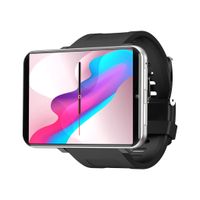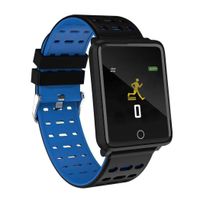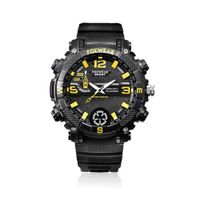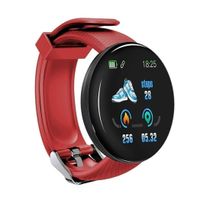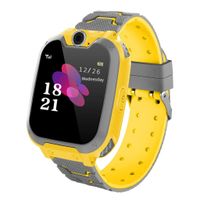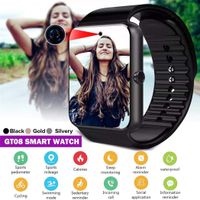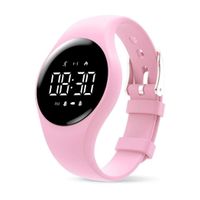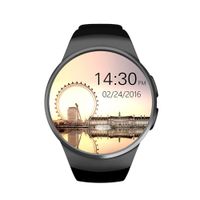
Description
Software download
A: IOS AppStore store to search for "AMKang" software and download
B: Android downloads the "AMKang" software by QR code recognition
4BLE connection device and pairing
1) BLE connection: Search for the device model and connect in the Settings ; Device interface of the APP After the connection is successful, the device model AMKang will be displayed under the My Device of the APP, and the upper left corner of the time interface on the device can be seen successfully connected the symbol If you do not see the symbol indicating that the connection is unsuccessful, please re-operate The time is automatically synchronized when the connection is successful
Please unbind the app first, and then connect the device
Note: The connection of other device cannot be connected under the function of the mobile phone You must connect to the device before you can use it in the app
Make sure the of the mobile phone is turned on; the device is within 50cm of the phone
4) If the Android phone does not find the device in the mobile app, please check whether the "AMKang" is allowed to use in the phone permission setting
headset function instructions and precautions
A Headset pairing
1 Headset pairing: Take the earphone out of the wristband host, there is a power-on prompt tone, turn on the in the phone settings, find the corresponding name (SH30L) and pair it with the connection (The headset is already connected and the pairing is good before leaving the factory After that, only the name of the main is displayed, with "L") After the pairing is successful, the setting shows "Connected", indicating that the product connection is successful
B The middle touch button of the earphone is a dedicated button for the earphone, which is used for answering incoming calls, rejecting incoming calls, muting calls, calling back calls, and activating voice assistants in the headset state
A: IOS AppStore store to search for "AMKang" software and download
B: Android downloads the "AMKang" software by QR code recognition
4BLE connection device and pairing
1) BLE connection: Search for the device model and connect in the Settings ; Device interface of the APP After the connection is successful, the device model AMKang will be displayed under the My Device of the APP, and the upper left corner of the time interface on the device can be seen successfully connected the symbol If you do not see the symbol indicating that the connection is unsuccessful, please re-operate The time is automatically synchronized when the connection is successful
Please unbind the app first, and then connect the device
Note: The connection of other device cannot be connected under the function of the mobile phone You must connect to the device before you can use it in the app
Make sure the of the mobile phone is turned on; the device is within 50cm of the phone
4) If the Android phone does not find the device in the mobile app, please check whether the "AMKang" is allowed to use in the phone permission setting
headset function instructions and precautions
A Headset pairing
1 Headset pairing: Take the earphone out of the wristband host, there is a power-on prompt tone, turn on the in the phone settings, find the corresponding name (SH30L) and pair it with the connection (The headset is already connected and the pairing is good before leaving the factory After that, only the name of the main is displayed, with "L") After the pairing is successful, the setting shows "Connected", indicating that the product connection is successful
B The middle touch button of the earphone is a dedicated button for the earphone, which is used for answering incoming calls, rejecting incoming calls, muting calls, calling back calls, and activating voice assistants in the headset state
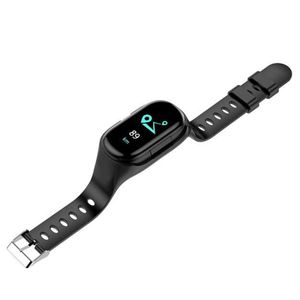
Eachbid Smart Watch Wireless Earphone 2 in 1 Fitness Activity Tracker Smart Band Stereo Headphone Earbuds Fit for Android iOS
Current Price
$62.11
Average
$62.11
Min Price
$62.11
Max Price
$62.11
Description
Software download
A: IOS AppStore store to search for "AMKang" software and download
B: Android downloads the "AMKang" software by QR code recognition
4BLE connection device and pairing
1) BLE connection: Search for the device model and connect in the Settings ; Device interface of the APP After the connection is successful, the device model AMKang will be displayed under the My Device of the APP, and the upper left corner of the time interface on the device can be seen successfully connected the symbol If you do not see the symbol indicating that the connection is unsuccessful, please re-operate The time is automatically synchronized when the connection is successful
Please unbind the app first, and then connect the device
Note: The connection of other device cannot be connected under the function of the mobile phone You must connect to the device before you can use it in the app
Make sure the of the mobile phone is turned on; the device is within 50cm of the phone
4) If the Android phone does not find the device in the mobile app, please check whether the "AMKang" is allowed to use in the phone permission setting
headset function instructions and precautions
A Headset pairing
1 Headset pairing: Take the earphone out of the wristband host, there is a power-on prompt tone, turn on the in the phone settings, find the corresponding name (SH30L) and pair it with the connection (The headset is already connected and the pairing is good before leaving the factory After that, only the name of the main is displayed, with "L") After the pairing is successful, the setting shows "Connected", indicating that the product connection is successful
B The middle touch button of the earphone is a dedicated button for the earphone, which is used for answering incoming calls, rejecting incoming calls, muting calls, calling back calls, and activating voice assistants in the headset state
A: IOS AppStore store to search for "AMKang" software and download
B: Android downloads the "AMKang" software by QR code recognition
4BLE connection device and pairing
1) BLE connection: Search for the device model and connect in the Settings ; Device interface of the APP After the connection is successful, the device model AMKang will be displayed under the My Device of the APP, and the upper left corner of the time interface on the device can be seen successfully connected the symbol If you do not see the symbol indicating that the connection is unsuccessful, please re-operate The time is automatically synchronized when the connection is successful
Please unbind the app first, and then connect the device
Note: The connection of other device cannot be connected under the function of the mobile phone You must connect to the device before you can use it in the app
Make sure the of the mobile phone is turned on; the device is within 50cm of the phone
4) If the Android phone does not find the device in the mobile app, please check whether the "AMKang" is allowed to use in the phone permission setting
headset function instructions and precautions
A Headset pairing
1 Headset pairing: Take the earphone out of the wristband host, there is a power-on prompt tone, turn on the in the phone settings, find the corresponding name (SH30L) and pair it with the connection (The headset is already connected and the pairing is good before leaving the factory After that, only the name of the main is displayed, with "L") After the pairing is successful, the setting shows "Connected", indicating that the product connection is successful
B The middle touch button of the earphone is a dedicated button for the earphone, which is used for answering incoming calls, rejecting incoming calls, muting calls, calling back calls, and activating voice assistants in the headset state
Price will be lower
in next 2 weeks
in next 2 weeks
According to the data, price will be lower in next two weeks, so not waste your money and track better price!
Product review & video
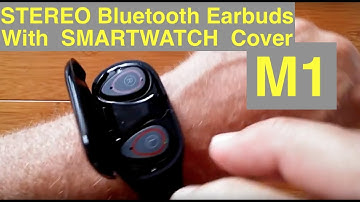
greetings and welcome back to smart watch ticks it's a beautiful day and we have an unboxing or two to do by the way we are on the web at SmartWatch tix.com come join us anytime it's been a while since we've reviewed these combo wristband earphone units and I've got two different ones here now usually I don't bring in two different products from two different suppliers and do them all together but by the time this series of videos is done I'm pretty sure you're gonna want to buy both of these really what are we looking at well on the Left coming to us from gearbest is a thing called a bill k h 109 it's a Bluetooth wireless earphone SmartWatch combo and wait'll you see what it'll do in the upcoming review the other one comes to us from Tom Top and similar in nature it's a smart bracelet with stereo Bluetooth earbuds inside of it likewise something worth watching so where do we begin let'

Similar products