Description
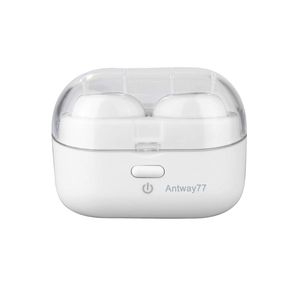
Antway77 Wireless Earbuds
Single Earphone Mode:
A. Wake up the earphone by taking it out of the charging case. It enters the pairing mode directly with a prompt. LED flashes blue and red alternately.
B. Turn on the Bluetooth on your device. When shows up on the Bluetooth list, click it to connect.
C. If you have previously paired the earbud with a device, it will reconnect with the device
automatically when you take it out of the charging case.
Dual Earphones Mode:
A. Take out both earphones from the charging case, and they will pair with each other automatically. Once connected, they enter pairing mode with a prompt. LED on the left earbud flashes blue and red alternately and LED on the right earbud flashes blue.
B. Turn on the Bluetooth on your device. When shows up on the Bluetooth list, click it to connect.
C. If you have previously paired the two earbuds with a device, they will reconnect with the device automatically when you take the two earphones out of the charging case.
Note: If the two earphones fail to connect with each other, please try the following steps by hands.
a). Press and hold the power buttons of two Earphones for 3s to power off.
b). Press and hold the power buttons of two Earphones for 15s until both LED indicators turn off.
c). Press and hold the power buttons of two Earphones for 2s again to power on (LED flashes blue), or put the earphones back into the charging case and take them out, and the two Earphones will automatically pair with each other.
Earbud Headphones True Wireless Stereo Earbuds Bluetooth 5.0 On-Ear Headphones with CVC8.0 Noise Cancelling Dual Mic, Light Wight, HiFi Sound, 20H Playtime with Portable Charging Case (White)
Current Price
$59.99
Average
$56.66
Min Price
$49.99
Max Price
$59.99
Price dynamics
6%
Description
Antway77 Wireless Earbuds
Single Earphone Mode:
A. Wake up the earphone by taking it out of the charging case. It enters the pairing mode directly with a prompt. LED flashes blue and red alternately.
B. Turn on the Bluetooth on your device. When shows up on the Bluetooth list, click it to connect.
C. If you have previously paired the earbud with a device, it will reconnect with the device
automatically when you take it out of the charging case.
Dual Earphones Mode:
A. Take out both earphones from the charging case, and they will pair with each other automatically. Once connected, they enter pairing mode with a prompt. LED on the left earbud flashes blue and red alternately and LED on the right earbud flashes blue.
B. Turn on the Bluetooth on your device. When shows up on the Bluetooth list, click it to connect.
C. If you have previously paired the two earbuds with a device, they will reconnect with the device automatically when you take the two earphones out of the charging case.
Note: If the two earphones fail to connect with each other, please try the following steps by hands.
a). Press and hold the power buttons of two Earphones for 3s to power off.
b). Press and hold the power buttons of two Earphones for 15s until both LED indicators turn off.
c). Press and hold the power buttons of two Earphones for 2s again to power on (LED flashes blue), or put the earphones back into the charging case and take them out, and the two Earphones will automatically pair with each other.
Price will be lower
in next 2 weeks
in next 2 weeks
According to the data, price will be lower in next two weeks, so not waste your money and track better price!

Similar products



































