Description
Specifications:
Bluetooth version: V4.1
Frequency: 2.4-2.48 GHz
Operation distance: up to 10M
Charging time: about 2 hours
Efficient working time: about 5-6 hours
Standby time: up to 180 hours
Material: Plastic+ Silicone
Compatible for: Universal for Samsung, For iPhone, For LG, For Sony, For Motorola, For Blackberry, For Nokia, Tablet, etc.
Wireless Range: Up to 33 feet/10 meters range
Usage:
Long press the power button about 3-5 seconds till you see the indicator light flashes blue and red alternately
Set your phone into Bluetooth mode, and search the device named
Click to pair with the Bluetooth headset
Short press button "+"/"-" to volume up/down and Long press button "+"/"-" to choose next/previous song
Package Content:
1X Bluetooth Headset( without retail package.)
1X Micro USB Charging Cable
1X Manual
Bluetooth version: V4.1
Frequency: 2.4-2.48 GHz
Operation distance: up to 10M
Charging time: about 2 hours
Efficient working time: about 5-6 hours
Standby time: up to 180 hours
Material: Plastic+ Silicone
Compatible for: Universal for Samsung, For iPhone, For LG, For Sony, For Motorola, For Blackberry, For Nokia, Tablet, etc.
Wireless Range: Up to 33 feet/10 meters range
Usage:
Long press the power button about 3-5 seconds till you see the indicator light flashes blue and red alternately
Set your phone into Bluetooth mode, and search the device named
Click to pair with the Bluetooth headset
Short press button "+"/"-" to volume up/down and Long press button "+"/"-" to choose next/previous song
Package Content:
1X Bluetooth Headset( without retail package.)
1X Micro USB Charging Cable
1X Manual
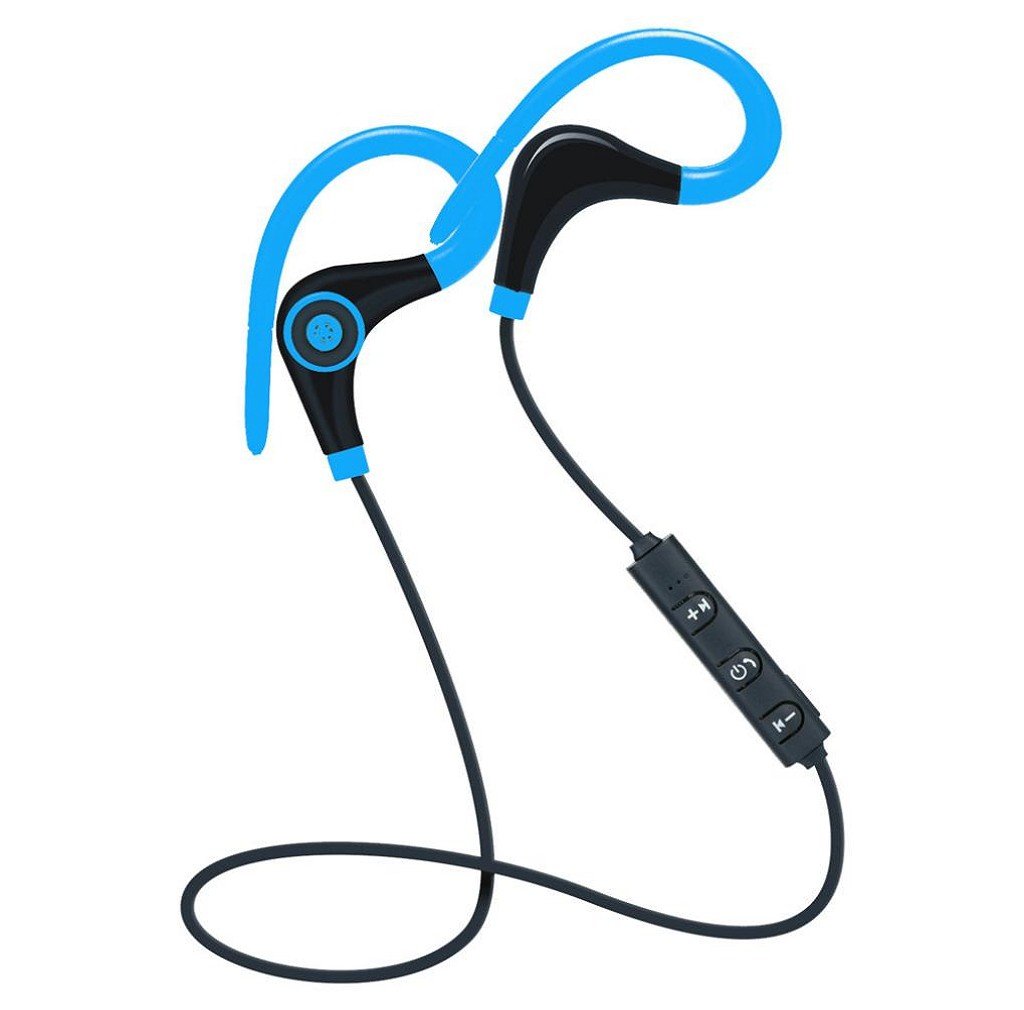
Earphone,Morecome Wireless Sports Stereo Bluetooth Headset For IPhone (Blue)
Current Price
$5.4
Average
$5.4
Min Price
$5.4
Max Price
$5.4
Description
Specifications:
Bluetooth version: V4.1
Frequency: 2.4-2.48 GHz
Operation distance: up to 10M
Charging time: about 2 hours
Efficient working time: about 5-6 hours
Standby time: up to 180 hours
Material: Plastic+ Silicone
Compatible for: Universal for Samsung, For iPhone, For LG, For Sony, For Motorola, For Blackberry, For Nokia, Tablet, etc.
Wireless Range: Up to 33 feet/10 meters range
Usage:
Long press the power button about 3-5 seconds till you see the indicator light flashes blue and red alternately
Set your phone into Bluetooth mode, and search the device named
Click to pair with the Bluetooth headset
Short press button "+"/"-" to volume up/down and Long press button "+"/"-" to choose next/previous song
Package Content:
1X Bluetooth Headset( without retail package.)
1X Micro USB Charging Cable
1X Manual
Bluetooth version: V4.1
Frequency: 2.4-2.48 GHz
Operation distance: up to 10M
Charging time: about 2 hours
Efficient working time: about 5-6 hours
Standby time: up to 180 hours
Material: Plastic+ Silicone
Compatible for: Universal for Samsung, For iPhone, For LG, For Sony, For Motorola, For Blackberry, For Nokia, Tablet, etc.
Wireless Range: Up to 33 feet/10 meters range
Usage:
Long press the power button about 3-5 seconds till you see the indicator light flashes blue and red alternately
Set your phone into Bluetooth mode, and search the device named
Click to pair with the Bluetooth headset
Short press button "+"/"-" to volume up/down and Long press button "+"/"-" to choose next/previous song
Package Content:
1X Bluetooth Headset( without retail package.)
1X Micro USB Charging Cable
1X Manual
Price will be lower
in next 2 weeks
in next 2 weeks
According to the data, price will be lower in next two weeks, so not waste your money and track better price!
Product review & video
hey what is going on Bluetooth the synergy here today and I want to show you guys how to pair these Bluetooth wireless headphones overhears if you have these guys yeah I'm gonna you guys how to connect it to the iPod so with that said let's get into the process now the first things first as always you want to get into the settings menu first especially if it's your first time that you're connecting these headphones so go ahead and find your settings that's gonna look like this you tap on it one time so sorry but date okay and then you'll find where it says bluetooth so go ahead and turn on the Bluetooth turn it on and my left thumb is just kind of bad with so yes so now that it's on it's gonna search for about a minute or two it's gonna rest that down the next step is to actually turn on your headset now your a headset there's the button to the very top where the play/pause icon is that



Similar products