About EBKk
EBKk offers diverse consumer tech solutions including batteries andadapters chargers. We are passionate about excellence so that with every EBKkbrand purchase.We always aim to provide high quality of products and service.
Product Description:
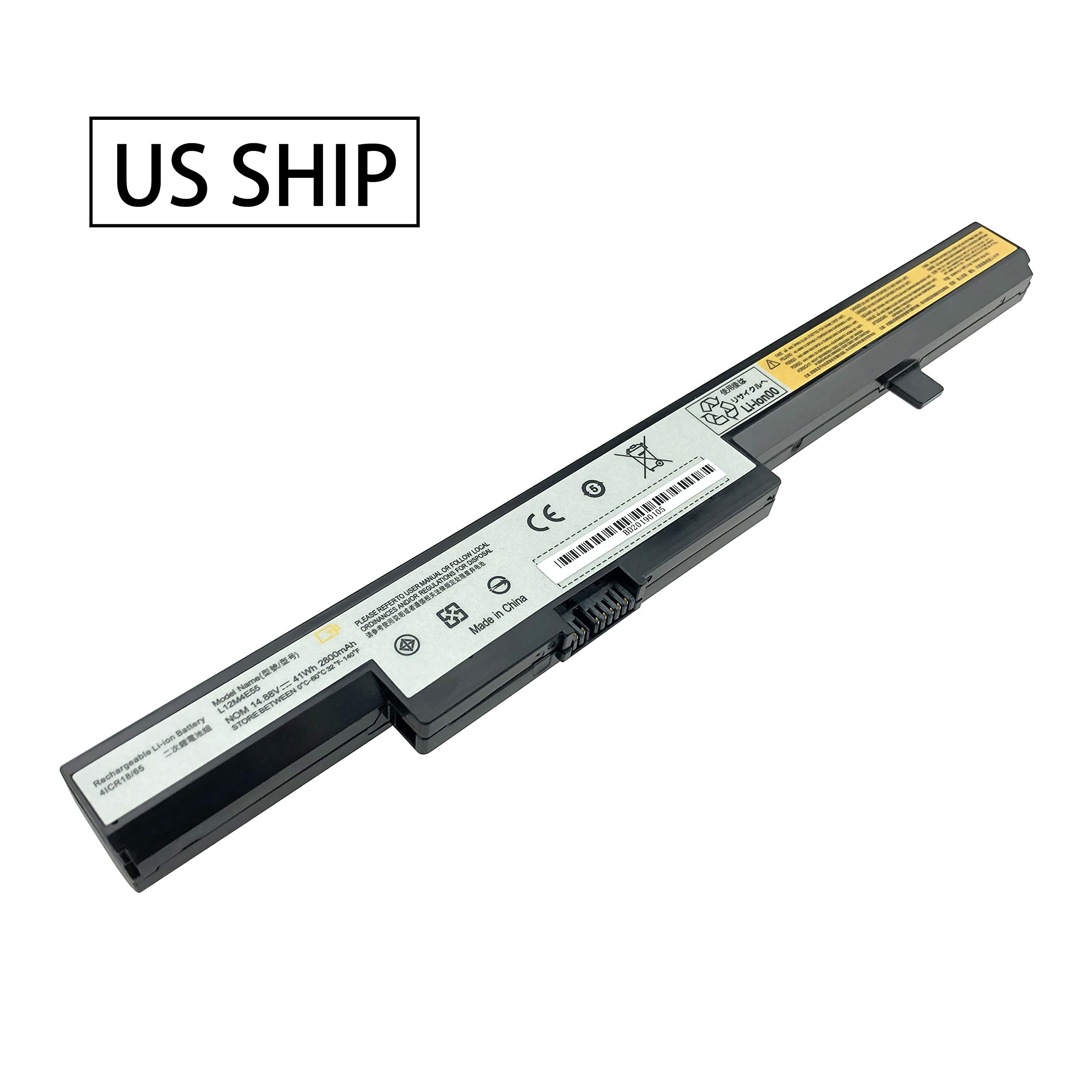
Voltage: 14.4V
Capacity: 2200mAh
Cell:4-Cell
ReplacePart Numbers:
L12S4E55 L12L4E55
L12M4E55 L13S4A01
L13L4A01 L13M4A01
Compatible Laptop/Notebook Models: (/"Ctrl/"+ /"F/" to find your models )
LENOVO IdeaPad / Eraser B40 B50 Series
LENOVO IdeaPad / Eraser N40 N50 Series
LENOVO IdeaPad / Eraser M4400 M4450 Series
Packaging:
1 xNew Battery
FAQ:
1.Q:why battery don't hold a charge, how to fix it?
A:this is new battery,for first use, we suggest buyer:
Remove the battery for a while
Install battery and full charge it by ac adapter
Leave charger and let the battery drain to shut off
Repeat above charging and discharging at least 2times.
you charge the battery when power lower than 20%. If available,connect ac charger when doing computer work.
If run the battery shut down often, it will shorten the batterylife.







![New L12L4E01 G400S G500S Laptop Battery Compatible with Lenovo IdeaPad G405S G510S G505S G510S S410P S510P Touch Z710 Eraser G50-80 Series L12M4A02 L12M4E01 L12S4A02 [14.4V 2600mAh] Notebook Battery](https://use4coins.com/thumbs/unsafe/fit-in/200x200/https://images-na.ssl-images-amazon.com/images/I/71V-xwYDU3L.jpg)