- HomeElectronicsCar & Vehicle ElectronicsVehicle Electronics AccessoriesAudio & Video AccessoriesRemote Controls
Description
Specification:
Color:Black
Material:ABS
Power Line Voltage:12V
Quantity:1pc,2pcs
Direction Control Line Voltage:3-5V
Installation Method
1.Remove the DVD navigation
2.Navigation host,in the tail line to find the steering wheel multi-function control line, ACC line,ground wire,specific line function,consult the navigator manufacturers
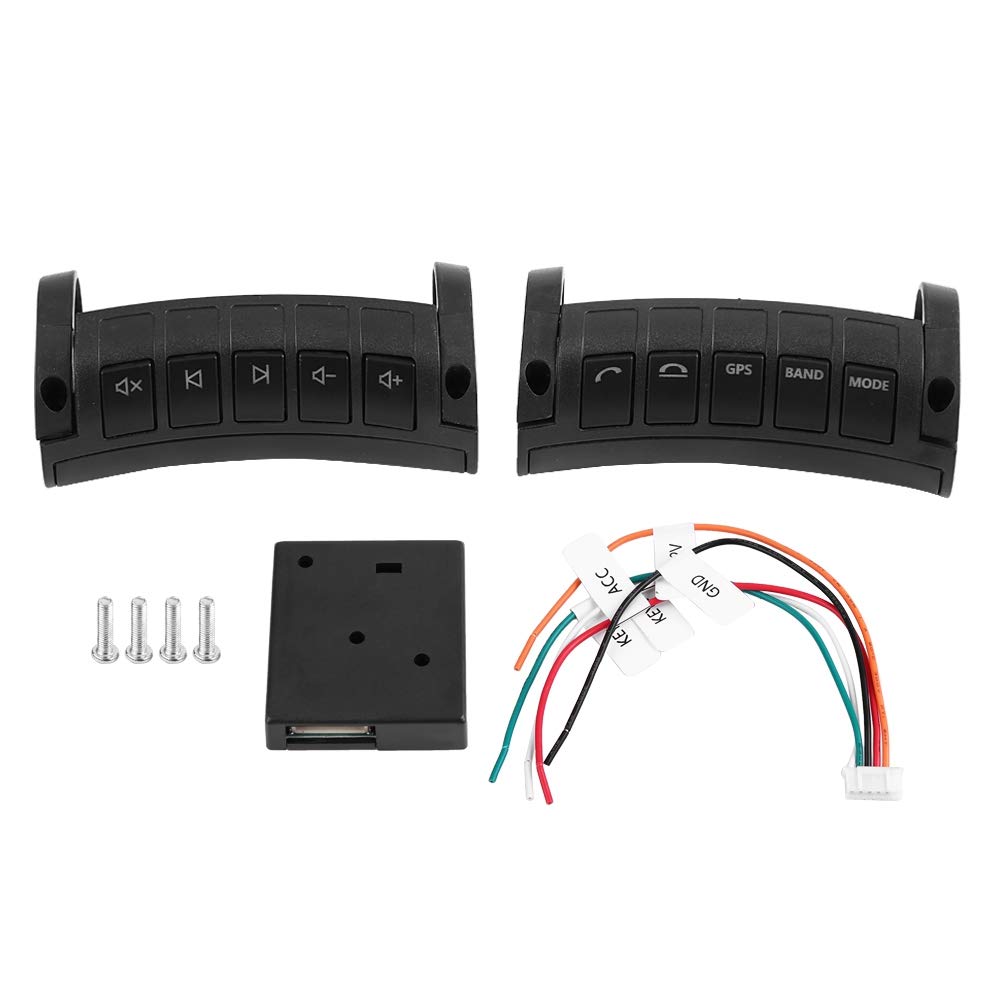
3. The receiver has a corresponding bit line marking stickers ACC for automotive ignition wire,GND for the ground line,KEY1 and KEY2 for the side control line.If the navigation host has only one direction control line,connect the receiving box KEY1 and KEY2 to the navigation at the same time
4.Enter the DVD navigation settings,find the multi-function button learning,press and hold the button to learn the corresponding function
5.Enter Android navigation or DVD navigation volume-,volume +,mute,previous song,next song 5 buttons together for 10 seconds to pair,after successful pairing,control receiver from the plug there can see a red light on.The button operation on answering the phone and hanging the phone is the same as the before.Then enter Android navigation or DVD navigation for each button learning.
6.Note:each button can also be customized for learning
Package list
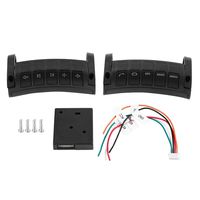
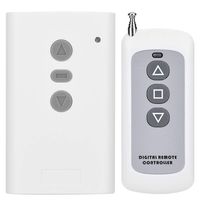
1*Remote Control
1*Receiver Box
1*Cable
2*Screws
1*User Manual
Color:Black
Material:ABS
Power Line Voltage:12V
Quantity:1pc,2pcs
Direction Control Line Voltage:3-5V
Installation Method
1.Remove the DVD navigation
2.Navigation host,in the tail line to find the steering wheel multi-function control line, ACC line,ground wire,specific line function,consult the navigator manufacturers
3. The receiver has a corresponding bit line marking stickers ACC for automotive ignition wire,GND for the ground line,KEY1 and KEY2 for the side control line.If the navigation host has only one direction control line,connect the receiving box KEY1 and KEY2 to the navigation at the same time
4.Enter the DVD navigation settings,find the multi-function button learning,press and hold the button to learn the corresponding function
5.Enter Android navigation or DVD navigation volume-,volume +,mute,previous song,next song 5 buttons together for 10 seconds to pair,after successful pairing,control receiver from the plug there can see a red light on.The button operation on answering the phone and hanging the phone is the same as the before.Then enter Android navigation or DVD navigation for each button learning.
6.Note:each button can also be customized for learning
Package list
1*Remote Control
1*Receiver Box
1*Cable
2*Screws
1*User Manual
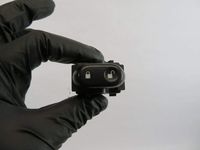
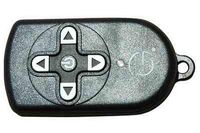
Ejoyous Car Wireless Steering Wheel Remote Control,ABS Multi-function Navigation Button,Black (pair)
Price is below average
Current Price
$33.39
Average
$36.06
Min Price
$33.39
Max Price
$38.99
Price dynamics
7%
Description
Specification:
Color:Black
Material:ABS
Power Line Voltage:12V
Quantity:1pc,2pcs
Direction Control Line Voltage:3-5V
Installation Method
1.Remove the DVD navigation
2.Navigation host,in the tail line to find the steering wheel multi-function control line, ACC line,ground wire,specific line function,consult the navigator manufacturers
3. The receiver has a corresponding bit line marking stickers ACC for automotive ignition wire,GND for the ground line,KEY1 and KEY2 for the side control line.If the navigation host has only one direction control line,connect the receiving box KEY1 and KEY2 to the navigation at the same time
4.Enter the DVD navigation settings,find the multi-function button learning,press and hold the button to learn the corresponding function
5.Enter Android navigation or DVD navigation volume-,volume +,mute,previous song,next song 5 buttons together for 10 seconds to pair,after successful pairing,control receiver from the plug there can see a red light on.The button operation on answering the phone and hanging the phone is the same as the before.Then enter Android navigation or DVD navigation for each button learning.
6.Note:each button can also be customized for learning
Package list
1*Remote Control
1*Receiver Box
1*Cable
2*Screws
1*User Manual
Color:Black
Material:ABS
Power Line Voltage:12V
Quantity:1pc,2pcs
Direction Control Line Voltage:3-5V
Installation Method
1.Remove the DVD navigation
2.Navigation host,in the tail line to find the steering wheel multi-function control line, ACC line,ground wire,specific line function,consult the navigator manufacturers
3. The receiver has a corresponding bit line marking stickers ACC for automotive ignition wire,GND for the ground line,KEY1 and KEY2 for the side control line.If the navigation host has only one direction control line,connect the receiving box KEY1 and KEY2 to the navigation at the same time
4.Enter the DVD navigation settings,find the multi-function button learning,press and hold the button to learn the corresponding function
5.Enter Android navigation or DVD navigation volume-,volume +,mute,previous song,next song 5 buttons together for 10 seconds to pair,after successful pairing,control receiver from the plug there can see a red light on.The button operation on answering the phone and hanging the phone is the same as the before.Then enter Android navigation or DVD navigation for each button learning.
6.Note:each button can also be customized for learning
Package list
1*Remote Control
1*Receiver Box
1*Cable
2*Screws
1*User Manual
Price will be lower
in next 2 weeks
in next 2 weeks
According to the data, price will be lower in next two weeks, so not waste your money and track better price!
Similar products