Description
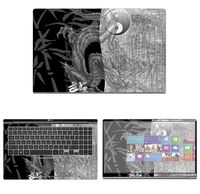
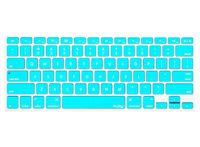
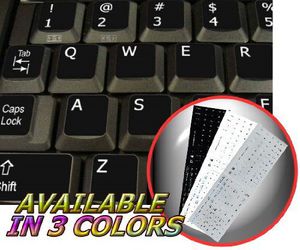
High-quality stickers for different keyboards Desktop, Laptop and Notebook such as: Sony, Toshiba, HP, Dell, Compaq, Panasonic, Acer, Gateway, Sharp, eMachines, Ashton Digital's Passport, Averatec, Systemax, IBM, Lenovo, NEC, Alienware, AST, Asus, Samsung, Cybertron, Apple, Macintosh Computers, Power Mac, Apple iBook, Apple PowerBook, Apple iMac etc. The English US Alphabet is spread onto non-transparent - matt sticker. Stickers are made of high-quality matt vinyl, thickness - 80mkn, typographical method. Applying stickers on you keyboard properly once, and you can be aware that letters will stay for ever. Matt hue of the stickers guarantees complete absence of glare under different angels of lighting. Clear transparent background makes stickers invisible, and allows existing characters to show through. You do not have to think how to apply stickers. You'll know it intuitively. English letters located underneath each sticker - will accurately indicate buttons on with you will apply corresponding stickers. Applying possess doesn't take more than 10-15min. And you can immediately enjoy your brand-new English US keyboard when making contacts with your relatives, friends and acquaintances. What you're offered now is high-quality stickers, intended to simplify you work and enjoy it while doing it on computer. OUR MOTTO IS - QUALITY! The product listed above is copyrighted, has been manufactured and distributed by Royal Galaxy Ltd. Usage of the images posted, distribution or resale has NOT been authorized by Royal Galaxy Ltd, and is in direct violation of its written terms. Federal law provides severe civil and criminal penalties for the unauthorized usage, distribution or resale of copyrighted product, its listings with all imaged posted. For all requests regarding usage of images of this product, its distribution and resale, please contact us by email.
ENGLISH US ADDITIONAL NON-TRANSPARENT KEYBOARD LABELS LAYOUT BLACK, WHITE OR GREY BACKGROUND FOR DESKTOP, LAPTOP AND NOTEBOOK (Black Background)
Current Price
$2.39
Average
$2.39
Min Price
$2.39
Max Price
$2.39
Description
High-quality stickers for different keyboards Desktop, Laptop and Notebook such as: Sony, Toshiba, HP, Dell, Compaq, Panasonic, Acer, Gateway, Sharp, eMachines, Ashton Digital's Passport, Averatec, Systemax, IBM, Lenovo, NEC, Alienware, AST, Asus, Samsung, Cybertron, Apple, Macintosh Computers, Power Mac, Apple iBook, Apple PowerBook, Apple iMac etc. The English US Alphabet is spread onto non-transparent - matt sticker. Stickers are made of high-quality matt vinyl, thickness - 80mkn, typographical method. Applying stickers on you keyboard properly once, and you can be aware that letters will stay for ever. Matt hue of the stickers guarantees complete absence of glare under different angels of lighting. Clear transparent background makes stickers invisible, and allows existing characters to show through. You do not have to think how to apply stickers. You'll know it intuitively. English letters located underneath each sticker - will accurately indicate buttons on with you will apply corresponding stickers. Applying possess doesn't take more than 10-15min. And you can immediately enjoy your brand-new English US keyboard when making contacts with your relatives, friends and acquaintances. What you're offered now is high-quality stickers, intended to simplify you work and enjoy it while doing it on computer. OUR MOTTO IS - QUALITY! The product listed above is copyrighted, has been manufactured and distributed by Royal Galaxy Ltd. Usage of the images posted, distribution or resale has NOT been authorized by Royal Galaxy Ltd, and is in direct violation of its written terms. Federal law provides severe civil and criminal penalties for the unauthorized usage, distribution or resale of copyrighted product, its listings with all imaged posted. For all requests regarding usage of images of this product, its distribution and resale, please contact us by email.
Price will be lower
in next 2 weeks
in next 2 weeks
According to the data, price will be lower in next two weeks, so not waste your money and track better price!
Product review & video
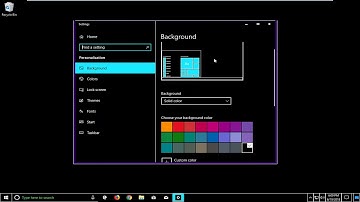
you hello everyone how are you doing this is MD tank here with another quick tutorial in today's 12 min show you guys how to fix a blank screen with a high contrast that's appearing on your Windows 10 computer this would be very frustrating as you can see on my screen here so this twirl me show you guys how to restore back to what most would define as a normal Windows operating experience so we're gonna jump into it so we're going to start by opening up the Start menu just left click on the start button one time and you want to type in background best man should come back with background settings or something like that just want to open that up so now in the settings window here you want to scroll down on the right side until you get to underneath related settings you want to left click on high contrast settings where it says turn on high contrast if it's currently toggled in the on pos

Similar products