Description
Specifications:
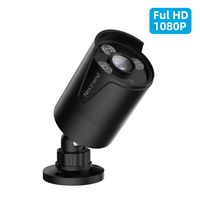
Image Sensor: 1/2.9-inch Sony Exmor CMOS image sensor
Effective Pixel: 1920*1080 in HD mode; 960H in Analog Mode
Lens: 3.6 mm fixed megapixel lens
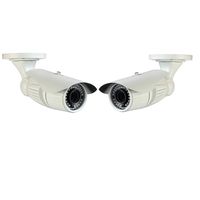
Infrared LED: 14µ x 36 pieces with 65-100 feet infrared distance based on environment.
Camera Feature: Day/Night; OSD menu language; Auto/Manual White Balance; Gain control; Noise Reduction; Picture Adjustment; DWDR; OSD support; UTC support (HD mode)
Housing: Metal, IP66
IR-cut Filter: Yes
Power Source: DC12V±10%; 700mA Operation Temperature: 14F-122F, RH95% Max
This 4-in1 camera is fully compatible for the following HD DVRS:
Hikvision, Dahua, GW, LTS, Q-see, Swann, Samsung, Night Owl, Best Vision, HD View,
HQ-CAM, Annke, Aposonic, I-DVR Pro, Vonnic, Digital Watchdog, Logisaf, Sannce,
Venetech, Speco, Alibi, KT&C, Cantek, ZOSI and many more.
Troubleshooting
Q: Video Loss appears where the image from my camera should be displaying on my DVR?
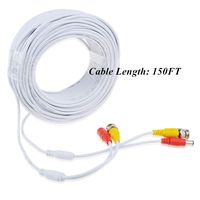
A: 1.Check the extension cable (power and video) is securely connected to the camera.
2.Check the video output from the camera is securely connected to a video input channel on the DVR.
3.Check the power from the camera is securely connected to a power supply.
4. The camera mode do not match your DVR.there is 2 ways to setup .
(1) Press OSD Joystick "DOWN" 5 seconds,if still no picture come, try to press "LEFT" "RIGHT""UP" for 5 second, till the signal matching your DVR.
(2) Make sure the signal of your DVR, Use OSD Joystick to change the mode of the camera according to your DVRs video Mode.
Image Sensor: 1/2.9-inch Sony Exmor CMOS image sensor
Effective Pixel: 1920*1080 in HD mode; 960H in Analog Mode
Lens: 3.6 mm fixed megapixel lens
Infrared LED: 14µ x 36 pieces with 65-100 feet infrared distance based on environment.
Camera Feature: Day/Night; OSD menu language; Auto/Manual White Balance; Gain control; Noise Reduction; Picture Adjustment; DWDR; OSD support; UTC support (HD mode)
Housing: Metal, IP66
IR-cut Filter: Yes
Power Source: DC12V±10%; 700mA Operation Temperature: 14F-122F, RH95% Max
This 4-in1 camera is fully compatible for the following HD DVRS:
Hikvision, Dahua, GW, LTS, Q-see, Swann, Samsung, Night Owl, Best Vision, HD View,
HQ-CAM, Annke, Aposonic, I-DVR Pro, Vonnic, Digital Watchdog, Logisaf, Sannce,
Venetech, Speco, Alibi, KT&C, Cantek, ZOSI and many more.
Troubleshooting
Q: Video Loss appears where the image from my camera should be displaying on my DVR?
A: 1.Check the extension cable (power and video) is securely connected to the camera.
2.Check the video output from the camera is securely connected to a video input channel on the DVR.
3.Check the power from the camera is securely connected to a power supply.
4. The camera mode do not match your DVR.there is 2 ways to setup .
(1) Press OSD Joystick "DOWN" 5 seconds,if still no picture come, try to press "LEFT" "RIGHT""UP" for 5 second, till the signal matching your DVR.
(2) Make sure the signal of your DVR, Use OSD Joystick to change the mode of the camera according to your DVRs video Mode.
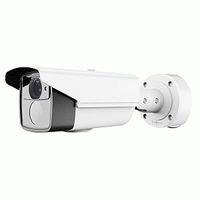
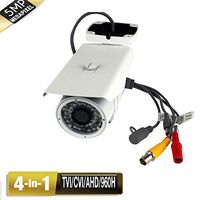
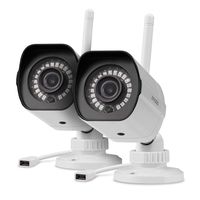
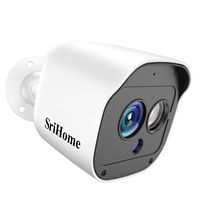
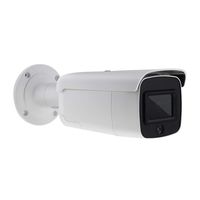
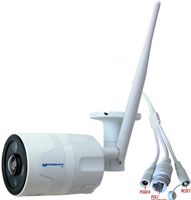
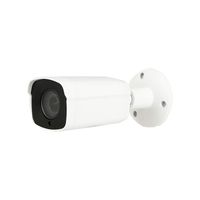
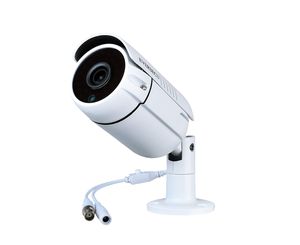
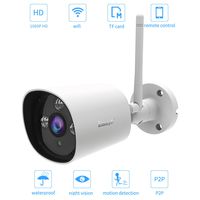
Eversecu 1080P 2.0MP HD CMOS Sensor AHD/TVI/CVI/960H Bullet Analog Camera, 2MP Full HD Weatherproof CCTV Security Camera for Outdoor Surveillance (3.6 mm Lens, Metal, White)
Current Price
$22.99
Average
$21.19
Min Price
$17.99
Max Price
$24.99
Price dynamics
8%
Description
Specifications:
Image Sensor: 1/2.9-inch Sony Exmor CMOS image sensor
Effective Pixel: 1920*1080 in HD mode; 960H in Analog Mode
Lens: 3.6 mm fixed megapixel lens
Infrared LED: 14µ x 36 pieces with 65-100 feet infrared distance based on environment.
Camera Feature: Day/Night; OSD menu language; Auto/Manual White Balance; Gain control; Noise Reduction; Picture Adjustment; DWDR; OSD support; UTC support (HD mode)
Housing: Metal, IP66
IR-cut Filter: Yes
Power Source: DC12V±10%; 700mA Operation Temperature: 14F-122F, RH95% Max
This 4-in1 camera is fully compatible for the following HD DVRS:
Hikvision, Dahua, GW, LTS, Q-see, Swann, Samsung, Night Owl, Best Vision, HD View,
HQ-CAM, Annke, Aposonic, I-DVR Pro, Vonnic, Digital Watchdog, Logisaf, Sannce,
Venetech, Speco, Alibi, KT&C, Cantek, ZOSI and many more.
Troubleshooting
Q: Video Loss appears where the image from my camera should be displaying on my DVR?
A: 1.Check the extension cable (power and video) is securely connected to the camera.
2.Check the video output from the camera is securely connected to a video input channel on the DVR.
3.Check the power from the camera is securely connected to a power supply.
4. The camera mode do not match your DVR.there is 2 ways to setup .
(1) Press OSD Joystick "DOWN" 5 seconds,if still no picture come, try to press "LEFT" "RIGHT""UP" for 5 second, till the signal matching your DVR.
(2) Make sure the signal of your DVR, Use OSD Joystick to change the mode of the camera according to your DVRs video Mode.
Image Sensor: 1/2.9-inch Sony Exmor CMOS image sensor
Effective Pixel: 1920*1080 in HD mode; 960H in Analog Mode
Lens: 3.6 mm fixed megapixel lens
Infrared LED: 14µ x 36 pieces with 65-100 feet infrared distance based on environment.
Camera Feature: Day/Night; OSD menu language; Auto/Manual White Balance; Gain control; Noise Reduction; Picture Adjustment; DWDR; OSD support; UTC support (HD mode)
Housing: Metal, IP66
IR-cut Filter: Yes
Power Source: DC12V±10%; 700mA Operation Temperature: 14F-122F, RH95% Max
This 4-in1 camera is fully compatible for the following HD DVRS:
Hikvision, Dahua, GW, LTS, Q-see, Swann, Samsung, Night Owl, Best Vision, HD View,
HQ-CAM, Annke, Aposonic, I-DVR Pro, Vonnic, Digital Watchdog, Logisaf, Sannce,
Venetech, Speco, Alibi, KT&C, Cantek, ZOSI and many more.
Troubleshooting
Q: Video Loss appears where the image from my camera should be displaying on my DVR?
A: 1.Check the extension cable (power and video) is securely connected to the camera.
2.Check the video output from the camera is securely connected to a video input channel on the DVR.
3.Check the power from the camera is securely connected to a power supply.
4. The camera mode do not match your DVR.there is 2 ways to setup .
(1) Press OSD Joystick "DOWN" 5 seconds,if still no picture come, try to press "LEFT" "RIGHT""UP" for 5 second, till the signal matching your DVR.
(2) Make sure the signal of your DVR, Use OSD Joystick to change the mode of the camera according to your DVRs video Mode.
Price will be lower
in next 2 weeks
in next 2 weeks
According to the data, price will be lower in next two weeks, so not waste your money and track better price!
Similar products