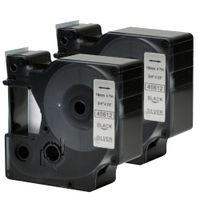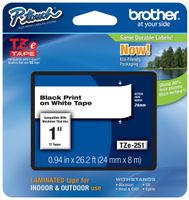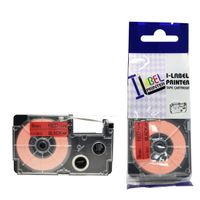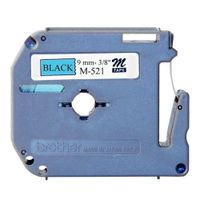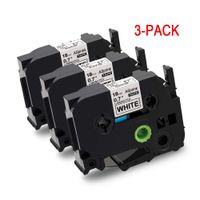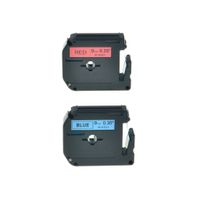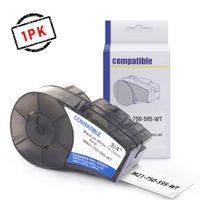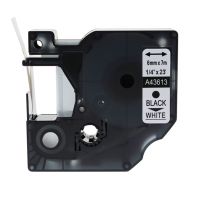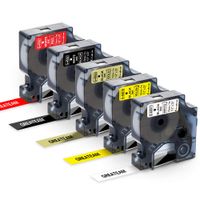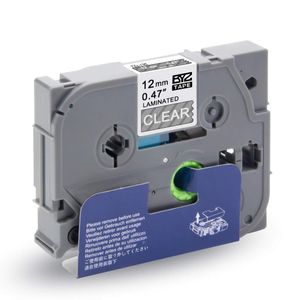
Description
Tips:
1. Before printing is end, please don't pull out the label tape in case of any damage of the label tape.
2. Before the printing is end, please don't touch the cutter of label maker in case of the cutting error.
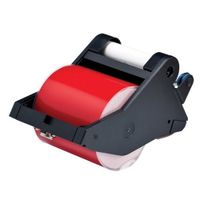
3. Please tight the ribbon by turning the gear in the direction shown by the arrow and make sure the ribbon is tightening the flat state.
Features:
※ No residue after tearing off the label tape.
※ Easy to peel, split- Back design makes the labels easy to peel.
※ Water resistant, PET material film, protect the print content effectively.
※ This tape are laminated with standard adhesive. Perfect for everyday applications.
※ Resistant to sunlight, chemicals, heat and cold(freezers to microwaves), won't fade, can stick to virtually any surface.
Compatible with the following Brother P-Touch Label Printers:
Brother Ptouch GL-100 PT-1000 PT-1000BM PT-1010 PT-1010B PT-1010NB PT-1010R PT-1010S PT-1090 PT-1090BK PT-1100 PT1100SB PT-1100SBVP PT-1100ST PT-1120 PT-1130 PT-1160 PT-1170 PT-1180 PT-1190 PT-11Q PT-1200 PT-1230PC PT-1280 PT-1280SR PT-1280VP PT-128AF PT-1290 PT-1290BT PT-1290BT2 PT-1290RS PT-1300 PT-1400 PT-1500 PT-1500PC PT-1600 PT-1700 PT-1750 PT-1800 PT-1810 PT-1830 PT-1830C PT-1830SC PT-1830VP PT-1880 PT-1880C PT-1880SC PT-1880W PT-18R PT-18RKT PT-1900 PT-1910 PT-1950 PT-1960 PT-200 PT-2030 PT-2030AD PT-2030VP PT-2100 PT-2110 PT-2200 PT-2210 PT-2300 PT-2310 PT-2400 PT-2410 PT-2430PC PT-2500PC PT-2600 PT-2610 PT-2700 PT-2710 PT-2730 PT-2730VP PT-300 PT-300B PT-310 PT-310B PT-320 PT-330 PT-340 PT-350 PT-3600 PT-4000 PT-520 PT-530 PT-540 PT-550 PT-580C PT-6100 PT-7100 PT-7500 PT-9200DX PT-9200PC PT-9400 PT-9500PC PT-9600 PT-9700PC.
1. Before printing is end, please don't pull out the label tape in case of any damage of the label tape.
2. Before the printing is end, please don't touch the cutter of label maker in case of the cutting error.
3. Please tight the ribbon by turning the gear in the direction shown by the arrow and make sure the ribbon is tightening the flat state.
Features:
※ No residue after tearing off the label tape.
※ Easy to peel, split- Back design makes the labels easy to peel.
※ Water resistant, PET material film, protect the print content effectively.
※ This tape are laminated with standard adhesive. Perfect for everyday applications.
※ Resistant to sunlight, chemicals, heat and cold(freezers to microwaves), won't fade, can stick to virtually any surface.
Compatible with the following Brother P-Touch Label Printers:
Brother Ptouch GL-100 PT-1000 PT-1000BM PT-1010 PT-1010B PT-1010NB PT-1010R PT-1010S PT-1090 PT-1090BK PT-1100 PT1100SB PT-1100SBVP PT-1100ST PT-1120 PT-1130 PT-1160 PT-1170 PT-1180 PT-1190 PT-11Q PT-1200 PT-1230PC PT-1280 PT-1280SR PT-1280VP PT-128AF PT-1290 PT-1290BT PT-1290BT2 PT-1290RS PT-1300 PT-1400 PT-1500 PT-1500PC PT-1600 PT-1700 PT-1750 PT-1800 PT-1810 PT-1830 PT-1830C PT-1830SC PT-1830VP PT-1880 PT-1880C PT-1880SC PT-1880W PT-18R PT-18RKT PT-1900 PT-1910 PT-1950 PT-1960 PT-200 PT-2030 PT-2030AD PT-2030VP PT-2100 PT-2110 PT-2200 PT-2210 PT-2300 PT-2310 PT-2400 PT-2410 PT-2430PC PT-2500PC PT-2600 PT-2610 PT-2700 PT-2710 PT-2730 PT-2730VP PT-300 PT-300B PT-310 PT-310B PT-320 PT-330 PT-340 PT-350 PT-3600 PT-4000 PT-520 PT-530 PT-540 PT-550 PT-580C PT-6100 PT-7100 PT-7500 PT-9200DX PT-9200PC PT-9400 PT-9500PC PT-9600 PT-9700PC.
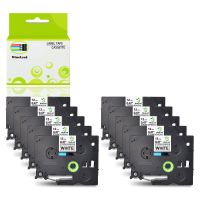
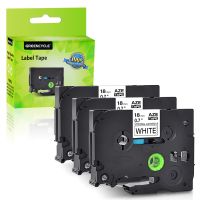
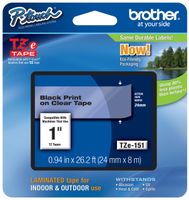
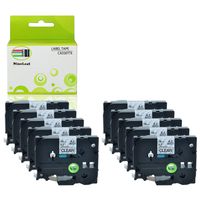
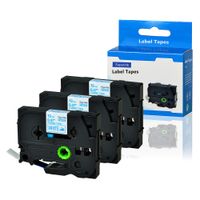
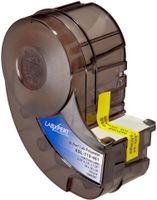
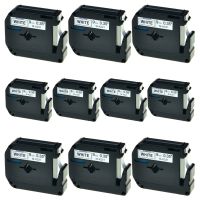
Exsun Compatible Label Tape Replacement for Brother P-Touch TZE Tape TZE-135 TZe 135 Laminated Labeling Tape Work with P Touch PT-D210 PT-H110, 0.47" (12 mm) x 26.2' (8m), White on Clear, 1-Pack
Current Price
$2.99
Average
$2.99
Min Price
$2.99
Max Price
$2.99
Price dynamics
0%
Description
Tips:
1. Before printing is end, please don't pull out the label tape in case of any damage of the label tape.
2. Before the printing is end, please don't touch the cutter of label maker in case of the cutting error.
3. Please tight the ribbon by turning the gear in the direction shown by the arrow and make sure the ribbon is tightening the flat state.
Features:
※ No residue after tearing off the label tape.
※ Easy to peel, split- Back design makes the labels easy to peel.
※ Water resistant, PET material film, protect the print content effectively.
※ This tape are laminated with standard adhesive. Perfect for everyday applications.
※ Resistant to sunlight, chemicals, heat and cold(freezers to microwaves), won't fade, can stick to virtually any surface.
Compatible with the following Brother P-Touch Label Printers:
Brother Ptouch GL-100 PT-1000 PT-1000BM PT-1010 PT-1010B PT-1010NB PT-1010R PT-1010S PT-1090 PT-1090BK PT-1100 PT1100SB PT-1100SBVP PT-1100ST PT-1120 PT-1130 PT-1160 PT-1170 PT-1180 PT-1190 PT-11Q PT-1200 PT-1230PC PT-1280 PT-1280SR PT-1280VP PT-128AF PT-1290 PT-1290BT PT-1290BT2 PT-1290RS PT-1300 PT-1400 PT-1500 PT-1500PC PT-1600 PT-1700 PT-1750 PT-1800 PT-1810 PT-1830 PT-1830C PT-1830SC PT-1830VP PT-1880 PT-1880C PT-1880SC PT-1880W PT-18R PT-18RKT PT-1900 PT-1910 PT-1950 PT-1960 PT-200 PT-2030 PT-2030AD PT-2030VP PT-2100 PT-2110 PT-2200 PT-2210 PT-2300 PT-2310 PT-2400 PT-2410 PT-2430PC PT-2500PC PT-2600 PT-2610 PT-2700 PT-2710 PT-2730 PT-2730VP PT-300 PT-300B PT-310 PT-310B PT-320 PT-330 PT-340 PT-350 PT-3600 PT-4000 PT-520 PT-530 PT-540 PT-550 PT-580C PT-6100 PT-7100 PT-7500 PT-9200DX PT-9200PC PT-9400 PT-9500PC PT-9600 PT-9700PC.
1. Before printing is end, please don't pull out the label tape in case of any damage of the label tape.
2. Before the printing is end, please don't touch the cutter of label maker in case of the cutting error.
3. Please tight the ribbon by turning the gear in the direction shown by the arrow and make sure the ribbon is tightening the flat state.
Features:
※ No residue after tearing off the label tape.
※ Easy to peel, split- Back design makes the labels easy to peel.
※ Water resistant, PET material film, protect the print content effectively.
※ This tape are laminated with standard adhesive. Perfect for everyday applications.
※ Resistant to sunlight, chemicals, heat and cold(freezers to microwaves), won't fade, can stick to virtually any surface.
Compatible with the following Brother P-Touch Label Printers:
Brother Ptouch GL-100 PT-1000 PT-1000BM PT-1010 PT-1010B PT-1010NB PT-1010R PT-1010S PT-1090 PT-1090BK PT-1100 PT1100SB PT-1100SBVP PT-1100ST PT-1120 PT-1130 PT-1160 PT-1170 PT-1180 PT-1190 PT-11Q PT-1200 PT-1230PC PT-1280 PT-1280SR PT-1280VP PT-128AF PT-1290 PT-1290BT PT-1290BT2 PT-1290RS PT-1300 PT-1400 PT-1500 PT-1500PC PT-1600 PT-1700 PT-1750 PT-1800 PT-1810 PT-1830 PT-1830C PT-1830SC PT-1830VP PT-1880 PT-1880C PT-1880SC PT-1880W PT-18R PT-18RKT PT-1900 PT-1910 PT-1950 PT-1960 PT-200 PT-2030 PT-2030AD PT-2030VP PT-2100 PT-2110 PT-2200 PT-2210 PT-2300 PT-2310 PT-2400 PT-2410 PT-2430PC PT-2500PC PT-2600 PT-2610 PT-2700 PT-2710 PT-2730 PT-2730VP PT-300 PT-300B PT-310 PT-310B PT-320 PT-330 PT-340 PT-350 PT-3600 PT-4000 PT-520 PT-530 PT-540 PT-550 PT-580C PT-6100 PT-7100 PT-7500 PT-9200DX PT-9200PC PT-9400 PT-9500PC PT-9600 PT-9700PC.
Price will be lower
in next 2 weeks
in next 2 weeks
According to the data, price will be lower in next two weeks, so not waste your money and track better price!
Product review & video
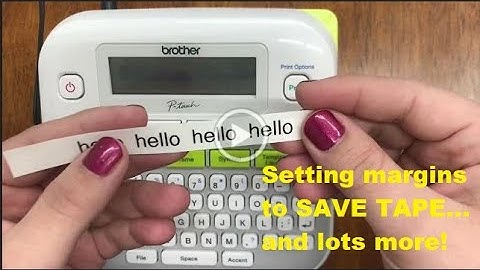
[Music] hi everyone welcome back to our channel for today's video we're going to continue with our ptd 210 labeling series this is basic usage part two so to start with printing labels before you can print you have to have a label to put in your machine so this machine can take the tce tape up to a half of an inch for a side note this is how you can purchase this label for your machine if you go to our website ptouchdirect.com in the upper left-hand corner you'll see brother p-touch go ahead and click that then you'll select shop for labels once you get to that next screen in blue you'll see shop by printer model go ahead and select the ptd 210 from the drop down it should be one of the first options and you'll view our online catalog specifically for this machine so fast forward you've already got your label this is how you'll put it into your machine another way to see the sizes you'l