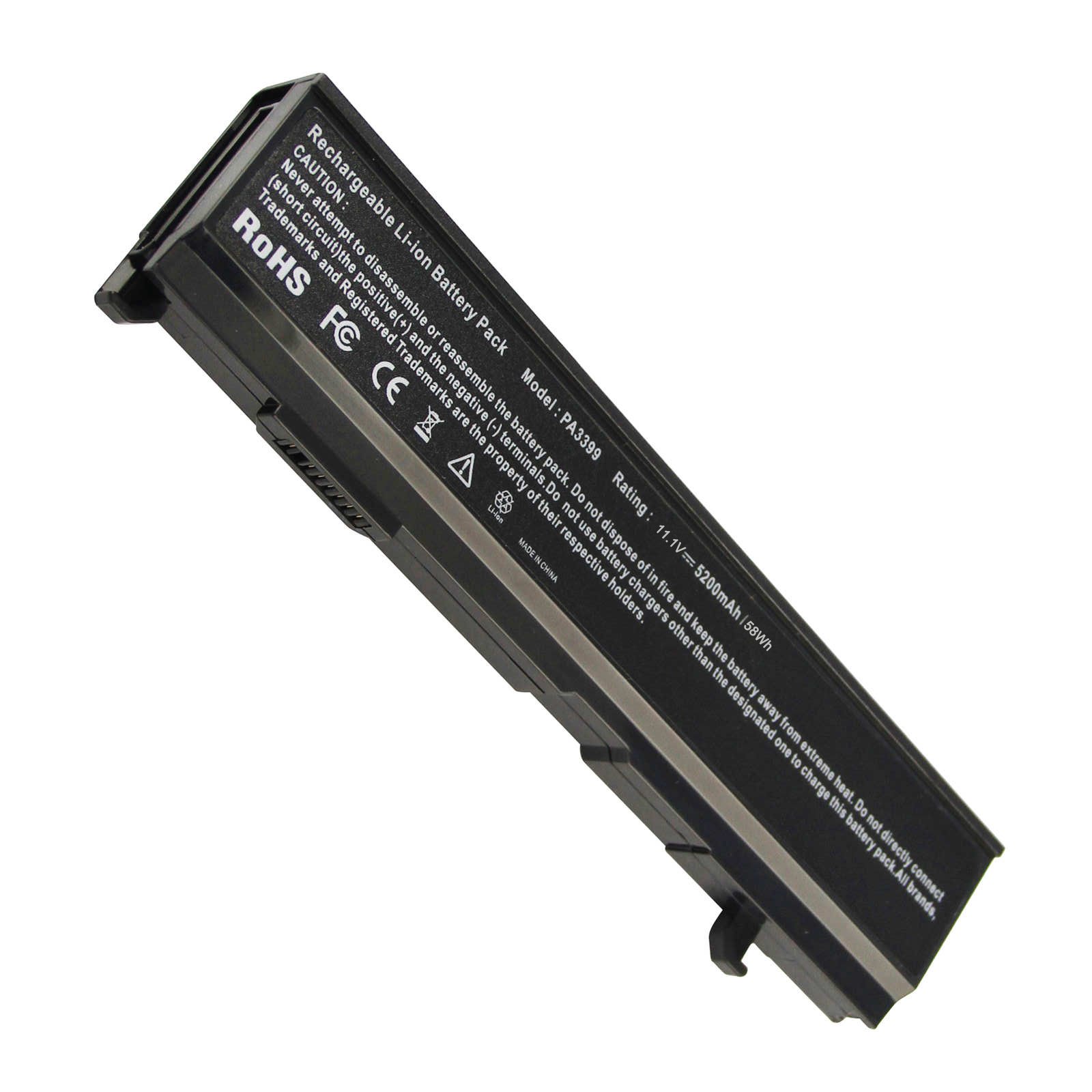
Description
Compatibale Models:
Toshiba Dynabook CX/45A CX/47A CX/855LS CX/875LS CX/955LS CX/975LS
Toshiba Equium A100-027 A100-147 A100-306 A100-337 A100-338 M50-164 M50-216
Toshiba Satellite A100-151 A100-153 A100-163 A100-165 A100-169 A100-181 A100-188 A100-212 A100-225 A100-241 A100-274 A100-287 A100-290 A100-522 A100-523 A100-551 A100-583 A100-590 A100-661 A100-662 A100-688 A100-691 A100-692 A100-694 A100-696 A100-717 A100-720 A100-756 A100-761 A100-773 A100-S8111TD(with Intel Core Solo or Intel Core Duo Processors only) A100-ST1042 A100-ST8211 A105-S4000 Series A105-S4001 A105-S4004 A105-S4012 A105-S4024 A105-S4034 A105-S4054 A105-S4064 A105-S4074 A105-S4084 A105-S4092 A105-S4094 A105-S4102 A105-S4114 A105-S4132 A105-S4134 A105-S4184 A105-S4244 A105-S4254 A105-S4274 A105-S4284 A105-S4334 A105-S4364 A105-S4384 A105-S4397 A105-S4547 A80-116 A80-117 A80-121 A80-122 A80-129 A80-140 A80-142 A80-154 A80-168 A80-169
Specification:
Battery type: Li-ion
Voltage: 11.1V (Compatible with 10.8V)
Capacity: 5200mAh / 4400mAh
Cell: 6 Cells
Recharge cycles: 500
Operation time: 1.5-2.5 hours
Buy with confidence!
12 Months Warranty
Ship next business day
24 x 7 E-mail customer service support!
Taking good care of your battery
Having a battery fully charged and the laptop plugged in is not harmful. We suggest that you remove the battery when the hardware gets too hot.
Partial discharges to capacity levels of 20~30% and frequent charges are recommended while a full discharge followed by a full charge is not.
To store a battery for long periods of time, its charge capacity should be around 40% and it should be stored in a place as fresh and dry as possible.
Fancy Buying 6 Cells Replacement Battery for Toshiba PA3399-3BAS PA3399U-1BAS PA3399U-1BRS PA3399U-2BAS PA3399U-2BRS PA3400U-1BAR, P/N: V000050690 V000050720 V000050730 V000051220
Current Price
$20.99
Average
$17.11
Min Price
$14.82
Max Price
$20.99
Price dynamics
18%
Description
Compatibale Models:
Toshiba Dynabook CX/45A CX/47A CX/855LS CX/875LS CX/955LS CX/975LS
Toshiba Equium A100-027 A100-147 A100-306 A100-337 A100-338 M50-164 M50-216
Toshiba Satellite A100-151 A100-153 A100-163 A100-165 A100-169 A100-181 A100-188 A100-212 A100-225 A100-241 A100-274 A100-287 A100-290 A100-522 A100-523 A100-551 A100-583 A100-590 A100-661 A100-662 A100-688 A100-691 A100-692 A100-694 A100-696 A100-717 A100-720 A100-756 A100-761 A100-773 A100-S8111TD(with Intel Core Solo or Intel Core Duo Processors only) A100-ST1042 A100-ST8211 A105-S4000 Series A105-S4001 A105-S4004 A105-S4012 A105-S4024 A105-S4034 A105-S4054 A105-S4064 A105-S4074 A105-S4084 A105-S4092 A105-S4094 A105-S4102 A105-S4114 A105-S4132 A105-S4134 A105-S4184 A105-S4244 A105-S4254 A105-S4274 A105-S4284 A105-S4334 A105-S4364 A105-S4384 A105-S4397 A105-S4547 A80-116 A80-117 A80-121 A80-122 A80-129 A80-140 A80-142 A80-154 A80-168 A80-169
Specification:
Battery type: Li-ion
Voltage: 11.1V (Compatible with 10.8V)
Capacity: 5200mAh / 4400mAh
Cell: 6 Cells
Recharge cycles: 500
Operation time: 1.5-2.5 hours
Buy with confidence!
12 Months Warranty
Ship next business day
24 x 7 E-mail customer service support!
Taking good care of your battery
Having a battery fully charged and the laptop plugged in is not harmful. We suggest that you remove the battery when the hardware gets too hot.
Partial discharges to capacity levels of 20~30% and frequent charges are recommended while a full discharge followed by a full charge is not.
To store a battery for long periods of time, its charge capacity should be around 40% and it should be stored in a place as fresh and dry as possible.
Price will be lower
in next 2 weeks
in next 2 weeks
According to the data, price will be lower in next two weeks, so not waste your money and track better price!
Product review & video
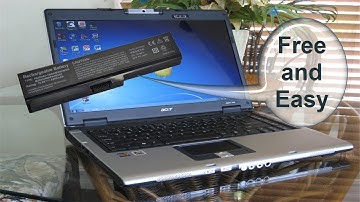
hello this is Nick with Nick's computer fix comm and here's a quick video on how to do a laptop battery calibration are you getting a plugged in not charging message from your laptop battery for free fix try this easy battery calibration and see if it works for you okay to start with let's go ahead and do a shutdown on Windows come over here and click shutdown and also make sure that your laptop is powered off and we're going to go ahead and flip this over so that I can disconnect my AC plug for my laptop and then I'm going to turn it around so I have access to my laptop battery and I'm going to remove my battery from my laptop and let's go ahead and flip it back over and reinsert the AC plug back into the laptop alright and let's go ahead and power up the laptop here and load windows up and once windows is finished loading you have your desktop click on the Start menu and go over to yo


Similar products