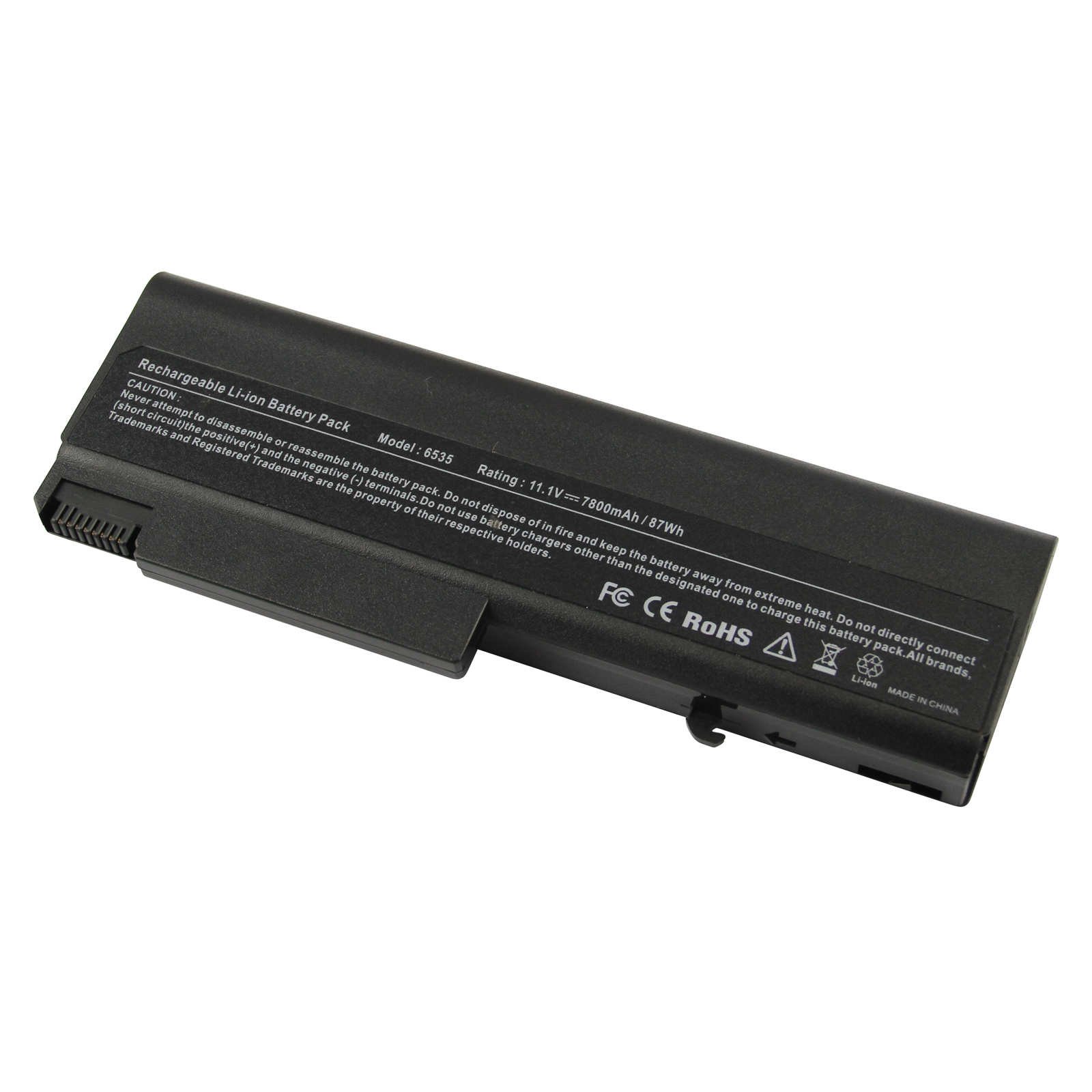
Description
HP EliteBook 8440P 8440W ProBook 6450B 6455B 6540B 6545B 6550B 6555B 6930p 8440p 8440w 458640-542 6440b KU531AA TD06 TD06055 HP Compaq 6535b 6530b 6730b 6735b 6930p KU531AA 6700b 6500b HP HSTNN-XB69 HSTNN-XB68 HSTNN-XB61 HSTNN-XB59 HSTNN-UB69 HSTNN-IB69 HP EliteBook 6930p 8440p 8440w HSTNN-IB68 HSTNN-IB69 HSTNN-I45C HSTNN-UB68 HSTNN-UB69 486295-001 HSTNN-I44C HSTNN-I45C
Specification:
Battery type: Li-ion
Voltage: 11.1V (Compatible with 10.8V)
Capacity: 7800mAh / 6600mAh
Cell: 9 Cells
Recharge cycles: 500
Operation time: Around 3-4 hours
Buy with confidence!
12 Months Warranty
Ship next business day
24 x 7 E-mail customer service support!
Taking good care of your battery
Having a battery fully charged and the laptop plugged in is not harmful. We suggest that you remove the battery when the hardware gets too hot.
Partial discharges to capacity levels of 20~30% and frequent charges are recommended while a full discharge followed by a full charge is not.
To store a battery for long periods of time, its charge capacity should be around 40% and it should be stored in a place as fresh and dry as possible.
Specification:
Battery type: Li-ion
Voltage: 11.1V (Compatible with 10.8V)
Capacity: 7800mAh / 6600mAh
Cell: 9 Cells
Recharge cycles: 500
Operation time: Around 3-4 hours
Buy with confidence!
12 Months Warranty
Ship next business day
24 x 7 E-mail customer service support!
Taking good care of your battery
Having a battery fully charged and the laptop plugged in is not harmful. We suggest that you remove the battery when the hardware gets too hot.
Partial discharges to capacity levels of 20~30% and frequent charges are recommended while a full discharge followed by a full charge is not.
To store a battery for long periods of time, its charge capacity should be around 40% and it should be stored in a place as fresh and dry as possible.
Fancy Buying 9 Cell 7800mAh Laptop Battery for HP ProBook 6545B ProBook 6550B ProBook 6555B, P/N HSTNN-XB61 HSTNN-XB68 KU531AA HSTNN-XB69
Current Price
$21.99
Average
$21.92
Min Price
$21.88
Max Price
$21.99
Price dynamics
0%
Description
HP EliteBook 8440P 8440W ProBook 6450B 6455B 6540B 6545B 6550B 6555B 6930p 8440p 8440w 458640-542 6440b KU531AA TD06 TD06055 HP Compaq 6535b 6530b 6730b 6735b 6930p KU531AA 6700b 6500b HP HSTNN-XB69 HSTNN-XB68 HSTNN-XB61 HSTNN-XB59 HSTNN-UB69 HSTNN-IB69 HP EliteBook 6930p 8440p 8440w HSTNN-IB68 HSTNN-IB69 HSTNN-I45C HSTNN-UB68 HSTNN-UB69 486295-001 HSTNN-I44C HSTNN-I45C
Specification:
Battery type: Li-ion
Voltage: 11.1V (Compatible with 10.8V)
Capacity: 7800mAh / 6600mAh
Cell: 9 Cells
Recharge cycles: 500
Operation time: Around 3-4 hours
Buy with confidence!
12 Months Warranty
Ship next business day
24 x 7 E-mail customer service support!
Taking good care of your battery
Having a battery fully charged and the laptop plugged in is not harmful. We suggest that you remove the battery when the hardware gets too hot.
Partial discharges to capacity levels of 20~30% and frequent charges are recommended while a full discharge followed by a full charge is not.
To store a battery for long periods of time, its charge capacity should be around 40% and it should be stored in a place as fresh and dry as possible.
Specification:
Battery type: Li-ion
Voltage: 11.1V (Compatible with 10.8V)
Capacity: 7800mAh / 6600mAh
Cell: 9 Cells
Recharge cycles: 500
Operation time: Around 3-4 hours
Buy with confidence!
12 Months Warranty
Ship next business day
24 x 7 E-mail customer service support!
Taking good care of your battery
Having a battery fully charged and the laptop plugged in is not harmful. We suggest that you remove the battery when the hardware gets too hot.
Partial discharges to capacity levels of 20~30% and frequent charges are recommended while a full discharge followed by a full charge is not.
To store a battery for long periods of time, its charge capacity should be around 40% and it should be stored in a place as fresh and dry as possible.
Price will be lower
in next 2 weeks
in next 2 weeks
According to the data, price will be lower in next two weeks, so not waste your money and track better price!
Product review & video
hello everyone I want to show you how to take the laptop battery apart all we need is a cutter and cheap Chinese screwdriver something cool and fancy doesn't work as good as this one first test find the weak spot somewhere along the seams and pry until that tag pops open continue to pry the case cover by moving around the edge until the entire top is free here we go now we can see six battery cells in charge controller this is 18 650 cell with 3.7 volts these batteries are paired and pairs arranged in series if your laptop still charging the battery but it works just as five minutes it's not too late to change the cell but it doesn't charge apparently the charge controller in protection mode which means you need specialized equipment and original firmware for flashing for just a few steps to edit trash can you



Similar products