Description
Turn on/off car camera recorder After install the camera,start the car ,the camera will be turn on and start recording automatically . When the car is off or remove the lighter ,the camera will auto power-off . Attentions : 1.When we turn on the WiFi function ,make sure you insert the SD card.Please use 8GB Class 10 card or higher.(Otherwise it would affect WiFi transmission rate ). 2.WiFi Smart phone or android big screen vehicle navigation connect to the car camera recorder via WiFi A.support real-time images. B.you can use phone to look through the files in SD card via WiFi C.You can use phone to download the image files. D.You can control recording or set up menu via phone. Step :(1)use phone to download app: (a)dual lens camera:Android system ,search WCVR-Dual in Android market ,download and install it . IOS system,search WCVR-Dual in APP Store,download and install it. (b)single lens camera:Android system ,search WCVR-PWD in Android market ,download and install it . IOS system,search WCVR-PWD in APP Store,download and install it. (1)Turn on car camera recorder (2)WiFi signal light on ,means WiFi is turned on .Long-press OK key for 3s,turn off/on the WiFi . (3)Use phone to search wlan signal WCVR******,then connect it ,the initial password is 99999999. (4)Click to enter . (5)Click to enter documents management . a. check the image and video files record by action camera,also you can quick back up files to phone . b. manage or delete the file in APP. (1)Click to enter video image. (2)Click can change the front view and back view image,dual lens only . (3)Click to enter menu to set up. 3.We use loop-recording mode,when SD card is full ,will delete the front video automatically .(the locked files won't be deleted,we suggest you to format file at a fixed period that can release the most available storage )
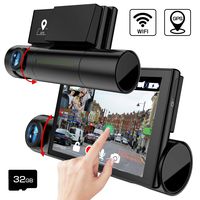
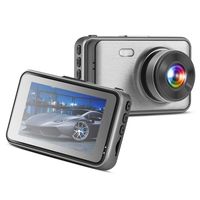
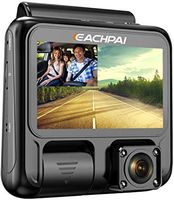
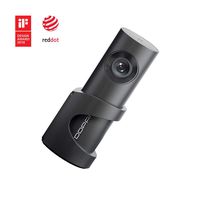
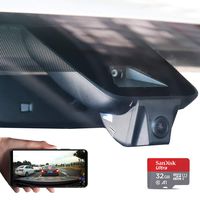
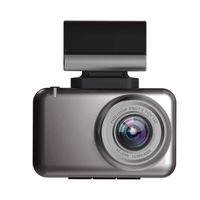
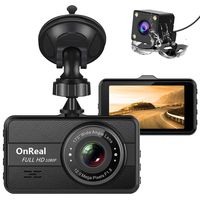
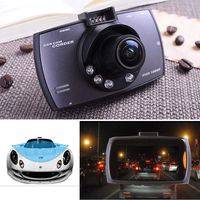
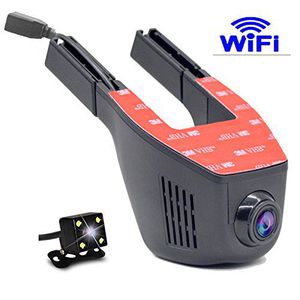
Full HD 1080P Wide Angle Mini Hidden WIFI Car DVR Auto Dash Camera Video Registrator Recorder
Current Price
$65
Average
$65
Min Price
$65
Max Price
$65
Description
Turn on/off car camera recorder After install the camera,start the car ,the camera will be turn on and start recording automatically . When the car is off or remove the lighter ,the camera will auto power-off . Attentions : 1.When we turn on the WiFi function ,make sure you insert the SD card.Please use 8GB Class 10 card or higher.(Otherwise it would affect WiFi transmission rate ). 2.WiFi Smart phone or android big screen vehicle navigation connect to the car camera recorder via WiFi A.support real-time images. B.you can use phone to look through the files in SD card via WiFi C.You can use phone to download the image files. D.You can control recording or set up menu via phone. Step :(1)use phone to download app: (a)dual lens camera:Android system ,search WCVR-Dual in Android market ,download and install it . IOS system,search WCVR-Dual in APP Store,download and install it. (b)single lens camera:Android system ,search WCVR-PWD in Android market ,download and install it . IOS system,search WCVR-PWD in APP Store,download and install it. (1)Turn on car camera recorder (2)WiFi signal light on ,means WiFi is turned on .Long-press OK key for 3s,turn off/on the WiFi . (3)Use phone to search wlan signal WCVR******,then connect it ,the initial password is 99999999. (4)Click to enter . (5)Click to enter documents management . a. check the image and video files record by action camera,also you can quick back up files to phone . b. manage or delete the file in APP. (1)Click to enter video image. (2)Click can change the front view and back view image,dual lens only . (3)Click to enter menu to set up. 3.We use loop-recording mode,when SD card is full ,will delete the front video automatically .(the locked files won't be deleted,we suggest you to format file at a fixed period that can release the most available storage )
Price will be lower
in next 2 weeks
in next 2 weeks
According to the data, price will be lower in next two weeks, so not waste your money and track better price!
Product review & video
1080P Hidden WiFi Car-DVR Vehicle video recorder dash-cam Download the WCVR-Dual application on Google Play On the camera, press OK to activate WIFI You can change the password for WIFI 99999999 / later to your own password ... Login And I'm there First I will try the camera's online view Marked icon is to switch back camera I set my camera as I want to capture the image and the angle of view ... Basic camera setting Auto power after two minutes Display Settings .... Motion detection I will not need Frequency for Europe 50 Hz Exposure, try and see. Occasionally there is a flash of light. I put on -1,0 ... Parking mode I will not need ... The G-Sensor will give the least sensitivity 2G Set date and time ... Wifi settings, here you can change your WIFI password or even name ... Version Put back and save ... Demo video image in 1080P format Demo video image in 720P format Demo video image


Similar products