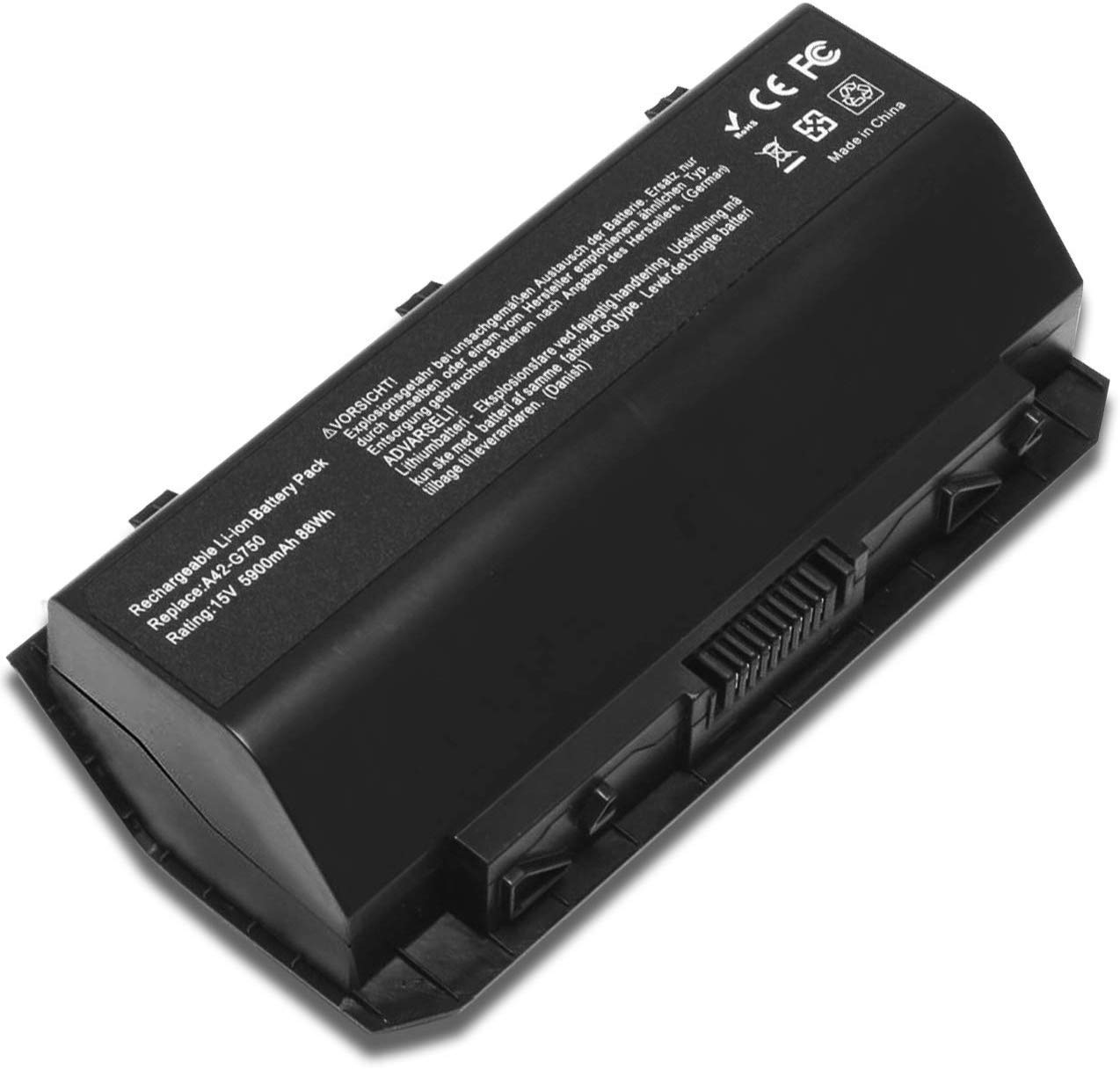
Description
*Colour: Black
*Type: Li-ion
*Voltage: 15V
*Capacity: 5900nAh/88Wh
*Cell:8
*Replace Part Number:
*Asus A42-G750 ASUS G750 G750J G750JH G750JM
*G750JS G750JW G750JX G750JZ Series
*0B110-00200000 0B110-00200000M
*Fit for:
*ASUS G750J Series
*ASUS G750JH Series
*ASUS G750JM Series
*ASUS G750JS Series
*ASUS G750JW Series
*ASUS G750JX Series
*ASUS G750JZ Series
*ASUS ROG G750 Series
*ASUS ROG G750J Series
*ASUS ROG G750JH Series
*ASUS ROG G750JM Series
*ASUS ROG G750JS Series
*ASUS ROG G750JW Series
*ASUS ROG G750JX Series
*ASUS ROG G750JZ Series
"CTRL"+"F" to find your laptop model/part number printed on your laptop
bottom or original battery.
*For the new battery , we suggest that all of our customer should full charge it by AC power adapter ,because takes a long period, the capacity was strain out by inner PCB circuit, in order to protect your battery life,you can full charge to 100% and drain to 1% 2 times,then the capacity will recover.
*You can use "Ctrl+F" to find your own model or part number.
Buy With Confidence! 24 x 7 Email Support 12-Month Warranty Ship next business day Please feel free to contact us if you have further questions.We will be more than happy to assist you.
Fully New A42-G750 Replacement Laptop Battery Compatible with Asus G750J G750JW G750JX G750JZ G750 G750JH G750JM G750JS G750Y47JX-BL - 15V 5900mAh 88wh
Current Price
$45.88
Average
$43.78
Min Price
$40.65
Max Price
$45.88
Price dynamics
5%
Description
*Colour: Black
*Type: Li-ion
*Voltage: 15V
*Capacity: 5900nAh/88Wh
*Cell:8
*Replace Part Number:
*Asus A42-G750 ASUS G750 G750J G750JH G750JM
*G750JS G750JW G750JX G750JZ Series
*0B110-00200000 0B110-00200000M
*Fit for:
*ASUS G750J Series
*ASUS G750JH Series
*ASUS G750JM Series
*ASUS G750JS Series
*ASUS G750JW Series
*ASUS G750JX Series
*ASUS G750JZ Series
*ASUS ROG G750 Series
*ASUS ROG G750J Series
*ASUS ROG G750JH Series
*ASUS ROG G750JM Series
*ASUS ROG G750JS Series
*ASUS ROG G750JW Series
*ASUS ROG G750JX Series
*ASUS ROG G750JZ Series
"CTRL"+"F" to find your laptop model/part number printed on your laptop
bottom or original battery.
*For the new battery , we suggest that all of our customer should full charge it by AC power adapter ,because takes a long period, the capacity was strain out by inner PCB circuit, in order to protect your battery life,you can full charge to 100% and drain to 1% 2 times,then the capacity will recover.
*You can use "Ctrl+F" to find your own model or part number.
Buy With Confidence! 24 x 7 Email Support 12-Month Warranty Ship next business day Please feel free to contact us if you have further questions.We will be more than happy to assist you.
Price will be lower
in next 2 weeks
in next 2 weeks
According to the data, price will be lower in next two weeks, so not waste your money and track better price!

Similar products