Description
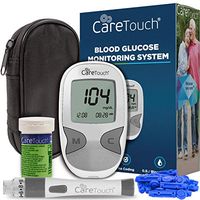
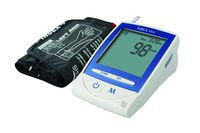
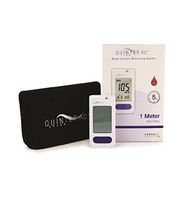
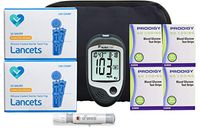
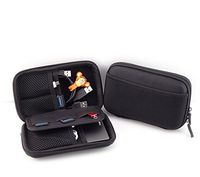
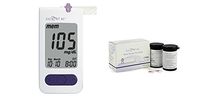
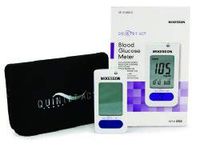
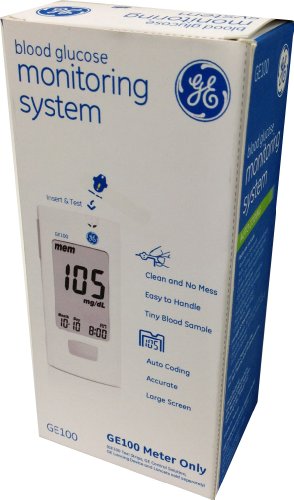
GE100 Blood Glucose Monitoring System The GE100 Blood Glucose Meter is specially designed to give you an easy and accurate testing experience. The palm-sized meter has large buttons and an extra-large, easy-to-read LCD screen that displays your results clearly. You can even keep track of and archive up to 500 results with 1, 7, 14, 30 and 90 day averaging. It uses GE's patented, large-sized, rigid test strips, which add to its ease of use. How to Take a Blood Glucose Measurement 1. Insert the strip into the strip port on the meter with the view window facing up. Push the strip in until it clicks and stops. The meter will automatically detect the code number. 3. Wait for the flashing blood drop symbol. 2. Touch and hold the drop to the edge of the sample port until you hear a "beep" and the view window is filled with blood. If the view window is not completely filled with blood the test will not start in which case, discard the test strip and repeat the test with a new test strip. 4. The countdown mode will begin on the display window. After 5 seconds, your test result will appear. 5. Remove the test strip from the meter and discard the used strip properly. Consult the GE100 User’s Manual for more information. GE100 Blood Glucose Monitoring System Key Features True Auto Coding Small Sample Size Results in 5 seconds Energy saving auto-start and shut down Accurate, reliable results Large, easy to read display Safe, clean testing process Advanced error messages 1, 7, 14, 30 and 90 day averaging What's in the Box One GE100 Blood Glucose Meter; one meter case, one CR2032 battery (installed); English and Spanish GE100 User’s Manual, English and Spanish getting started guide.
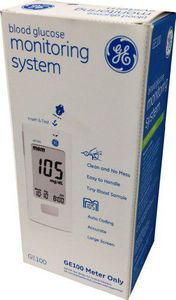
GE100 Blood Glucose Monitoring System
Price is below average
Current Price
$8.76
Average
$9.1
Min Price
$4.72
Max Price
$17.99
Price dynamics
4%
Description
GE100 Blood Glucose Monitoring System The GE100 Blood Glucose Meter is specially designed to give you an easy and accurate testing experience. The palm-sized meter has large buttons and an extra-large, easy-to-read LCD screen that displays your results clearly. You can even keep track of and archive up to 500 results with 1, 7, 14, 30 and 90 day averaging. It uses GE's patented, large-sized, rigid test strips, which add to its ease of use. How to Take a Blood Glucose Measurement 1. Insert the strip into the strip port on the meter with the view window facing up. Push the strip in until it clicks and stops. The meter will automatically detect the code number. 3. Wait for the flashing blood drop symbol. 2. Touch and hold the drop to the edge of the sample port until you hear a "beep" and the view window is filled with blood. If the view window is not completely filled with blood the test will not start in which case, discard the test strip and repeat the test with a new test strip. 4. The countdown mode will begin on the display window. After 5 seconds, your test result will appear. 5. Remove the test strip from the meter and discard the used strip properly. Consult the GE100 User’s Manual for more information. GE100 Blood Glucose Monitoring System Key Features True Auto Coding Small Sample Size Results in 5 seconds Energy saving auto-start and shut down Accurate, reliable results Large, easy to read display Safe, clean testing process Advanced error messages 1, 7, 14, 30 and 90 day averaging What's in the Box One GE100 Blood Glucose Meter; one meter case, one CR2032 battery (installed); English and Spanish GE100 User’s Manual, English and Spanish getting started guide.
Price will be lower
in next 2 weeks
in next 2 weeks
According to the data, price will be lower in next two weeks, so not waste your money and track better price!
Similar products