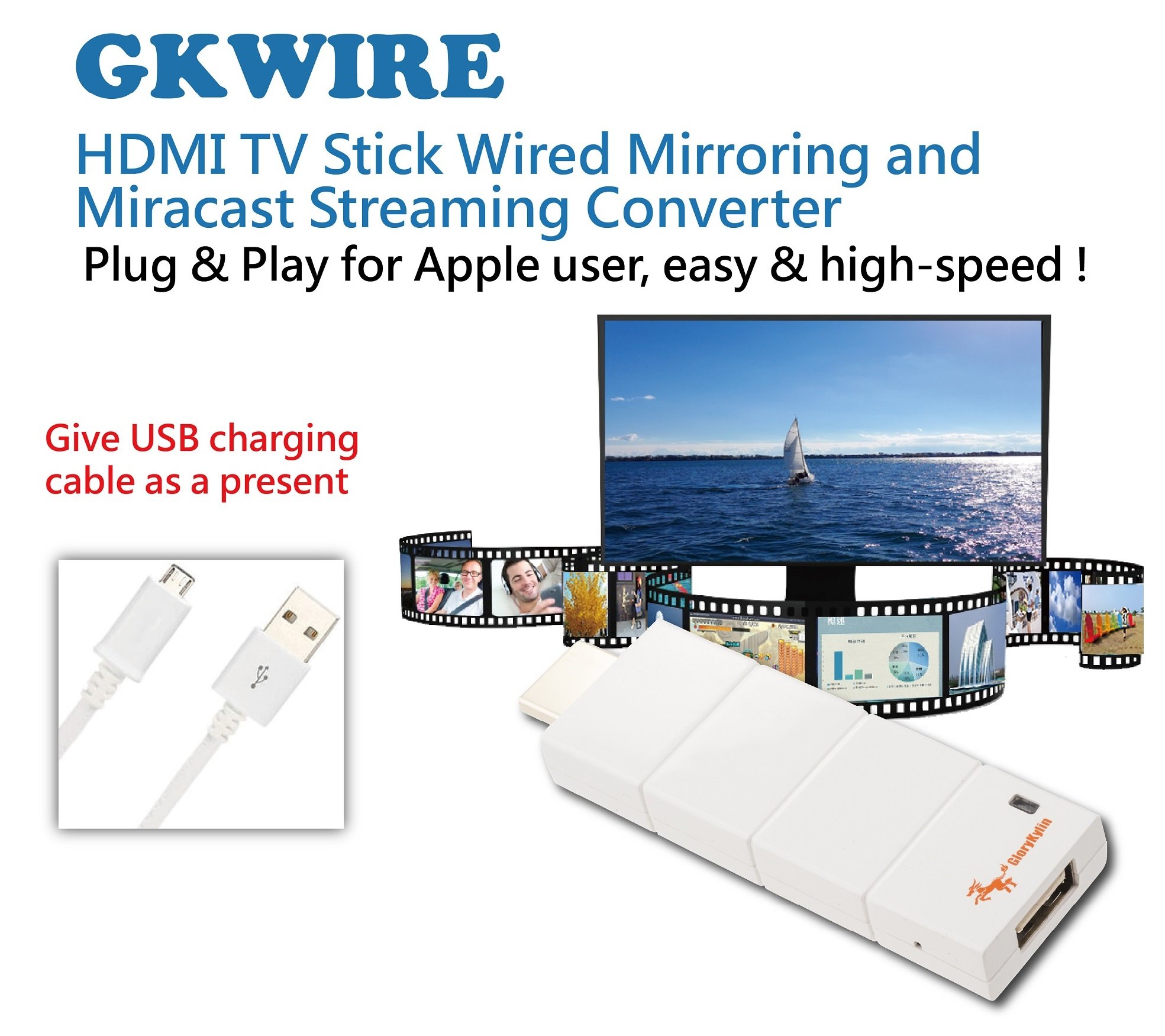
Description
With it connected with iPhone/iPad, you can enjoy your favorite local or online entertainment like movies, TV shows, music, video, photos easily on your TV or projector, display with up to 1080p resolution. You can share the happiness with your family or your friend together on your big TV or projector! Everything you love, now on your TV or projector.
How to connect For phone/pad:
1. Plug GK Wire HDMI dongle to your TV's HDMI input port.
2. Plug the USB cable: Micro USB connector to GK Wire HDMI dongle's Micro USB port, and the standard USB connector to the TV's USB port or USB power adapter (recommend using a power adapter to supply sufficient power).
3. Connect the charging cable of your phone/pad to GK Wire HDMI dongle's standard USB port.
4. Launch EZCast App for mirroring or streaming, or directly mirroring or streaming from your phone/pad.
Soulangh specializes in providing Wireless projector equipment for Conference, WiFi display, and USB display products. We provide the series of EZCast and EZCast PRO. We have a dedicated team for providing professional customer service to customers!
How to connect For phone/pad:
1. Plug GK Wire HDMI dongle to your TV's HDMI input port.
2. Plug the USB cable: Micro USB connector to GK Wire HDMI dongle's Micro USB port, and the standard USB connector to the TV's USB port or USB power adapter (recommend using a power adapter to supply sufficient power).
3. Connect the charging cable of your phone/pad to GK Wire HDMI dongle's standard USB port.
4. Launch EZCast App for mirroring or streaming, or directly mirroring or streaming from your phone/pad.
Soulangh specializes in providing Wireless projector equipment for Conference, WiFi display, and USB display products. We provide the series of EZCast and EZCast PRO. We have a dedicated team for providing professional customer service to customers!
GloryKylin GKWire TV Stick 1080P HDTV to HDMI for iPhone Airplay Mirroring Cast for iPhone/iPad/iOS
Current Price
$29.99
Average
$23.26
Min Price
$10
Max Price
$29.99
Price dynamics
22%
Description
With it connected with iPhone/iPad, you can enjoy your favorite local or online entertainment like movies, TV shows, music, video, photos easily on your TV or projector, display with up to 1080p resolution. You can share the happiness with your family or your friend together on your big TV or projector! Everything you love, now on your TV or projector.
How to connect For phone/pad:
1. Plug GK Wire HDMI dongle to your TV's HDMI input port.
2. Plug the USB cable: Micro USB connector to GK Wire HDMI dongle's Micro USB port, and the standard USB connector to the TV's USB port or USB power adapter (recommend using a power adapter to supply sufficient power).
3. Connect the charging cable of your phone/pad to GK Wire HDMI dongle's standard USB port.
4. Launch EZCast App for mirroring or streaming, or directly mirroring or streaming from your phone/pad.
Soulangh specializes in providing Wireless projector equipment for Conference, WiFi display, and USB display products. We provide the series of EZCast and EZCast PRO. We have a dedicated team for providing professional customer service to customers!
How to connect For phone/pad:
1. Plug GK Wire HDMI dongle to your TV's HDMI input port.
2. Plug the USB cable: Micro USB connector to GK Wire HDMI dongle's Micro USB port, and the standard USB connector to the TV's USB port or USB power adapter (recommend using a power adapter to supply sufficient power).
3. Connect the charging cable of your phone/pad to GK Wire HDMI dongle's standard USB port.
4. Launch EZCast App for mirroring or streaming, or directly mirroring or streaming from your phone/pad.
Soulangh specializes in providing Wireless projector equipment for Conference, WiFi display, and USB display products. We provide the series of EZCast and EZCast PRO. We have a dedicated team for providing professional customer service to customers!
Price will be lower
in next 2 weeks
in next 2 weeks
According to the data, price will be lower in next two weeks, so not waste your money and track better price!
Product review & video
what's up guys my name is Brandon and today I'm gonna be showing you how to connect your iPhone iPad or iPod touch to your TV to play content like videos games and things like that and also how to mirror your screen to the TV now there are multiple ways of doing this and I'm going to be showing you guys the three best most reliable methods in this video so let's not waste any time but let's just jump straight into it so the very first method is going to be the easiest most fail proof method and that's going to be using an hdmi adapter cable now this is the only method in this video that uses a cord and that's the reason it's the most fail proof because it's just always going to work because it is physically connected so you can get this cord on Amazon using the link down in the description below for about 15 dollars that's where it is right now and it is a pretty long cable which is ide


Similar products