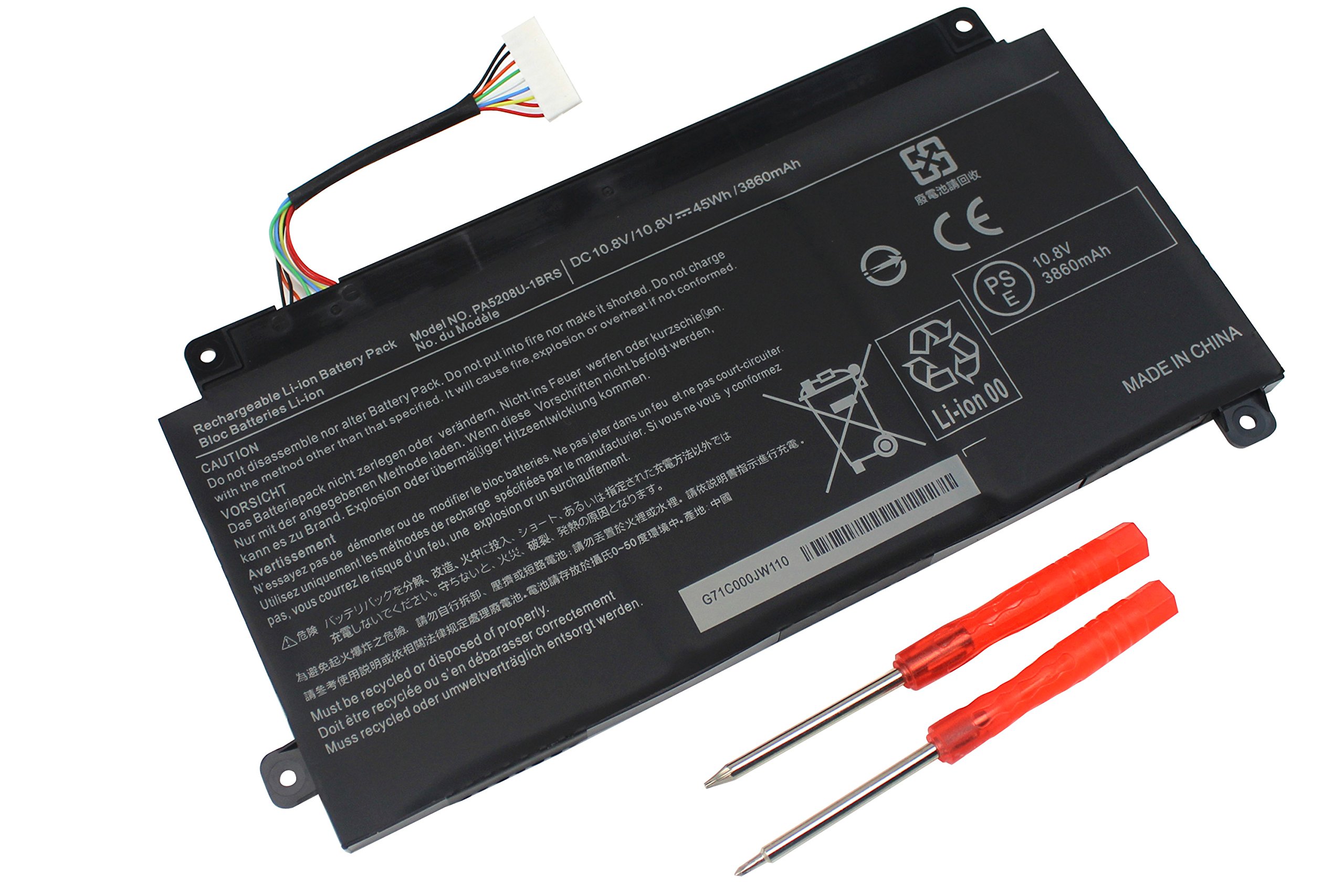
Specification:
Battery type: Li-polymer
Voltage:10.8V
Capacity: 3860mAh
Cell: 3 Cells
Color:Black
Replace Part Number:
P000619700 P000645710 PA5208U-1BRS PA5208U
Compatible NoteBook:
Toshiba Chromebook 2 Series
Toshiba Satellite CB30 Series: CB30-B3121, CB30-B3123, CB30-B-103
Toshiba Chromebook CB35 Series: CB35-B, CB35-A3120, CB35-B3340, CB35-B3330, CB35-C3300, CB35-C3350, CB30-B3123
Toshiba Radius 14" E45W-C4200X Series Laptop
Toshiba Satellite E45W Series: E45W-C4200, E45W-C4200X
Toshiba Satellite L55W Series: L55W-C5256, L55W-C5258, L55W-C5259, L55W-C5236X
Toshiba Satellite P55W Series: P55W-B5224, P55W-C, P55W-C5200D, P55W-C5200X, P55W-C5204, P55W-C5208 P55W-C5208X, P55W-C5314, P55W-C5316, P55W-C532-4K, P55W-C5208-4K
Toshiba Satellite Radius 15 P50W Series: P50W-C-102, P50W-C-104, P50W-C-106, P50W-C-107, P50W-C-10E, P50W-C-10H, P50W-C-10J P50W-C-10K, P50W-C-10L, P50W-C-10M, P50W-C-10P, P50W-C-10V, P50W-C-110, P50W-C-10E
Toshiba Satellite Radius 14 L40W-C-10V Series Toshiba Radius 14" E45W-C4200X Series
Please note that:
1. The new battery need to charge and discharge 3-4 cycles before, takes about 7-8 hours in order to activate lithium ion fully to maximun space.
2. Please do not let the battery discharge to the computer to shut down, otherwise it may be damaged easily and may not be charged fully.
3. If you connect external power to use for a long time, please remove the battery.
4. If you do not use battery for a long time, make sure to charge more than 80% every month.







![New L12L4E01 G400S G500S Laptop Battery Compatible with Lenovo IdeaPad G405S G510S G505S G510S S410P S510P Touch Z710 Eraser G50-80 Series L12M4A02 L12M4E01 L12S4A02 [14.4V 2600mAh] Notebook Battery](https://use4coins.com/thumbs/unsafe/fit-in/200x200/https://images-na.ssl-images-amazon.com/images/I/71V-xwYDU3L.jpg)