Description
NOTICE!
When opening the ipad, do not damage the lcd, the touch glass and the cable inside, a very important step.
Before reseal your iPad Mini, test the battery with the original data cable and charger (surpport 5V, 2.1A).
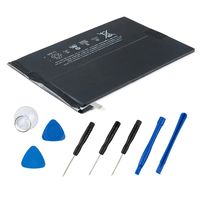
Packing List
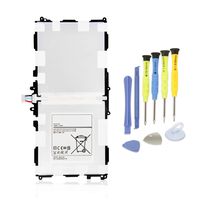
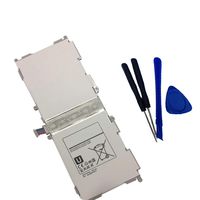
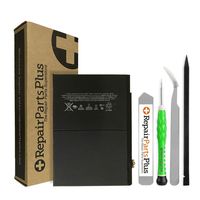
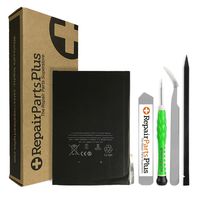
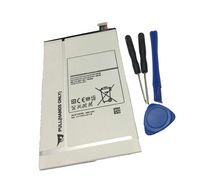
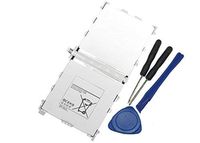
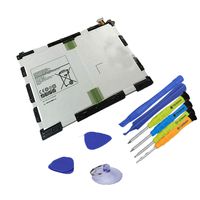
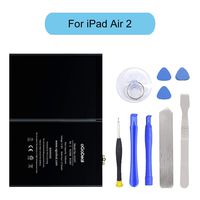
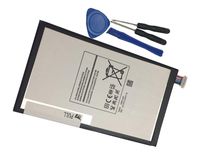
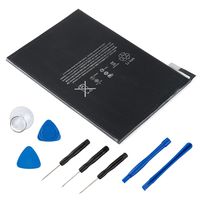
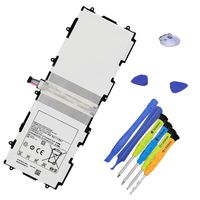
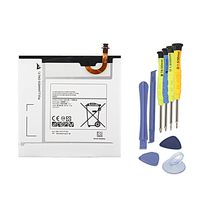
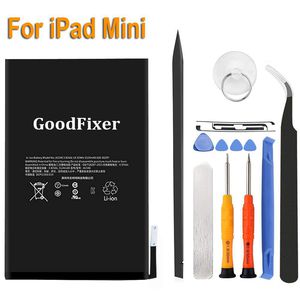
-1 Battery for 1st Generation iPad Mini
-1 Pentalobe Screwdriver
-1 Philips Size Screwdriver
-3 Triangle Opening Tool
-1 Pry Opening Spudger
-1 Suction Cup
-1 Set of Adhesive
-1 Spudger
-1 Metal Spatula/Scraper
-1 Tweezer
Instruction
If you have questions about the installation, we will help you in the email.
-Kindly Note:
After the battery installed inside iPad,we suggest you full charge 100% and use the power to about 2% 3 times, then the battery will became more excellent.
If your iPad Mini 1 Touch Screen Glass Digitizer is broken, you can replace them at the same time. ^ v ^
This battery only for Apple iPad Mini 1.
Q: iPad can't start?
A: Check the LCD cable and battery cable, connect the original data cable; check whether the iPad is charging,if charging,reseal iPad.
Q: The iPad can be power on, but no charging; when using it for a few hours, the electricity number is not reduced?
A: Restart the iPad, or use the iPad power to 1% and try charging again.
Q: No charging, but showing"charging icon"?
A: Please use a charger that supports 5V 2.1A, and the original data cable.
GoodFixer Customer Service Guarantee:
24-Hour Reply
365 DAYS Warranty
When opening the ipad, do not damage the lcd, the touch glass and the cable inside, a very important step.
Before reseal your iPad Mini, test the battery with the original data cable and charger (surpport 5V, 2.1A).
Packing List
-1 Battery for 1st Generation iPad Mini
-1 Pentalobe Screwdriver
-1 Philips Size Screwdriver
-3 Triangle Opening Tool
-1 Pry Opening Spudger
-1 Suction Cup
-1 Set of Adhesive
-1 Spudger
-1 Metal Spatula/Scraper
-1 Tweezer
Instruction
If you have questions about the installation, we will help you in the email.
-Kindly Note:
After the battery installed inside iPad,we suggest you full charge 100% and use the power to about 2% 3 times, then the battery will became more excellent.
If your iPad Mini 1 Touch Screen Glass Digitizer is broken, you can replace them at the same time. ^ v ^
This battery only for Apple iPad Mini 1.
Q: iPad can't start?
A: Check the LCD cable and battery cable, connect the original data cable; check whether the iPad is charging,if charging,reseal iPad.
Q: The iPad can be power on, but no charging; when using it for a few hours, the electricity number is not reduced?
A: Restart the iPad, or use the iPad power to 1% and try charging again.
Q: No charging, but showing"charging icon"?
A: Please use a charger that supports 5V 2.1A, and the original data cable.
GoodFixer Customer Service Guarantee:
24-Hour Reply
365 DAYS Warranty
GoodFixer Replacement Battery fit Apple iPad Mini 1 A1432, A1454, A1455, Complete Repair Tools Kit, Adhesive Strip, New 0 Cycle 4440mAh Li-ion Replacement Battery [365 Days Warranty]
Price is below average
Current Price
$23
Average
$23.21
Min Price
$22
Max Price
$24.98
Price dynamics
1%
Description
NOTICE!
When opening the ipad, do not damage the lcd, the touch glass and the cable inside, a very important step.
Before reseal your iPad Mini, test the battery with the original data cable and charger (surpport 5V, 2.1A).
Packing List
-1 Battery for 1st Generation iPad Mini
-1 Pentalobe Screwdriver
-1 Philips Size Screwdriver
-3 Triangle Opening Tool
-1 Pry Opening Spudger
-1 Suction Cup
-1 Set of Adhesive
-1 Spudger
-1 Metal Spatula/Scraper
-1 Tweezer
Instruction
If you have questions about the installation, we will help you in the email.
-Kindly Note:
After the battery installed inside iPad,we suggest you full charge 100% and use the power to about 2% 3 times, then the battery will became more excellent.
If your iPad Mini 1 Touch Screen Glass Digitizer is broken, you can replace them at the same time. ^ v ^
This battery only for Apple iPad Mini 1.
Q: iPad can't start?
A: Check the LCD cable and battery cable, connect the original data cable; check whether the iPad is charging,if charging,reseal iPad.
Q: The iPad can be power on, but no charging; when using it for a few hours, the electricity number is not reduced?
A: Restart the iPad, or use the iPad power to 1% and try charging again.
Q: No charging, but showing"charging icon"?
A: Please use a charger that supports 5V 2.1A, and the original data cable.
GoodFixer Customer Service Guarantee:
24-Hour Reply
365 DAYS Warranty
When opening the ipad, do not damage the lcd, the touch glass and the cable inside, a very important step.
Before reseal your iPad Mini, test the battery with the original data cable and charger (surpport 5V, 2.1A).
Packing List
-1 Battery for 1st Generation iPad Mini
-1 Pentalobe Screwdriver
-1 Philips Size Screwdriver
-3 Triangle Opening Tool
-1 Pry Opening Spudger
-1 Suction Cup
-1 Set of Adhesive
-1 Spudger
-1 Metal Spatula/Scraper
-1 Tweezer
Instruction
If you have questions about the installation, we will help you in the email.
-Kindly Note:
After the battery installed inside iPad,we suggest you full charge 100% and use the power to about 2% 3 times, then the battery will became more excellent.
If your iPad Mini 1 Touch Screen Glass Digitizer is broken, you can replace them at the same time. ^ v ^
This battery only for Apple iPad Mini 1.
Q: iPad can't start?
A: Check the LCD cable and battery cable, connect the original data cable; check whether the iPad is charging,if charging,reseal iPad.
Q: The iPad can be power on, but no charging; when using it for a few hours, the electricity number is not reduced?
A: Restart the iPad, or use the iPad power to 1% and try charging again.
Q: No charging, but showing"charging icon"?
A: Please use a charger that supports 5V 2.1A, and the original data cable.
GoodFixer Customer Service Guarantee:
24-Hour Reply
365 DAYS Warranty
Price will be lower
in next 2 weeks
in next 2 weeks
According to the data, price will be lower in next two weeks, so not waste your money and track better price!
Similar products