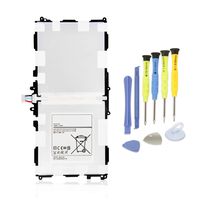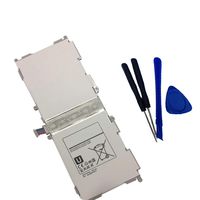
Description
NOTICE!
When opening the ipad, do not damage the lcd, the touch glass and the cable inside, a very important step.
Before reseal your iPad, test the battery with the original data cable and charger (surpport 5V, 2.1A).
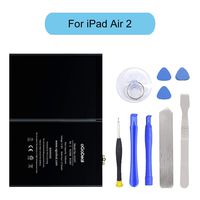
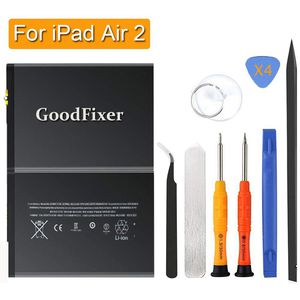
Packing List
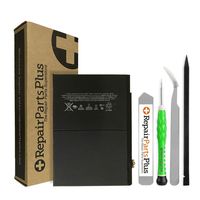
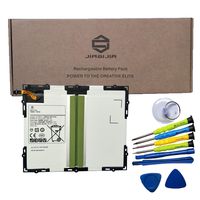
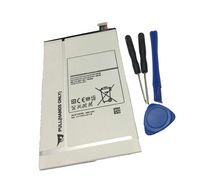
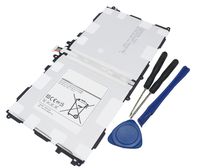
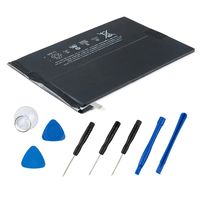
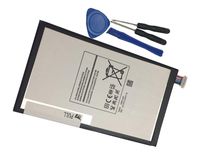
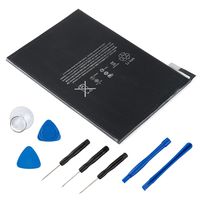
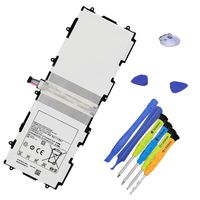
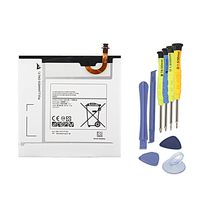
-1 Battery for iPad Air 2(only for A1566,A1567)
-1 Pentalobe Screwdriver
-1 Philips Size Screwdriver
-4 Triangle Opening Tool
-1 Pry Opening Spudger
-1 Suction Cup
-1 Spudger
-1 Metal Spatula/Scraper
-1 Tweezer
-Kindly Note:
After the battery installed inside iPad,we suggest you full charge 100% and use the power to about 2% 3 times, then the battery will became more excellent.
This battery only for Apple iPad Air 2.
Q: iPad can't start?
A: Check the LCD cable and battery cable, connect the original data cable; check whether the iPad is charging,if charging,reseal iPad.
Q: The iPad can be power on, but no charging; when using it for a few hours, the electricity number is not reduced?
A: Restart the iPad, or use the iPad power to 1% and try charging again.
Q: No charging, but showing"charging icon"?
A: Please use a charger that supports 5V 2.1A, and the original data cable.
GoodFixer Customer Service Guarantee:
24-Hour Reply
365 DAYS Warranty
When opening the ipad, do not damage the lcd, the touch glass and the cable inside, a very important step.
Before reseal your iPad, test the battery with the original data cable and charger (surpport 5V, 2.1A).
Packing List
-1 Battery for iPad Air 2(only for A1566,A1567)
-1 Pentalobe Screwdriver
-1 Philips Size Screwdriver
-4 Triangle Opening Tool
-1 Pry Opening Spudger
-1 Suction Cup
-1 Spudger
-1 Metal Spatula/Scraper
-1 Tweezer
-Kindly Note:
After the battery installed inside iPad,we suggest you full charge 100% and use the power to about 2% 3 times, then the battery will became more excellent.
This battery only for Apple iPad Air 2.
Q: iPad can't start?
A: Check the LCD cable and battery cable, connect the original data cable; check whether the iPad is charging,if charging,reseal iPad.
Q: The iPad can be power on, but no charging; when using it for a few hours, the electricity number is not reduced?
A: Restart the iPad, or use the iPad power to 1% and try charging again.
Q: No charging, but showing"charging icon"?
A: Please use a charger that supports 5V 2.1A, and the original data cable.
GoodFixer Customer Service Guarantee:
24-Hour Reply
365 DAYS Warranty
GoodFixer Replacement Battery for Apple iPad Air 2 A1566, A1567, Complete Repair Tools Kit, New 0 Cycle 7340mAh Li-ion Replacement Battery [365 Days Warranty]
Price is below average
Current Price
$28.99
Average
$32.57
Min Price
$27.99
Max Price
$36.99
Price dynamics
11%
Description
NOTICE!
When opening the ipad, do not damage the lcd, the touch glass and the cable inside, a very important step.
Before reseal your iPad, test the battery with the original data cable and charger (surpport 5V, 2.1A).
Packing List
-1 Battery for iPad Air 2(only for A1566,A1567)
-1 Pentalobe Screwdriver
-1 Philips Size Screwdriver
-4 Triangle Opening Tool
-1 Pry Opening Spudger
-1 Suction Cup
-1 Spudger
-1 Metal Spatula/Scraper
-1 Tweezer
-Kindly Note:
After the battery installed inside iPad,we suggest you full charge 100% and use the power to about 2% 3 times, then the battery will became more excellent.
This battery only for Apple iPad Air 2.
Q: iPad can't start?
A: Check the LCD cable and battery cable, connect the original data cable; check whether the iPad is charging,if charging,reseal iPad.
Q: The iPad can be power on, but no charging; when using it for a few hours, the electricity number is not reduced?
A: Restart the iPad, or use the iPad power to 1% and try charging again.
Q: No charging, but showing"charging icon"?
A: Please use a charger that supports 5V 2.1A, and the original data cable.
GoodFixer Customer Service Guarantee:
24-Hour Reply
365 DAYS Warranty
When opening the ipad, do not damage the lcd, the touch glass and the cable inside, a very important step.
Before reseal your iPad, test the battery with the original data cable and charger (surpport 5V, 2.1A).
Packing List
-1 Battery for iPad Air 2(only for A1566,A1567)
-1 Pentalobe Screwdriver
-1 Philips Size Screwdriver
-4 Triangle Opening Tool
-1 Pry Opening Spudger
-1 Suction Cup
-1 Spudger
-1 Metal Spatula/Scraper
-1 Tweezer
-Kindly Note:
After the battery installed inside iPad,we suggest you full charge 100% and use the power to about 2% 3 times, then the battery will became more excellent.
This battery only for Apple iPad Air 2.
Q: iPad can't start?
A: Check the LCD cable and battery cable, connect the original data cable; check whether the iPad is charging,if charging,reseal iPad.
Q: The iPad can be power on, but no charging; when using it for a few hours, the electricity number is not reduced?
A: Restart the iPad, or use the iPad power to 1% and try charging again.
Q: No charging, but showing"charging icon"?
A: Please use a charger that supports 5V 2.1A, and the original data cable.
GoodFixer Customer Service Guarantee:
24-Hour Reply
365 DAYS Warranty
Price will be lower
in next 2 weeks
in next 2 weeks
According to the data, price will be lower in next two weeks, so not waste your money and track better price!
Product review & video
battery replacement for iPad air 2 the tools were going to need are a Phillips head screwdriver plastic and metallic prying tools tweezers blow-dryer and double-sided m3 tape begin by heating up the contours of the iPad screen with a hairdryer the screen is glued on to the iPad once that's heated up go ahead and begin prying in put the metallic prying tool at one of the corners be careful not to scratch it up once you break that seal introduce a plastic pine tool and start going around the contour breaking that seal going all the way around the entire iPad carefully and slowly you can reintroduce the heat gun under the hairdryer as needed once the entire seals all the way around has been broken go ahead start lifting it up from the top where the front-facing camera is and it just unfolds like that it's attached on the bottom to the right of the home button go ahead and remove this cover


Similar products