Description
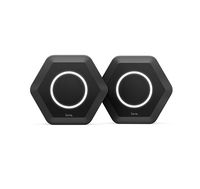
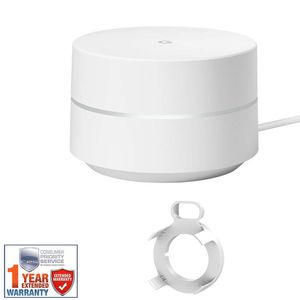
Enjoy a consistent connection to the web with this Google Wi-Fi setup. The single access point is ideal for use in smaller homes of less than 1,500 square feet, giving you the ability to connect your tablets, laptops or phones. This Google Wi-Fi system provides a reliable signal that can be shared by multiple devices at once. Google Wifi operates on both the 2.4 GHz and 5 GHz frequencies along with support for 802.11a/b/g/n/ac Wi-Fi network standards. Each node features AC1200 2x2 Wave 2 Wi-Fi along with TX Beamforming technology offering enhanced wireless connections for multiple devices. In addition to Wi-Fi connectivity, Google Wifi supports Bluetooth Smart Ready technology, making it easy to connect a variety of Bluetooth devices directly to the network. If a wired connection is needed, Google Wifi comes equipped with two Gigabit Ethernet ports that can be configured to support WAN or LAN connectivity. Room-to-Room Connectivity Get fast Wi-Fi in every room, on every device. Replace your router with one or more Google Wifi points to cover your home in reliable Wi-Fi. How Many Wi-Fi Points Do You Need? If you have a smaller home, up to 1500 square feet, start with a single point. Add on if you need more coverage. Do What You Love Anywhere in Your House Google Wifi can handle multiple devices, so you can stream in the living room and bedroom while someone games in the basement, without a battle for bandwidth. Super-Smart Wi-Fi Google Wifi has Network Assist technology tha...
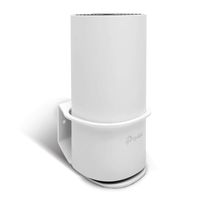
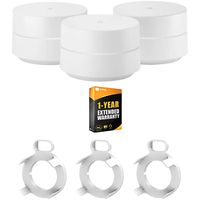
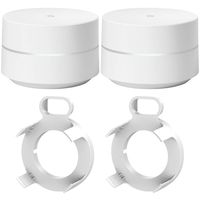
Google GA00157-US Wi-Fi - 1-Pack Bundle with Deco Gear WiFi Outlet Wall Mount (White) and 1 Year Extended Warranty
Current Price
$149
Average
$146.5
Min Price
$99.99
Max Price
$159.99
Price dynamics
2%
Description
Enjoy a consistent connection to the web with this Google Wi-Fi setup. The single access point is ideal for use in smaller homes of less than 1,500 square feet, giving you the ability to connect your tablets, laptops or phones. This Google Wi-Fi system provides a reliable signal that can be shared by multiple devices at once. Google Wifi operates on both the 2.4 GHz and 5 GHz frequencies along with support for 802.11a/b/g/n/ac Wi-Fi network standards. Each node features AC1200 2x2 Wave 2 Wi-Fi along with TX Beamforming technology offering enhanced wireless connections for multiple devices. In addition to Wi-Fi connectivity, Google Wifi supports Bluetooth Smart Ready technology, making it easy to connect a variety of Bluetooth devices directly to the network. If a wired connection is needed, Google Wifi comes equipped with two Gigabit Ethernet ports that can be configured to support WAN or LAN connectivity. Room-to-Room Connectivity Get fast Wi-Fi in every room, on every device. Replace your router with one or more Google Wifi points to cover your home in reliable Wi-Fi. How Many Wi-Fi Points Do You Need? If you have a smaller home, up to 1500 square feet, start with a single point. Add on if you need more coverage. Do What You Love Anywhere in Your House Google Wifi can handle multiple devices, so you can stream in the living room and bedroom while someone games in the basement, without a battle for bandwidth. Super-Smart Wi-Fi Google Wifi has Network Assist technology tha...
Price will be lower
in next 2 weeks
in next 2 weeks
According to the data, price will be lower in next two weeks, so not waste your money and track better price!
Product review & video
SPEAKER 1: Welcome
to Google Nest. Let's set up your Google Wi-Fi. Your Google Wi-Fi points
replace your existing router, and work together to
create a mesh network that spreads a strong, reliable
signal throughout your home. Google Wi-Fi includes
one or three points, depending on the package
you've purchased. There is also an
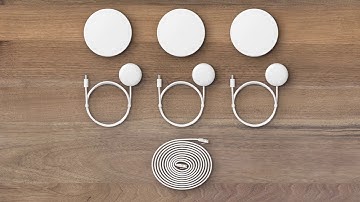
ethernet cable and power adapters for each device. One Wi-Fi point plugs into
your internet provider's modem to create your Wi-Fi network,
and each additional point adds more Wi-Fi coverage. To use your Google Wi-Fi, you
will need a Google account, the Google Home app,
internet service, and a modem for the internet service. If you don't have the
Google Home app already, download it from the Google
Play or the Apple App Store, then set up a home
for your devices. If you've already set up a
home in the Google Home app, you're ready to start setup. Let's set up your

Similar products