Description
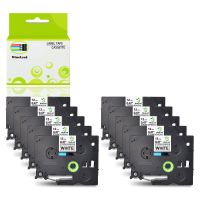
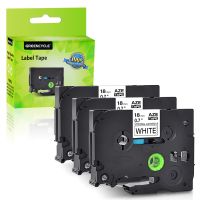
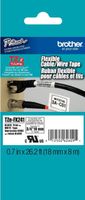
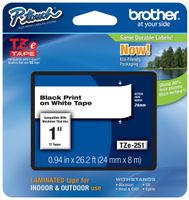
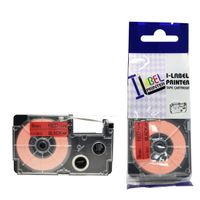
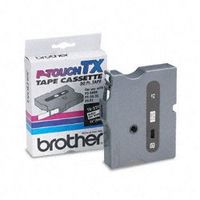
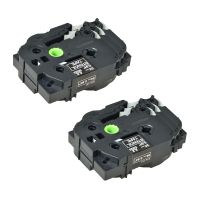
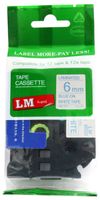
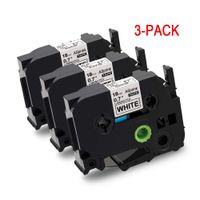
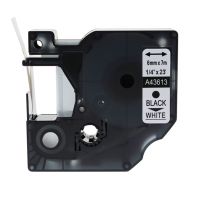
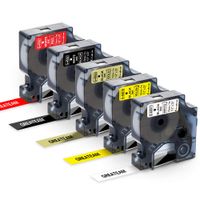
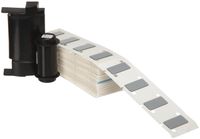
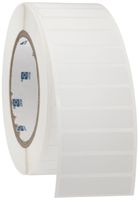
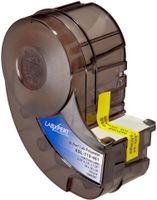
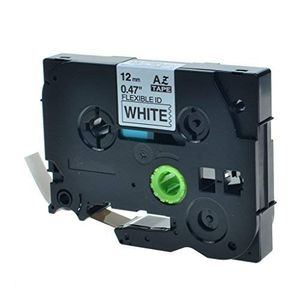
GREENCYCLE Compatible Brother P Touch TZe Label Tape TZe-fx231 TZ-fx231
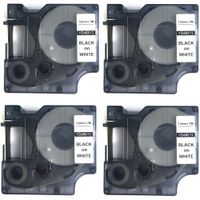
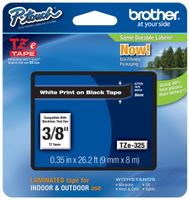
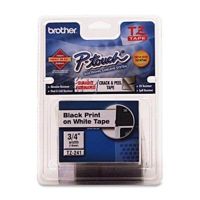
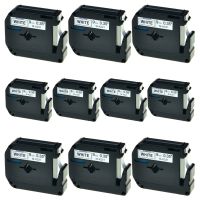
Contain: 1 PK Compatible Brother TZefx231 (TZfx231) Label Tape.
Dimension(each item): Size: 1/2"(12mm) Length: 26.2 feet(8m).
Color: Black Text Print on White Background.
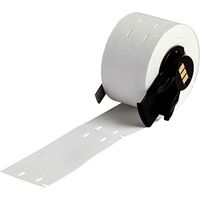
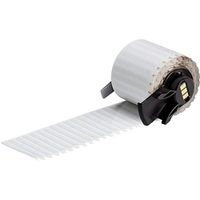
Type: Laminated and extra flexible Adhesive Tapes.
Split Backing: Yes.
Thermal TZE Labels: No Ink Or Toner Required!
Use with the following Brother P-Touch Label Printers: GL-100, PT-1000, PT-1000BM, PT-1010, PT-1010B, PT-1010NB, PT-1010R, PT-1010RDT, PT-1010S, PT-1090, PT-1090BK, PT-1100, PT-1100QL, PT1100SB, PT-1100SBVP, PT-1100ST, PT-1120, PT-1130, PT-1160, PT-1170, PT-1170S, PT-1180, PT-1180SC, PT-1180SP, PT-1190, PT-11Q, PT-1200, PT-1230PC, PT-1280, PT-1280BT, PT-1280SP, PT-1280SR, PT-1280TG, PT-1280VP, PT-128AF, PT-1290, PT-1290BT, PT-1290BT2, PT-1290RS, PT-1290SBVP, PT-1300, PT-1400, PT-1500, PT-1500PC, PT-1600, PT-1700, PT-1750, PT-1750SC, PT-1800, PT-1810, PT-1830, PT-1830C, PT-1830SC, PT-1830VP, PT-1880, PT-1880C, PT-1880SC, PT-1880W, PT-1890C, PT-1890SC, PT-1890W, PT-18R, PT-18RKT, PT-1900, PT-1900C, PT-1910, PT-1950, PT-1960, PT-200, PT-2030, PT-2030AD, PT-2030VP, PT-2100, PT-2110, PT-2200, PT-2210, PT-2300, PT-2310, PT-2400, PT-2410, PT-2430PC, PT-2470, PT-2500PC, PT-2600, PT-2610, PT-2700, PT-2710, PT-2730, PT-2730VP, PT-300, PT-300B, PT-310, PT-310B, PT-320, PT-330, PT-340, PT-350, PT-3600, PT-4000, PT-520, PT-530, PT-540, PT-550, PT-580C, PT-6100, PT-7100, PT-7500, PT-7600, PT-9200DX, PT-9200PC, PT-9400, PT-9500PC, PT-9600, PT-9700PC, PT-9800PCN, PT-D200, PT-D200BT, PT-D200DA, PT-D200MA, PT-D200SA, PT-D210, PT-D210BK, PT-D400, PT-D400AD, PT-D400VP, PT-D450, PT-D600, PT-D600VP, PT-E100, PT-E300, PT-E300VP, PT-E500, PT-E500VP, PT-E550W, PT-E550WVP, PT-H100, PT-H105, PT-H110, PT-H300, PT-H300LI, PT-H500LI, PT-P700, PT-P750W, PT-P750WVP, PT-P900, PT-P900W, PT-P950NW, ST-1150, ST-1150DX, ST-5
Contain: 1 PK Compatible Brother TZefx231 (TZfx231) Label Tape.
Dimension(each item): Size: 1/2"(12mm) Length: 26.2 feet(8m).
Color: Black Text Print on White Background.
Type: Laminated and extra flexible Adhesive Tapes.
Split Backing: Yes.
Thermal TZE Labels: No Ink Or Toner Required!
Use with the following Brother P-Touch Label Printers: GL-100, PT-1000, PT-1000BM, PT-1010, PT-1010B, PT-1010NB, PT-1010R, PT-1010RDT, PT-1010S, PT-1090, PT-1090BK, PT-1100, PT-1100QL, PT1100SB, PT-1100SBVP, PT-1100ST, PT-1120, PT-1130, PT-1160, PT-1170, PT-1170S, PT-1180, PT-1180SC, PT-1180SP, PT-1190, PT-11Q, PT-1200, PT-1230PC, PT-1280, PT-1280BT, PT-1280SP, PT-1280SR, PT-1280TG, PT-1280VP, PT-128AF, PT-1290, PT-1290BT, PT-1290BT2, PT-1290RS, PT-1290SBVP, PT-1300, PT-1400, PT-1500, PT-1500PC, PT-1600, PT-1700, PT-1750, PT-1750SC, PT-1800, PT-1810, PT-1830, PT-1830C, PT-1830SC, PT-1830VP, PT-1880, PT-1880C, PT-1880SC, PT-1880W, PT-1890C, PT-1890SC, PT-1890W, PT-18R, PT-18RKT, PT-1900, PT-1900C, PT-1910, PT-1950, PT-1960, PT-200, PT-2030, PT-2030AD, PT-2030VP, PT-2100, PT-2110, PT-2200, PT-2210, PT-2300, PT-2310, PT-2400, PT-2410, PT-2430PC, PT-2470, PT-2500PC, PT-2600, PT-2610, PT-2700, PT-2710, PT-2730, PT-2730VP, PT-300, PT-300B, PT-310, PT-310B, PT-320, PT-330, PT-340, PT-350, PT-3600, PT-4000, PT-520, PT-530, PT-540, PT-550, PT-580C, PT-6100, PT-7100, PT-7500, PT-7600, PT-9200DX, PT-9200PC, PT-9400, PT-9500PC, PT-9600, PT-9700PC, PT-9800PCN, PT-D200, PT-D200BT, PT-D200DA, PT-D200MA, PT-D200SA, PT-D210, PT-D210BK, PT-D400, PT-D400AD, PT-D400VP, PT-D450, PT-D600, PT-D600VP, PT-E100, PT-E300, PT-E300VP, PT-E500, PT-E500VP, PT-E550W, PT-E550WVP, PT-H100, PT-H105, PT-H110, PT-H300, PT-H300LI, PT-H500LI, PT-P700, PT-P750W, PT-P750WVP, PT-P900, PT-P900W, PT-P950NW, ST-1150, ST-1150DX, ST-5
GREENCYCLE Compatible for Brother TZ TZe FX231 TZ-FX231 TZe-FX231 Flexible Label Tape for P-Touch PT-D210 PT-H100 PTD400AD Label Maker 12mm (1/2 Inch) x 8m (26.2 ft) Laminated Black on White
Current Price
$6.98
Average
$5.91
Min Price
$5.15
Max Price
$6.99
Price dynamics
15%
Description
GREENCYCLE Compatible Brother P Touch TZe Label Tape TZe-fx231 TZ-fx231
Contain: 1 PK Compatible Brother TZefx231 (TZfx231) Label Tape.
Dimension(each item): Size: 1/2"(12mm) Length: 26.2 feet(8m).
Color: Black Text Print on White Background.
Type: Laminated and extra flexible Adhesive Tapes.
Split Backing: Yes.
Thermal TZE Labels: No Ink Or Toner Required!
Use with the following Brother P-Touch Label Printers: GL-100, PT-1000, PT-1000BM, PT-1010, PT-1010B, PT-1010NB, PT-1010R, PT-1010RDT, PT-1010S, PT-1090, PT-1090BK, PT-1100, PT-1100QL, PT1100SB, PT-1100SBVP, PT-1100ST, PT-1120, PT-1130, PT-1160, PT-1170, PT-1170S, PT-1180, PT-1180SC, PT-1180SP, PT-1190, PT-11Q, PT-1200, PT-1230PC, PT-1280, PT-1280BT, PT-1280SP, PT-1280SR, PT-1280TG, PT-1280VP, PT-128AF, PT-1290, PT-1290BT, PT-1290BT2, PT-1290RS, PT-1290SBVP, PT-1300, PT-1400, PT-1500, PT-1500PC, PT-1600, PT-1700, PT-1750, PT-1750SC, PT-1800, PT-1810, PT-1830, PT-1830C, PT-1830SC, PT-1830VP, PT-1880, PT-1880C, PT-1880SC, PT-1880W, PT-1890C, PT-1890SC, PT-1890W, PT-18R, PT-18RKT, PT-1900, PT-1900C, PT-1910, PT-1950, PT-1960, PT-200, PT-2030, PT-2030AD, PT-2030VP, PT-2100, PT-2110, PT-2200, PT-2210, PT-2300, PT-2310, PT-2400, PT-2410, PT-2430PC, PT-2470, PT-2500PC, PT-2600, PT-2610, PT-2700, PT-2710, PT-2730, PT-2730VP, PT-300, PT-300B, PT-310, PT-310B, PT-320, PT-330, PT-340, PT-350, PT-3600, PT-4000, PT-520, PT-530, PT-540, PT-550, PT-580C, PT-6100, PT-7100, PT-7500, PT-7600, PT-9200DX, PT-9200PC, PT-9400, PT-9500PC, PT-9600, PT-9700PC, PT-9800PCN, PT-D200, PT-D200BT, PT-D200DA, PT-D200MA, PT-D200SA, PT-D210, PT-D210BK, PT-D400, PT-D400AD, PT-D400VP, PT-D450, PT-D600, PT-D600VP, PT-E100, PT-E300, PT-E300VP, PT-E500, PT-E500VP, PT-E550W, PT-E550WVP, PT-H100, PT-H105, PT-H110, PT-H300, PT-H300LI, PT-H500LI, PT-P700, PT-P750W, PT-P750WVP, PT-P900, PT-P900W, PT-P950NW, ST-1150, ST-1150DX, ST-5
Contain: 1 PK Compatible Brother TZefx231 (TZfx231) Label Tape.
Dimension(each item): Size: 1/2"(12mm) Length: 26.2 feet(8m).
Color: Black Text Print on White Background.
Type: Laminated and extra flexible Adhesive Tapes.
Split Backing: Yes.
Thermal TZE Labels: No Ink Or Toner Required!
Use with the following Brother P-Touch Label Printers: GL-100, PT-1000, PT-1000BM, PT-1010, PT-1010B, PT-1010NB, PT-1010R, PT-1010RDT, PT-1010S, PT-1090, PT-1090BK, PT-1100, PT-1100QL, PT1100SB, PT-1100SBVP, PT-1100ST, PT-1120, PT-1130, PT-1160, PT-1170, PT-1170S, PT-1180, PT-1180SC, PT-1180SP, PT-1190, PT-11Q, PT-1200, PT-1230PC, PT-1280, PT-1280BT, PT-1280SP, PT-1280SR, PT-1280TG, PT-1280VP, PT-128AF, PT-1290, PT-1290BT, PT-1290BT2, PT-1290RS, PT-1290SBVP, PT-1300, PT-1400, PT-1500, PT-1500PC, PT-1600, PT-1700, PT-1750, PT-1750SC, PT-1800, PT-1810, PT-1830, PT-1830C, PT-1830SC, PT-1830VP, PT-1880, PT-1880C, PT-1880SC, PT-1880W, PT-1890C, PT-1890SC, PT-1890W, PT-18R, PT-18RKT, PT-1900, PT-1900C, PT-1910, PT-1950, PT-1960, PT-200, PT-2030, PT-2030AD, PT-2030VP, PT-2100, PT-2110, PT-2200, PT-2210, PT-2300, PT-2310, PT-2400, PT-2410, PT-2430PC, PT-2470, PT-2500PC, PT-2600, PT-2610, PT-2700, PT-2710, PT-2730, PT-2730VP, PT-300, PT-300B, PT-310, PT-310B, PT-320, PT-330, PT-340, PT-350, PT-3600, PT-4000, PT-520, PT-530, PT-540, PT-550, PT-580C, PT-6100, PT-7100, PT-7500, PT-7600, PT-9200DX, PT-9200PC, PT-9400, PT-9500PC, PT-9600, PT-9700PC, PT-9800PCN, PT-D200, PT-D200BT, PT-D200DA, PT-D200MA, PT-D200SA, PT-D210, PT-D210BK, PT-D400, PT-D400AD, PT-D400VP, PT-D450, PT-D600, PT-D600VP, PT-E100, PT-E300, PT-E300VP, PT-E500, PT-E500VP, PT-E550W, PT-E550WVP, PT-H100, PT-H105, PT-H110, PT-H300, PT-H300LI, PT-H500LI, PT-P700, PT-P750W, PT-P750WVP, PT-P900, PT-P900W, PT-P950NW, ST-1150, ST-1150DX, ST-5
Price will be lower
in next 2 weeks
in next 2 weeks
According to the data, price will be lower in next two weeks, so not waste your money and track better price!
Product review & video
[Music] hey everyone welcome back to our channel for today's video we are going to be covering the basic usage part one for the ptd 210 label maker today's video we're going to cover different ways to enter text for this label maker to start we're going to cover uppercase and lowercase lettering so for uppercase you're going to hit the caps button and then you could type in say the word hey and that's going to be in all caps or you can hit just once to get all lower case and then hit it again if you want just the capital letter at the top so it's going to automatically start you on lowercase hit the caps button once and you can get all capital letters or you could hit it again and then go back to lowercase at any point in time when the caps lock is on you will see this little icon here the a to a lowercase a to indicate that you are about to type in all capital letters this machine can