Description
Product description
★How to Use(The instruction manual explains in detail) ☺for IOS:
1.Switch to Airpaly mode and get the SSID and password.
2.Establish a WIFI connection.
3.Mirroring.
☺for Android:
Switch to Miracast mode and find "wireless display".
connect the mobile with the Anycast dongle.
Mirroring.
Hardware specifications:
CPU: Single Core ARM dual core Cortex A7 Rockchip RK3036 1.2 GHz.
GPU: 3D GPU 1 x mali 400. OS: Linux 3.0.8.
Online streaming: Youtube, Hulu Plus, IDMB, Quickflix, Family On TV etc.
System supported: ANDROID,IOS,MAC,WINDOWS
System requirement:
IOS: IOS 7 or higher (Devices: For all iPhone model after iPhone4 5 6 7 8 / all iPad model after iPad 2 / all iPod touch after iPod touch 4th generation.
Resolution supported: iPhone (430 * 320 ~ 1136 * 640); iPad (1024 * 768 ~ 2048 * 1536) Android: Support Android OS 4.2 with 1GB RAM.
Resolution supported: WVGA ~ 1080P.
Projector: Support Projector with HDMI output interface.
Pay attention before purchase:
1, If you use the IOS devices, it support iphone 4S or later, ipad 3 or later.
2, If you are using Android devices, make sure your device firmware is android 4.2 or above, and must support miracast. You can check whether your devices has "Wireless Display","WLAN Display", "project screen" , "Screen Mirror" or "Allsharecast". If not, then we can not guarantee that it can mirror your devices.
3. If you are using win8, WIN10 tablet or laptop, please ensure that your device use Intel wireless card, if not, it can not be mirrored screen. And We do not recommend that you connect windows tablet or laptop via it, it is low quality and slow response!
4, You can mirroring YouTube from your devices .
Package Include
1 * WiFi display receiver
1 * USB cable
1 * English-Chinese manual
★How to Use(The instruction manual explains in detail) ☺for IOS:
1.Switch to Airpaly mode and get the SSID and password.
2.Establish a WIFI connection.
3.Mirroring.
☺for Android:
Switch to Miracast mode and find "wireless display".
connect the mobile with the Anycast dongle.
Mirroring.
Hardware specifications:
CPU: Single Core ARM dual core Cortex A7 Rockchip RK3036 1.2 GHz.
GPU: 3D GPU 1 x mali 400. OS: Linux 3.0.8.
Online streaming: Youtube, Hulu Plus, IDMB, Quickflix, Family On TV etc.
System supported: ANDROID,IOS,MAC,WINDOWS
System requirement:
IOS: IOS 7 or higher (Devices: For all iPhone model after iPhone4 5 6 7 8 / all iPad model after iPad 2 / all iPod touch after iPod touch 4th generation.
Resolution supported: iPhone (430 * 320 ~ 1136 * 640); iPad (1024 * 768 ~ 2048 * 1536) Android: Support Android OS 4.2 with 1GB RAM.
Resolution supported: WVGA ~ 1080P.
Projector: Support Projector with HDMI output interface.
Pay attention before purchase:
1, If you use the IOS devices, it support iphone 4S or later, ipad 3 or later.
2, If you are using Android devices, make sure your device firmware is android 4.2 or above, and must support miracast. You can check whether your devices has "Wireless Display","WLAN Display", "project screen" , "Screen Mirror" or "Allsharecast". If not, then we can not guarantee that it can mirror your devices.
3. If you are using win8, WIN10 tablet or laptop, please ensure that your device use Intel wireless card, if not, it can not be mirrored screen. And We do not recommend that you connect windows tablet or laptop via it, it is low quality and slow response!
4, You can mirroring YouTube from your devices .
Package Include
1 * WiFi display receiver
1 * USB cable
1 * English-Chinese manual
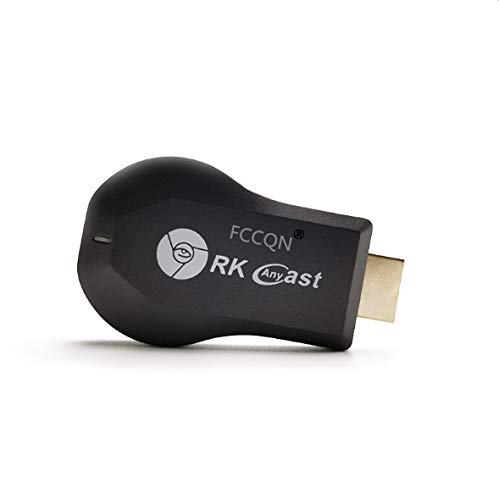
FCCQN RK Anycast M9 Upgraded Wireless HDMI TV Dongle Screen Mirror 1080P Mini Wireless Display Receiver Support chromecast Miracast DLNA Airplay for iOS/Android/Windows/Mac/TV/Projector
Price is below average
Current Price
$15.69
Average
$21.63
Min Price
$15.69
Max Price
$25.99
Price dynamics
27%
Description
Product description
★How to Use(The instruction manual explains in detail) ☺for IOS:
1.Switch to Airpaly mode and get the SSID and password.
2.Establish a WIFI connection.
3.Mirroring.
☺for Android:
Switch to Miracast mode and find "wireless display".
connect the mobile with the Anycast dongle.
Mirroring.
Hardware specifications:
CPU: Single Core ARM dual core Cortex A7 Rockchip RK3036 1.2 GHz.
GPU: 3D GPU 1 x mali 400. OS: Linux 3.0.8.
Online streaming: Youtube, Hulu Plus, IDMB, Quickflix, Family On TV etc.
System supported: ANDROID,IOS,MAC,WINDOWS
System requirement:
IOS: IOS 7 or higher (Devices: For all iPhone model after iPhone4 5 6 7 8 / all iPad model after iPad 2 / all iPod touch after iPod touch 4th generation.
Resolution supported: iPhone (430 * 320 ~ 1136 * 640); iPad (1024 * 768 ~ 2048 * 1536) Android: Support Android OS 4.2 with 1GB RAM.
Resolution supported: WVGA ~ 1080P.
Projector: Support Projector with HDMI output interface.
Pay attention before purchase:
1, If you use the IOS devices, it support iphone 4S or later, ipad 3 or later.
2, If you are using Android devices, make sure your device firmware is android 4.2 or above, and must support miracast. You can check whether your devices has "Wireless Display","WLAN Display", "project screen" , "Screen Mirror" or "Allsharecast". If not, then we can not guarantee that it can mirror your devices.
3. If you are using win8, WIN10 tablet or laptop, please ensure that your device use Intel wireless card, if not, it can not be mirrored screen. And We do not recommend that you connect windows tablet or laptop via it, it is low quality and slow response!
4, You can mirroring YouTube from your devices .
Package Include
1 * WiFi display receiver
1 * USB cable
1 * English-Chinese manual
★How to Use(The instruction manual explains in detail) ☺for IOS:
1.Switch to Airpaly mode and get the SSID and password.
2.Establish a WIFI connection.
3.Mirroring.
☺for Android:
Switch to Miracast mode and find "wireless display".
connect the mobile with the Anycast dongle.
Mirroring.
Hardware specifications:
CPU: Single Core ARM dual core Cortex A7 Rockchip RK3036 1.2 GHz.
GPU: 3D GPU 1 x mali 400. OS: Linux 3.0.8.
Online streaming: Youtube, Hulu Plus, IDMB, Quickflix, Family On TV etc.
System supported: ANDROID,IOS,MAC,WINDOWS
System requirement:
IOS: IOS 7 or higher (Devices: For all iPhone model after iPhone4 5 6 7 8 / all iPad model after iPad 2 / all iPod touch after iPod touch 4th generation.
Resolution supported: iPhone (430 * 320 ~ 1136 * 640); iPad (1024 * 768 ~ 2048 * 1536) Android: Support Android OS 4.2 with 1GB RAM.
Resolution supported: WVGA ~ 1080P.
Projector: Support Projector with HDMI output interface.
Pay attention before purchase:
1, If you use the IOS devices, it support iphone 4S or later, ipad 3 or later.
2, If you are using Android devices, make sure your device firmware is android 4.2 or above, and must support miracast. You can check whether your devices has "Wireless Display","WLAN Display", "project screen" , "Screen Mirror" or "Allsharecast". If not, then we can not guarantee that it can mirror your devices.
3. If you are using win8, WIN10 tablet or laptop, please ensure that your device use Intel wireless card, if not, it can not be mirrored screen. And We do not recommend that you connect windows tablet or laptop via it, it is low quality and slow response!
4, You can mirroring YouTube from your devices .
Package Include
1 * WiFi display receiver
1 * USB cable
1 * English-Chinese manual
Price will be lower
in next 2 weeks
in next 2 weeks
According to the data, price will be lower in next two weeks, so not waste your money and track better price!
Product review & video
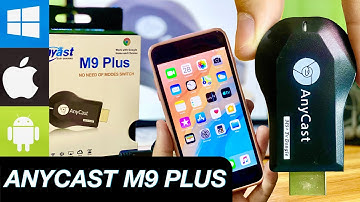
[Music] anycast n9 plus [Music] this model is no need of mode switch [Music] let's start unboxing anycast n9 plus hdmi display a single receiver dln atv airplay usb with wi-fi 2m1 cable [Music] it has a wi-fi receiver usb 3.0 and micro usb musou manual for instructions and anycast n9 plus tv dongle [Applause] hdmi input and now we are going to set up plug the micro usb cable to any cast micro usb port your tv must have hdmi and usb port to plug in your anycast tv dongle plug your anycast n9 plus dongle to tv hdmi port plug your usb cable to tv usb port [Music] it's time for screen mirroring [Music] first you need to set your tv screen to hdmi mode to start screen mirroring second open wide the settings on your phone connect to ssid mirroring 1 0 9 6 one four then type the password at the left corner on your tv screen type one two three four five six seven eight [Music] and the last part


Similar products