- HomeToys & GamesHobbiesRemote & App Controlled Vehicles & PartsRemote & App Controlled VehiclesQuadcopters & Multirotors
Description
How to Pair the Drone to the Controller
1. Make sure the drone and controller are fully charged.
2. Turn on the drone. Place it on a flat surface. Wait for 3 seconds.
3. Turn on the remote control. Pull up the throttle and then down.
4. The drone is successfully paired to the remote control when remote control indicator light turns solid.
Important Tips
1. Suitable for players aged 14 years or older (please follow the user manual carefully).
2. The motors may heat up in use. Take a 5-minute break between flights to cool them down.
3. Flying errors may happen after flights. Some calibration and trim work may fix the problems.
4. The drone should be put on a flat and level surface when being paired; otherwise, the gyro won't be in balance and the drone may lose control. Please re-calibrate your drone if it drifts to one side.
ATTENTION: Re-calibration should be done after pairing.
5. The USB charging cable should be used with a current input under 0.5A.
6. FAA registration is NOT required.
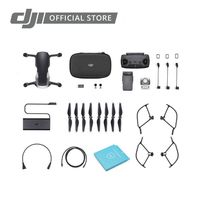
Package Includes
1 x Quadcopter
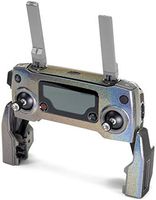
1 x 2.4GHz Remote controller (2 x AA batteries NOT included)
2 x 3.7V 500mAh Li-polymer Battery
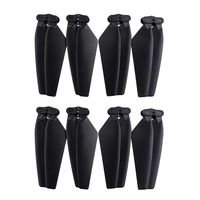
2 x Additional Blades
1 x USB Charging Cable
1 x Screwdriver
1 x User Manual
1. Make sure the drone and controller are fully charged.
2. Turn on the drone. Place it on a flat surface. Wait for 3 seconds.
3. Turn on the remote control. Pull up the throttle and then down.
4. The drone is successfully paired to the remote control when remote control indicator light turns solid.
Important Tips
1. Suitable for players aged 14 years or older (please follow the user manual carefully).
2. The motors may heat up in use. Take a 5-minute break between flights to cool them down.
3. Flying errors may happen after flights. Some calibration and trim work may fix the problems.
4. The drone should be put on a flat and level surface when being paired; otherwise, the gyro won't be in balance and the drone may lose control. Please re-calibrate your drone if it drifts to one side.
ATTENTION: Re-calibration should be done after pairing.
5. The USB charging cable should be used with a current input under 0.5A.
6. FAA registration is NOT required.
Package Includes
1 x Quadcopter
1 x 2.4GHz Remote controller (2 x AA batteries NOT included)
2 x 3.7V 500mAh Li-polymer Battery
2 x Additional Blades
1 x USB Charging Cable
1 x Screwdriver
1 x User Manual
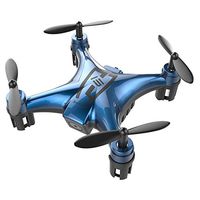
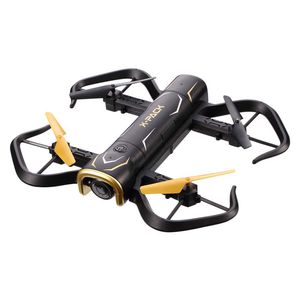
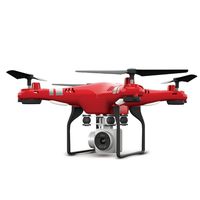
Attop Foldable RC Drone, X-Pack 5 Portable Quadcopter for Beginners and Kids, 720P FPV WiFi Camera via App, with Headless Mode, Altitude Hold, 3D Flips, One Key Take-Off/Landing and 1 Extra Battery
Current Price
$59.99
Average
$57.87
Min Price
$39.99
Max Price
$69.99
Price dynamics
4%
Description
How to Pair the Drone to the Controller
1. Make sure the drone and controller are fully charged.
2. Turn on the drone. Place it on a flat surface. Wait for 3 seconds.
3. Turn on the remote control. Pull up the throttle and then down.
4. The drone is successfully paired to the remote control when remote control indicator light turns solid.
Important Tips
1. Suitable for players aged 14 years or older (please follow the user manual carefully).
2. The motors may heat up in use. Take a 5-minute break between flights to cool them down.
3. Flying errors may happen after flights. Some calibration and trim work may fix the problems.
4. The drone should be put on a flat and level surface when being paired; otherwise, the gyro won't be in balance and the drone may lose control. Please re-calibrate your drone if it drifts to one side.
ATTENTION: Re-calibration should be done after pairing.
5. The USB charging cable should be used with a current input under 0.5A.
6. FAA registration is NOT required.
Package Includes
1 x Quadcopter
1 x 2.4GHz Remote controller (2 x AA batteries NOT included)
2 x 3.7V 500mAh Li-polymer Battery
2 x Additional Blades
1 x USB Charging Cable
1 x Screwdriver
1 x User Manual
1. Make sure the drone and controller are fully charged.
2. Turn on the drone. Place it on a flat surface. Wait for 3 seconds.
3. Turn on the remote control. Pull up the throttle and then down.
4. The drone is successfully paired to the remote control when remote control indicator light turns solid.
Important Tips
1. Suitable for players aged 14 years or older (please follow the user manual carefully).
2. The motors may heat up in use. Take a 5-minute break between flights to cool them down.
3. Flying errors may happen after flights. Some calibration and trim work may fix the problems.
4. The drone should be put on a flat and level surface when being paired; otherwise, the gyro won't be in balance and the drone may lose control. Please re-calibrate your drone if it drifts to one side.
ATTENTION: Re-calibration should be done after pairing.
5. The USB charging cable should be used with a current input under 0.5A.
6. FAA registration is NOT required.
Package Includes
1 x Quadcopter
1 x 2.4GHz Remote controller (2 x AA batteries NOT included)
2 x 3.7V 500mAh Li-polymer Battery
2 x Additional Blades
1 x USB Charging Cable
1 x Screwdriver
1 x User Manual
Price will be lower
in next 2 weeks
in next 2 weeks
According to the data, price will be lower in next two weeks, so not waste your money and track better price!
Similar products