Description
The Decal is Made in USA and Die Cut with No Background. Material: The Highest Quality Engineering Grade 5 Years Outdoor Vinyl Colors available in *WHITE*BLUE*GREEN*RED*SILVER*PINK*PURPLE*BLACK*YELLOW*ORANGE Product comes in different colors so when purchasing let me know what color you would like. if you want other than the default color.
How To Apply A Small Sticker or Decal
Step 1
Clean the area thoroughly with rubbing alcohol or soap and water. Do not use Windex or similar products because it will leave a residue behind that will prevent the sticker from adhering well.
Step 2
Prepare the sticker for application by firmly rubbing a squeegee or credit card across the clear transfer tape. This removes any air bubbles that may have formed and makes the sticker cling to the transfer tape.
Step 3
Peel the white paper backing off the sticker. If the sticker clings to the backing, slowly replace the paper backing and repeat Step 2.
Step 4
Slowly lower the sticker onto the surface and rub it in place firmly with a squeegee or credit card. For best results, wait 24 hours before moving to the next step.
Step 5
Slowly peel the clear transfer tape off at an angle. Be careful not to pull the sticker off the surface. If sticker pulls away from the surface repeat Step 4.
How To Apply A Small Sticker or Decal
Step 1
Clean the area thoroughly with rubbing alcohol or soap and water. Do not use Windex or similar products because it will leave a residue behind that will prevent the sticker from adhering well.
Step 2
Prepare the sticker for application by firmly rubbing a squeegee or credit card across the clear transfer tape. This removes any air bubbles that may have formed and makes the sticker cling to the transfer tape.
Step 3
Peel the white paper backing off the sticker. If the sticker clings to the backing, slowly replace the paper backing and repeat Step 2.
Step 4
Slowly lower the sticker onto the surface and rub it in place firmly with a squeegee or credit card. For best results, wait 24 hours before moving to the next step.
Step 5
Slowly peel the clear transfer tape off at an angle. Be careful not to pull the sticker off the surface. If sticker pulls away from the surface repeat Step 4.
Half Life Logo 4" Decal Sticker for Cars Laptops Tablets Skateboard - WHITE
Current Price
$5.8
Average
$5.67
Min Price
$4.49
Max Price
$5.9
Price dynamics
2%
Description
The Decal is Made in USA and Die Cut with No Background. Material: The Highest Quality Engineering Grade 5 Years Outdoor Vinyl Colors available in *WHITE*BLUE*GREEN*RED*SILVER*PINK*PURPLE*BLACK*YELLOW*ORANGE Product comes in different colors so when purchasing let me know what color you would like. if you want other than the default color.
How To Apply A Small Sticker or Decal
Step 1
Clean the area thoroughly with rubbing alcohol or soap and water. Do not use Windex or similar products because it will leave a residue behind that will prevent the sticker from adhering well.
Step 2
Prepare the sticker for application by firmly rubbing a squeegee or credit card across the clear transfer tape. This removes any air bubbles that may have formed and makes the sticker cling to the transfer tape.
Step 3
Peel the white paper backing off the sticker. If the sticker clings to the backing, slowly replace the paper backing and repeat Step 2.
Step 4
Slowly lower the sticker onto the surface and rub it in place firmly with a squeegee or credit card. For best results, wait 24 hours before moving to the next step.
Step 5
Slowly peel the clear transfer tape off at an angle. Be careful not to pull the sticker off the surface. If sticker pulls away from the surface repeat Step 4.
How To Apply A Small Sticker or Decal
Step 1
Clean the area thoroughly with rubbing alcohol or soap and water. Do not use Windex or similar products because it will leave a residue behind that will prevent the sticker from adhering well.
Step 2
Prepare the sticker for application by firmly rubbing a squeegee or credit card across the clear transfer tape. This removes any air bubbles that may have formed and makes the sticker cling to the transfer tape.
Step 3
Peel the white paper backing off the sticker. If the sticker clings to the backing, slowly replace the paper backing and repeat Step 2.
Step 4
Slowly lower the sticker onto the surface and rub it in place firmly with a squeegee or credit card. For best results, wait 24 hours before moving to the next step.
Step 5
Slowly peel the clear transfer tape off at an angle. Be careful not to pull the sticker off the surface. If sticker pulls away from the surface repeat Step 4.
Price will be lower
in next 2 weeks
in next 2 weeks
According to the data, price will be lower in next two weeks, so not waste your money and track better price!
Product review & video
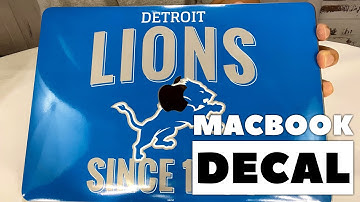
what's happening panda nation Peter Brown panda here it's time to take this MacBook from zero to hero all right hey I've got my MacBook Pro there's a 13-inch I think it's a 2017 model and I just picked up this it's from Skinit it is a vinyl decal and as you can see it is emblazoned with the finest NFL team that's ever existed the Detroit Lions since 1934 now if you ever wondered why not that says 1934 the Lions were actually something before then before they were Lions like this Portsmouth something or something like that but anyway uh but 1934 is the correct year for the existence of the lines you can see here it comes on this big sheet and it is just cut here there is also and I will say that I think this is on all the Skinit decals as you can see there is a cutout here for the Apple logo so if you want your Apple logo to show through you can remove that too middle cut out I am kind o

Similar products