- HomeElectronicsAccessories & SuppliesAudio & Video AccessoriesCables & InterconnectsVideo CablesHDMI Cables
Description
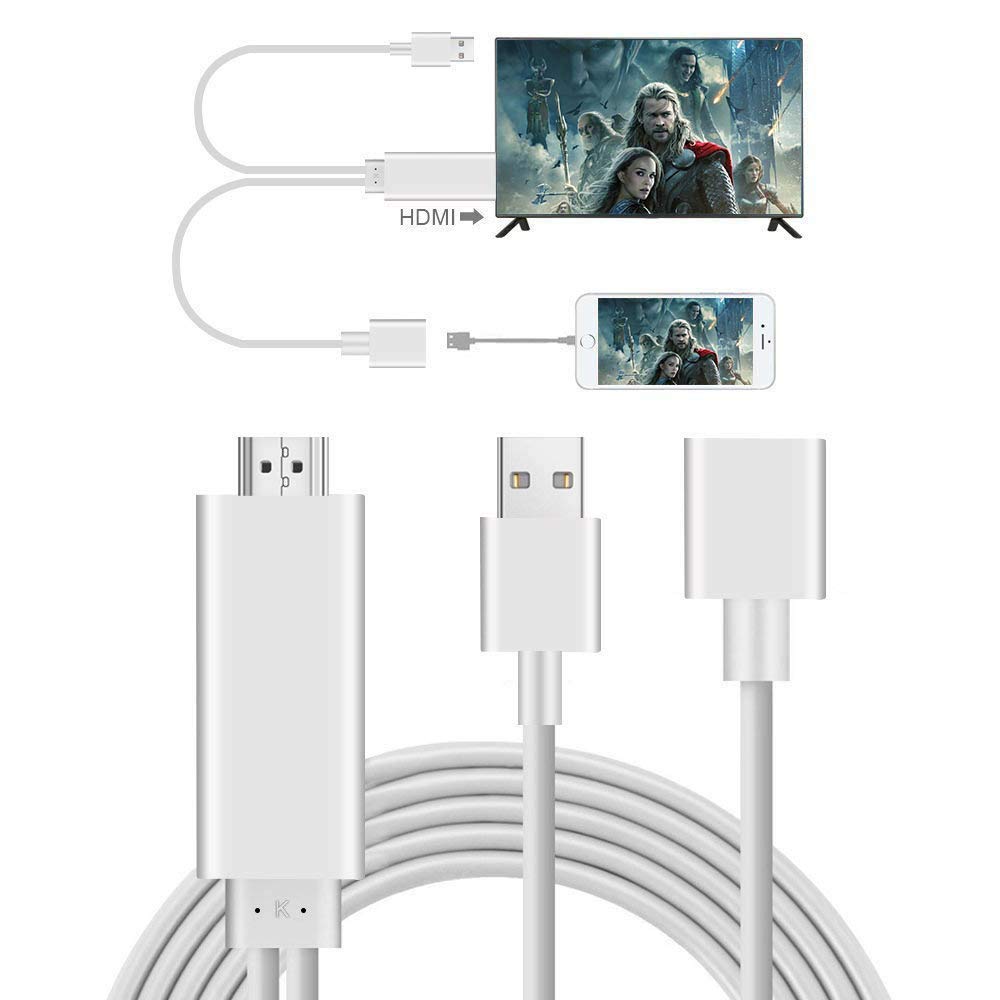
Small Screen to Large Screen:By applying this Smartphone to HDMI Adapter, you could to upload and mirror what is displaying on your Smartphone device to a large device screen easily like HDTV, Projector and Computer, display or other compatible devices for home entertainment, business meetings, education, training and etc.
How To Use
If you connect an Android phone, please make the following settings:
1.Download "EZ-Cast", connect the phone to select "Data/File Transfer", open "USB Debug"
2. Enter the software and click the "W" icon in the upper right corner
3.Select "USB Network Sharing"
4.Select EZ-Cast option
Widely Compatibility:
This item enable support for multiple devices, such as for all Smartphone device (No APP Needed.)
Due to limitations put in place by Copyright Protection you will not be able to play Streaming video and paid content like Netflix, HBO GO, Amazon Prime, Hulu, DIRECTV.
Browsing, playing videos from YouTube and from the local phone memory, sharing pictures, slides or other MS Office applications and more are among the supported options.
Note: Please use DC 5V/1A power adapter.
How To Use
If you connect an Android phone, please make the following settings:
1.Download "EZ-Cast", connect the phone to select "Data/File Transfer", open "USB Debug"
2. Enter the software and click the "W" icon in the upper right corner
3.Select "USB Network Sharing"
4.Select EZ-Cast option
Widely Compatibility:
This item enable support for multiple devices, such as for all Smartphone device (No APP Needed.)
Due to limitations put in place by Copyright Protection you will not be able to play Streaming video and paid content like Netflix, HBO GO, Amazon Prime, Hulu, DIRECTV.
Browsing, playing videos from YouTube and from the local phone memory, sharing pictures, slides or other MS Office applications and more are among the supported options.
Note: Please use DC 5V/1A power adapter.
Hanstend Smartphone to HDMI Cable,Sharing Phone to Big Screen,1080P Compatible for Phone to Windows/TV/Monitor/Projector etc
Current Price
$17.99
Average
$15.99
Min Price
$13.99
Max Price
$17.99
Price dynamics
11%
Description
Small Screen to Large Screen:By applying this Smartphone to HDMI Adapter, you could to upload and mirror what is displaying on your Smartphone device to a large device screen easily like HDTV, Projector and Computer, display or other compatible devices for home entertainment, business meetings, education, training and etc.
How To Use
If you connect an Android phone, please make the following settings:
1.Download "EZ-Cast", connect the phone to select "Data/File Transfer", open "USB Debug"
2. Enter the software and click the "W" icon in the upper right corner
3.Select "USB Network Sharing"
4.Select EZ-Cast option
Widely Compatibility:
This item enable support for multiple devices, such as for all Smartphone device (No APP Needed.)
Due to limitations put in place by Copyright Protection you will not be able to play Streaming video and paid content like Netflix, HBO GO, Amazon Prime, Hulu, DIRECTV.
Browsing, playing videos from YouTube and from the local phone memory, sharing pictures, slides or other MS Office applications and more are among the supported options.
Note: Please use DC 5V/1A power adapter.
How To Use
If you connect an Android phone, please make the following settings:
1.Download "EZ-Cast", connect the phone to select "Data/File Transfer", open "USB Debug"
2. Enter the software and click the "W" icon in the upper right corner
3.Select "USB Network Sharing"
4.Select EZ-Cast option
Widely Compatibility:
This item enable support for multiple devices, such as for all Smartphone device (No APP Needed.)
Due to limitations put in place by Copyright Protection you will not be able to play Streaming video and paid content like Netflix, HBO GO, Amazon Prime, Hulu, DIRECTV.
Browsing, playing videos from YouTube and from the local phone memory, sharing pictures, slides or other MS Office applications and more are among the supported options.
Note: Please use DC 5V/1A power adapter.
Price will be lower
in next 2 weeks
in next 2 weeks
According to the data, price will be lower in next two weeks, so not waste your money and track better price!
Product review & video
what's up guys this is Tammy Tech and I'm going to show you three ways to connect your phone to your TV screen let's go ahead and get started now the first way we're gonna be using an adapter this is an HDMI to type see I have an Android Samsung s9 phone which uses a taxi they also make cables for micro USB to HDMI now you can use this adapter connecting to an existing HDMI cable that's connected to your TV or you can connect this cable right here which is a longer extension cable and it's type C and connect that to your phone and of course the HDMI connects to one of the inputs on your TV and put one two or three as long as you have a free HDMI input that's good to go so with this adapter you simply just plug it in to your phone like so and plug it into an existing HDMI cable you can take it from your cable box or your PlayStation 4 whatever device is using HDMI cable but make sure you



Similar products