Description
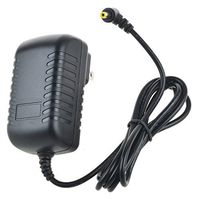
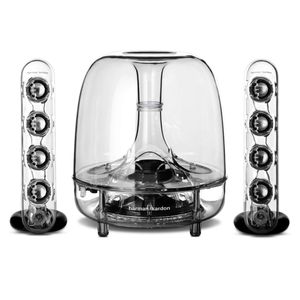
Troubleshooting : Symptom : No sound from SoundSticks speaker system. No power to subwoofer. Problem : Power adapter plug not inserted correctly. No volume or low volume. Solution : Ensure power supply is connected to live power source and is properly connected to subwoofer. Please note: When subwoofer is powered, a power LED should light. Place plug with arrow symbol facing UP into the subwoofer. Touch the volume “Up” (+) pad on the volume control satellite to unmute and/or increase the system volume level. Note: Touching the volume “Down” (–) pad lowers the system volume. Touching both (+) and (–) volume control pads at the same time will mute the system. Symptom : No sound from subwoofer, only satellites. No sound from satellites, only subwoofer. High frequencies sound dull. No sound from Bluetooth device. Problem : Subwoofer volume control set at minimum. Satellites not connected to subwoofer. Satellites not positioned properly. Device not paired. Rotate subwoofer volume control clockwise until relative volume level is appropriate. Solution : Check connection of satellites to subwoofer. Position and tilt (angle) loudspeakers toward listener. The sound from the satellites is very directional due to the four-element linear array design. Pair device with Soundsticks Wireless. Bluetooth LED illuminates when pairing is successful
Harman Kardon SoundSticks Wireless Bluetooth Enabled 2.1 Speaker System
Current Price
$189.77
Average
$169.66
Min Price
$50
Max Price
$399.99
Price dynamics
11%
Description
Troubleshooting : Symptom : No sound from SoundSticks speaker system. No power to subwoofer. Problem : Power adapter plug not inserted correctly. No volume or low volume. Solution : Ensure power supply is connected to live power source and is properly connected to subwoofer. Please note: When subwoofer is powered, a power LED should light. Place plug with arrow symbol facing UP into the subwoofer. Touch the volume “Up” (+) pad on the volume control satellite to unmute and/or increase the system volume level. Note: Touching the volume “Down” (–) pad lowers the system volume. Touching both (+) and (–) volume control pads at the same time will mute the system. Symptom : No sound from subwoofer, only satellites. No sound from satellites, only subwoofer. High frequencies sound dull. No sound from Bluetooth device. Problem : Subwoofer volume control set at minimum. Satellites not connected to subwoofer. Satellites not positioned properly. Device not paired. Rotate subwoofer volume control clockwise until relative volume level is appropriate. Solution : Check connection of satellites to subwoofer. Position and tilt (angle) loudspeakers toward listener. The sound from the satellites is very directional due to the four-element linear array design. Pair device with Soundsticks Wireless. Bluetooth LED illuminates when pairing is successful
Price will be lower
in next 2 weeks
in next 2 weeks
According to the data, price will be lower in next two weeks, so not waste your money and track better price!
Product review & video
[Music] hey guys how to go in down in from head tech and today we're going to be unboxing the Harman Kardon sound stick 3 now as you can see in the box it consists of two satellite speakers and a 6-inch sub we're going to open these up and see what they're like a couple of things about them before I do they were designed by the same guy that designs all the Apple products Jonathan Ive you know the attention to detail is going to be off the chizzain I've even reps on whether a permanent feature in the New York Museum of Modern Art the reason is to be so on Dubailand because they've never dropped less than 200 pounds but one night when i Lamartine they were dropped to 60 percent so of them and now I'm going to unbox them for you guys what did I buy these speakers for these speakers are for Saturday mornings that we're not quite alert enough for the adrenaline-filled carnage that is called


Similar products