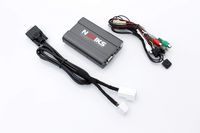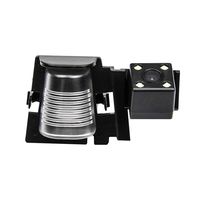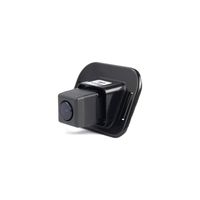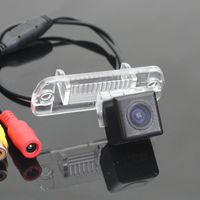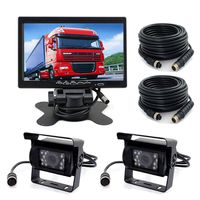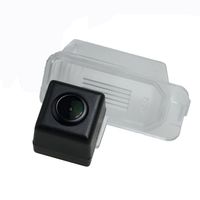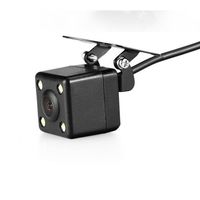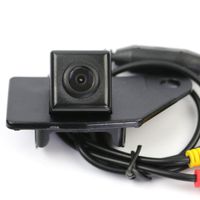
Description
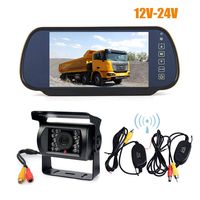
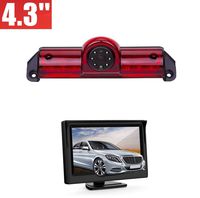
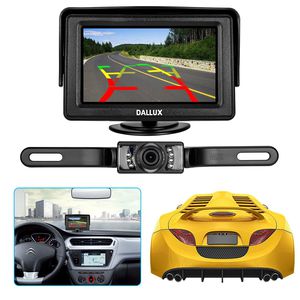
DALLUX License Plate Backup camera with 4.3 inch LCD Monitor Kit
Dallux RCS4302 Backup Camera and Monitor Kit For Car, Waterproof Rearview License Plate Car Rear Backup Parking Camera + 4.3" LCD Rear View Monitor Screen
4.3" TFT LCD car rearview monitor:
Specification:
-Displays: 4.3 inch LCD monitor
-Resolution: 480 (W) × 272 (H)
-Ultra-low power consumption
-Signal format: NTSC
-Rated Voltage: DC 12V
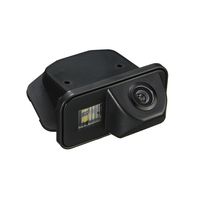
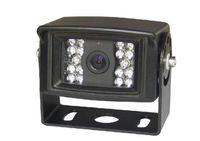
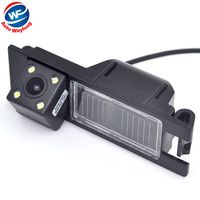
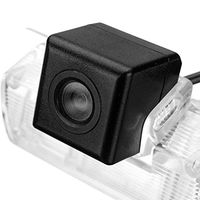
License Plate Car Rear Backup Parking Camera
Specification:
-Image sensor: 1/4 Inch Color CMOS
-Resolution:420 TV line
-S/N Radio: better than 48db
-Video output: RCA connector, 1.0vp-p,750hm
-Power: DC 12V
-Waterproof grade: IP67
-Effective Pixels:648X582pixels/NTSC
Installation:
- The monitor with flexible mounting pad and 3M tape mounts on either the vehicle windshield or dashboard.
- Choose a suitable monitor location in your vehicle that will not block your view for safe driving.
- Clean the mounting area you have chosen with a quality glass cleaner or alcohol to remove any dirt or residue.
- Peel off the protective film from the 3M adhesive mounting pad on the bottom of the monitor bracket and then affix the pad to the desired location.
- Connect the power cable to the monitor cable.
- Conceal the monitor cable behind the windshield trim piece and then continue along under the head liner to the rear of the vehicle.
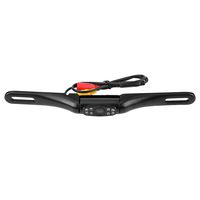
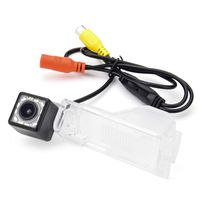
-Mount the camera to your car's license plate area, back window, or any other suitable place.
-Adjust the lens of the camera to its best position.
-Connect power wire (red and black) to your vehicle DC 12V power system.
-Connect the video output (yellow wire) of the camera to the monitor.
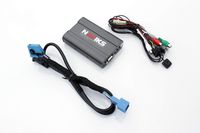
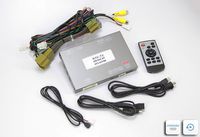
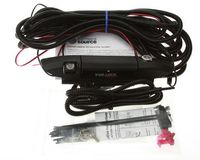
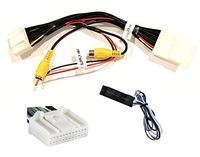
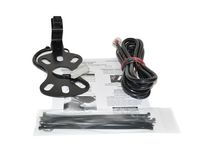
Package content: 1 x 4.3 inch TFT LCD Monitor.
1 x Backup Camera.
2 x Power Cable(1.5m/4.5ft).
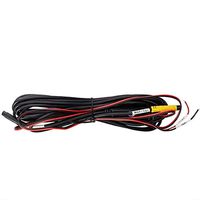
1 x Video Cable(6m/18ft).
Dallux RCS4302 Backup Camera and Monitor Kit For Car, Waterproof Rearview License Plate Car Rear Backup Parking Camera + 4.3" LCD Rear View Monitor Screen
4.3" TFT LCD car rearview monitor:
Specification:
-Displays: 4.3 inch LCD monitor
-Resolution: 480 (W) × 272 (H)
-Ultra-low power consumption
-Signal format: NTSC
-Rated Voltage: DC 12V
License Plate Car Rear Backup Parking Camera
Specification:
-Image sensor: 1/4 Inch Color CMOS
-Resolution:420 TV line
-S/N Radio: better than 48db
-Video output: RCA connector, 1.0vp-p,750hm
-Power: DC 12V
-Waterproof grade: IP67
-Effective Pixels:648X582pixels/NTSC
Installation:
- The monitor with flexible mounting pad and 3M tape mounts on either the vehicle windshield or dashboard.
- Choose a suitable monitor location in your vehicle that will not block your view for safe driving.
- Clean the mounting area you have chosen with a quality glass cleaner or alcohol to remove any dirt or residue.
- Peel off the protective film from the 3M adhesive mounting pad on the bottom of the monitor bracket and then affix the pad to the desired location.
- Connect the power cable to the monitor cable.
- Conceal the monitor cable behind the windshield trim piece and then continue along under the head liner to the rear of the vehicle.
-Mount the camera to your car's license plate area, back window, or any other suitable place.
-Adjust the lens of the camera to its best position.
-Connect power wire (red and black) to your vehicle DC 12V power system.
-Connect the video output (yellow wire) of the camera to the monitor.
Package content: 1 x 4.3 inch TFT LCD Monitor.
1 x Backup Camera.
2 x Power Cable(1.5m/4.5ft).
1 x Video Cable(6m/18ft).
Backup Camera Monitor Kit for car, Universal License Plate Reverse Waterproof Night Vision Rearview HD Reversing Camera+4.3 inch LCD Rearview Monitor
Current Price
$29.99
Average
$28.85
Min Price
$25.99
Max Price
$32.99
Price dynamics
4%
Description
DALLUX License Plate Backup camera with 4.3 inch LCD Monitor Kit
Dallux RCS4302 Backup Camera and Monitor Kit For Car, Waterproof Rearview License Plate Car Rear Backup Parking Camera + 4.3" LCD Rear View Monitor Screen
4.3" TFT LCD car rearview monitor:
Specification:
-Displays: 4.3 inch LCD monitor
-Resolution: 480 (W) × 272 (H)
-Ultra-low power consumption
-Signal format: NTSC
-Rated Voltage: DC 12V
License Plate Car Rear Backup Parking Camera
Specification:
-Image sensor: 1/4 Inch Color CMOS
-Resolution:420 TV line
-S/N Radio: better than 48db
-Video output: RCA connector, 1.0vp-p,750hm
-Power: DC 12V
-Waterproof grade: IP67
-Effective Pixels:648X582pixels/NTSC
Installation:
- The monitor with flexible mounting pad and 3M tape mounts on either the vehicle windshield or dashboard.
- Choose a suitable monitor location in your vehicle that will not block your view for safe driving.
- Clean the mounting area you have chosen with a quality glass cleaner or alcohol to remove any dirt or residue.
- Peel off the protective film from the 3M adhesive mounting pad on the bottom of the monitor bracket and then affix the pad to the desired location.
- Connect the power cable to the monitor cable.
- Conceal the monitor cable behind the windshield trim piece and then continue along under the head liner to the rear of the vehicle.
-Mount the camera to your car's license plate area, back window, or any other suitable place.
-Adjust the lens of the camera to its best position.
-Connect power wire (red and black) to your vehicle DC 12V power system.
-Connect the video output (yellow wire) of the camera to the monitor.
Package content: 1 x 4.3 inch TFT LCD Monitor.
1 x Backup Camera.
2 x Power Cable(1.5m/4.5ft).
1 x Video Cable(6m/18ft).
Dallux RCS4302 Backup Camera and Monitor Kit For Car, Waterproof Rearview License Plate Car Rear Backup Parking Camera + 4.3" LCD Rear View Monitor Screen
4.3" TFT LCD car rearview monitor:
Specification:
-Displays: 4.3 inch LCD monitor
-Resolution: 480 (W) × 272 (H)
-Ultra-low power consumption
-Signal format: NTSC
-Rated Voltage: DC 12V
License Plate Car Rear Backup Parking Camera
Specification:
-Image sensor: 1/4 Inch Color CMOS
-Resolution:420 TV line
-S/N Radio: better than 48db
-Video output: RCA connector, 1.0vp-p,750hm
-Power: DC 12V
-Waterproof grade: IP67
-Effective Pixels:648X582pixels/NTSC
Installation:
- The monitor with flexible mounting pad and 3M tape mounts on either the vehicle windshield or dashboard.
- Choose a suitable monitor location in your vehicle that will not block your view for safe driving.
- Clean the mounting area you have chosen with a quality glass cleaner or alcohol to remove any dirt or residue.
- Peel off the protective film from the 3M adhesive mounting pad on the bottom of the monitor bracket and then affix the pad to the desired location.
- Connect the power cable to the monitor cable.
- Conceal the monitor cable behind the windshield trim piece and then continue along under the head liner to the rear of the vehicle.
-Mount the camera to your car's license plate area, back window, or any other suitable place.
-Adjust the lens of the camera to its best position.
-Connect power wire (red and black) to your vehicle DC 12V power system.
-Connect the video output (yellow wire) of the camera to the monitor.
Package content: 1 x 4.3 inch TFT LCD Monitor.
1 x Backup Camera.
2 x Power Cable(1.5m/4.5ft).
1 x Video Cable(6m/18ft).
Price will be lower
in next 2 weeks
in next 2 weeks
According to the data, price will be lower in next two weeks, so not waste your money and track better price!
Product review & video
[Music] hello viewers this doubt too fast here in today's video I will show you how to install a very simple backup camera system in your vehicle for this install I'll be using this alyc Wave vehicle backup camera and an esky 4.3 inch TFT LCD monitor both items are very inexpensive you can pick up this camera for $30 and this LCD display for $22 let me first unbox the backup camera so you can see what it looks like this is the video cable you run from the front of the vehicle to the back this is the back up camera self this is power cable this is user manual here's the LCD monitor this is power cable user guide this modder has a 4.3 inch color LCD display with a resolution of 480 by 272 and an aspect ratio of 16 to 9 it operates on 12 volt DC at the bottom you have this base you can rotate 180 degrees double sided tape at the bottom so you stick this onto your dash at the back this is t