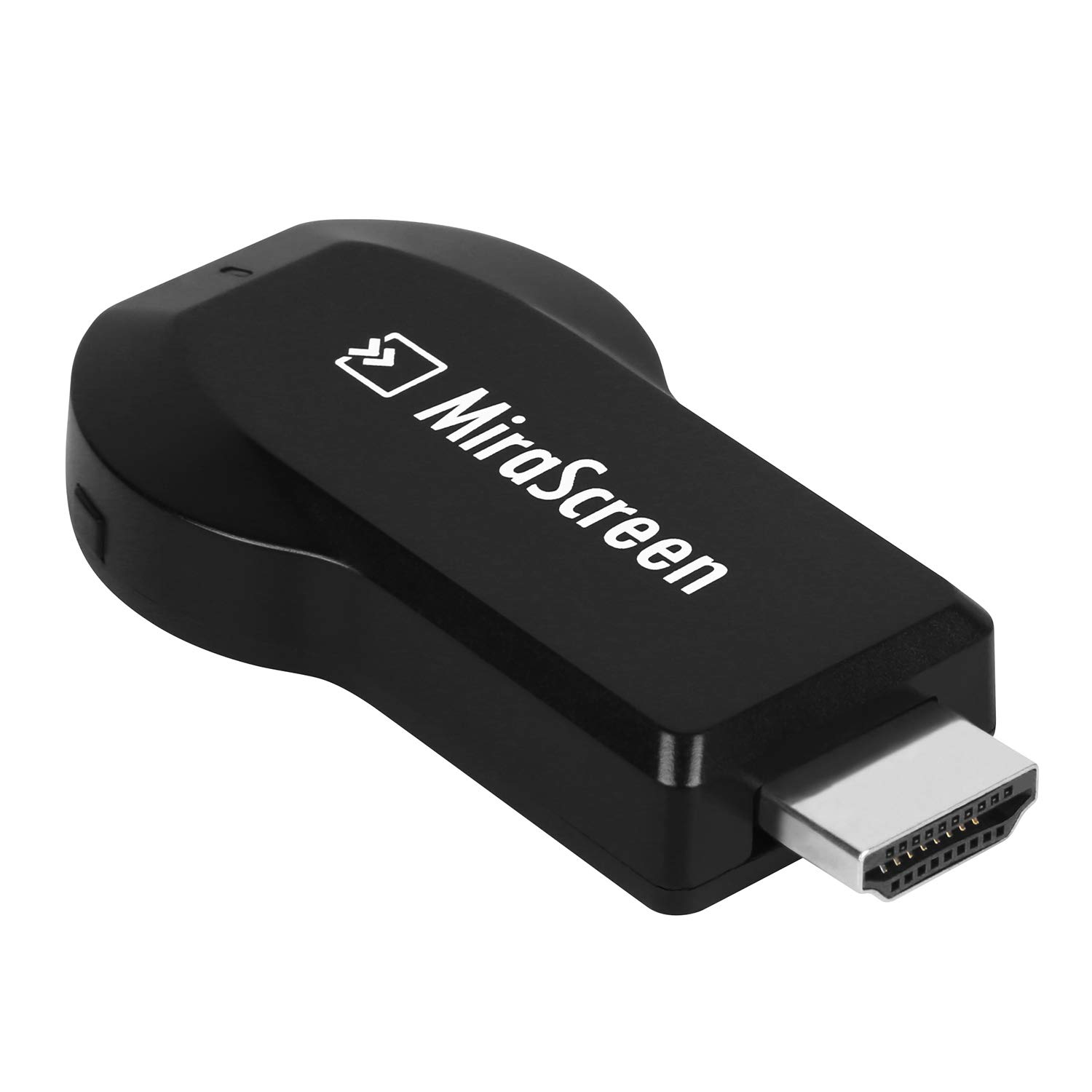
Description
Feature
Supports screen share modes including Airplay, Miracast, standard DLNA
Supports WiFi 802.11 b / g / n, wireless connectivity and strong anti-jamming capability
Supports online and local ( content wireless ) display: Video / audio / photo / office file / website
Supports office software ( file-formats ): PDF / MS word / MS excel / MS powerpoint
Supports video format: AVI / DIVX / MKV / TS / DAT / MPG / MPEG / MOV / MP4 / RM / RMVB / WMV
Supports audio format: MP1 / MP2 / MP3 / WMA / OGG / ADPCM-WAV / PCM-WAV / AAC
Voice Record: .MP3, WAV
Supports Photo Format: JPEG / BMP
Compatible with phone / labtop / tablet PC
Apple model: iPhone 4S/5/6/6Plus/iPad2/3/4/Air (IOS7 and newer required)
Android model: Android 4.2 and newer, and Miracast supported
Supports windows 8.1 and newer, requires a network card and a notebook that supports Mirror when open Miracast
Note: Recommended external power supply is at 5V 1A or 2.1A. Lag phenomena may occur if external power supply is too high or low.
How to install:
Step 1: Connect WiFi cable (micro USB head) to MiraScreen dongle.
Step 2: Plug the MiraScreen dongle into the HDMI port of your TV and switch to the right input source.
Step 3: Plug USB cable into TV USB port or an external USB power adapter (5V/1A).
Step 4: Display MiraScreen Main Page.
Specification
Material: ABS plastic
OS: Linux 3.0.8
CPU: AM8252
DDR: 128M
Nor flash:128Bytes
Output Resolution: 1920 x 1080p
USB: USB2.0
Power Comsumption: main unit≤750Ma@5V
Cable Length: 44.5cm/17.52"
Receiver Size: 6.6 x 3.5 x 1.3 cm/2.6"×1.4"×0.5"(L×W×H)
Receiver Weight: 15g/0.53oz
Package Size: 8 x 2.9 x 15.5 cm/3.15"×1.14"×6.10"(L×W×H)
Package Weight: 70g/0.15lbs
Package Contents
1 x Mirascreen Full HD 1080P Receiver Media Miracast
HDMI AV Adapter, Moclever MiraScreen Dongle 1080P HDMI AV Adapter Cable for Connect Huawei Mate SE Mate10 Porsche Samsung Galaxy S6 S7 S8 Plus Note 8/5/4/3 iOS iPhone iPad Tablet PC to Full HD TV
Price is below average
Current Price
$19.25
Average
$19.37
Min Price
$18.88
Max Price
$19.99
Price dynamics
1%
Description
Feature
Supports screen share modes including Airplay, Miracast, standard DLNA
Supports WiFi 802.11 b / g / n, wireless connectivity and strong anti-jamming capability
Supports online and local ( content wireless ) display: Video / audio / photo / office file / website
Supports office software ( file-formats ): PDF / MS word / MS excel / MS powerpoint
Supports video format: AVI / DIVX / MKV / TS / DAT / MPG / MPEG / MOV / MP4 / RM / RMVB / WMV
Supports audio format: MP1 / MP2 / MP3 / WMA / OGG / ADPCM-WAV / PCM-WAV / AAC
Voice Record: .MP3, WAV
Supports Photo Format: JPEG / BMP
Compatible with phone / labtop / tablet PC
Apple model: iPhone 4S/5/6/6Plus/iPad2/3/4/Air (IOS7 and newer required)
Android model: Android 4.2 and newer, and Miracast supported
Supports windows 8.1 and newer, requires a network card and a notebook that supports Mirror when open Miracast
Note: Recommended external power supply is at 5V 1A or 2.1A. Lag phenomena may occur if external power supply is too high or low.
How to install:
Step 1: Connect WiFi cable (micro USB head) to MiraScreen dongle.
Step 2: Plug the MiraScreen dongle into the HDMI port of your TV and switch to the right input source.
Step 3: Plug USB cable into TV USB port or an external USB power adapter (5V/1A).
Step 4: Display MiraScreen Main Page.
Specification
Material: ABS plastic
OS: Linux 3.0.8
CPU: AM8252
DDR: 128M
Nor flash:128Bytes
Output Resolution: 1920 x 1080p
USB: USB2.0
Power Comsumption: main unit≤750Ma@5V
Cable Length: 44.5cm/17.52"
Receiver Size: 6.6 x 3.5 x 1.3 cm/2.6"×1.4"×0.5"(L×W×H)
Receiver Weight: 15g/0.53oz
Package Size: 8 x 2.9 x 15.5 cm/3.15"×1.14"×6.10"(L×W×H)
Package Weight: 70g/0.15lbs
Package Contents
1 x Mirascreen Full HD 1080P Receiver Media Miracast
Price will be lower
in next 2 weeks
in next 2 weeks
According to the data, price will be lower in next two weeks, so not waste your money and track better price!
Product review & video
hey what's going on guys this eta prime back here again today we're going to be taking a look at this adapter that claims it can add hdmi to any android device now i'm really interested in this because that's one of the main things that i look for when i'm buying a high-end phone with these cheaper phones that we're going to be testing out in this video here the samsung a01 the moto g fast the poco m3 and the all do cube i play 40 tablet do not have hdmi from the factory but if you pick up a higher end phone from let's say lg oneplus or even samsung chances are it will have hdmi capabilities over usb type-c but all of the devices we're going to be testing out in this video don't support hdmi and that's where this adapter comes in they claim that this can add hdmi to any android device as long as it's running android 4.4 or higher now i've done a little bit of research on these devices a



Similar products