Description
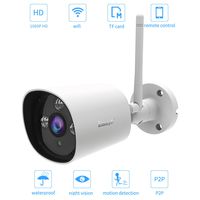
About this camera:
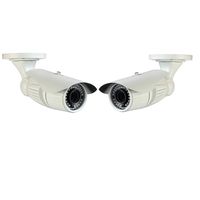
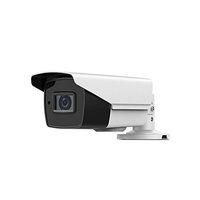
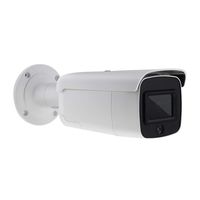
This camera has been pre programmed; you don't need to change any setting for that. The only thing you need to do is to mount the camera on the wall, then zoom the lens to the position that you want.
Limitations for all license plate cameras in the market:
1.Camera has to be mounted straight to the license plate, the angle has to be less than 30 degrees, and otherwise you may get refection from the plate.
2.The car speed should be lower than 25 miles.
3.The license plate size has to be bigger than 1/15 of the screen.
Zoom and Focus:
1.The zoom and focus are located at the bottom of the camera. There are two holes for adjusting; you need to use a hex key to adjust them.
2.If you are unable to zoom or focus the camera via those two holes, the gear might be loose inside the camera. It may be caused by delivery or over adjust the gear. The solution is to carefully open the camera front panel using a screwdriver, and then line the two gears up. (This step won't void the warranty)
Setup OSD menu for night time
1.If you want this camera to block the car headlight at night time, please get into the camera OSD menu (the button is on the camera cord), then turn on HLC (back light compensation).
2.You may also adjust the shutter speed if license plate number is blurry due to car movement at night time.
This camera has been pre programmed; you don't need to change any setting for that. The only thing you need to do is to mount the camera on the wall, then zoom the lens to the position that you want.
Limitations for all license plate cameras in the market:
1.Camera has to be mounted straight to the license plate, the angle has to be less than 30 degrees, and otherwise you may get refection from the plate.
2.The car speed should be lower than 25 miles.
3.The license plate size has to be bigger than 1/15 of the screen.
Zoom and Focus:
1.The zoom and focus are located at the bottom of the camera. There are two holes for adjusting; you need to use a hex key to adjust them.
2.If you are unable to zoom or focus the camera via those two holes, the gear might be loose inside the camera. It may be caused by delivery or over adjust the gear. The solution is to carefully open the camera front panel using a screwdriver, and then line the two gears up. (This step won't void the warranty)
Setup OSD menu for night time
1.If you want this camera to block the car headlight at night time, please get into the camera OSD menu (the button is on the camera cord), then turn on HLC (back light compensation).
2.You may also adjust the shutter speed if license plate number is blurry due to car movement at night time.
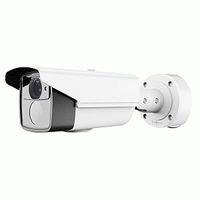
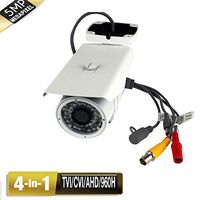
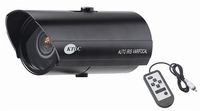
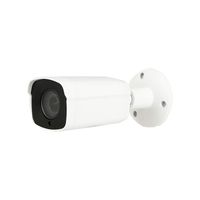
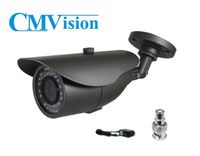
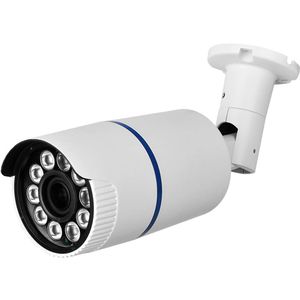
HDView License Plate Camera, 4-in-1 (TVI/CVI/AHD/960H) Bullet Camera, 2.4MP Full HD 1080P Security Camera with IR Night Vision, Long Range 5-50mm Lens Surveillance Camera, WDR, HLC
Current Price
$139.99
Average
$126.09
Min Price
$89.99
Max Price
$149.99
Price dynamics
10%
Description
About this camera:
This camera has been pre programmed; you don't need to change any setting for that. The only thing you need to do is to mount the camera on the wall, then zoom the lens to the position that you want.
Limitations for all license plate cameras in the market:
1.Camera has to be mounted straight to the license plate, the angle has to be less than 30 degrees, and otherwise you may get refection from the plate.
2.The car speed should be lower than 25 miles.
3.The license plate size has to be bigger than 1/15 of the screen.
Zoom and Focus:
1.The zoom and focus are located at the bottom of the camera. There are two holes for adjusting; you need to use a hex key to adjust them.
2.If you are unable to zoom or focus the camera via those two holes, the gear might be loose inside the camera. It may be caused by delivery or over adjust the gear. The solution is to carefully open the camera front panel using a screwdriver, and then line the two gears up. (This step won't void the warranty)
Setup OSD menu for night time
1.If you want this camera to block the car headlight at night time, please get into the camera OSD menu (the button is on the camera cord), then turn on HLC (back light compensation).
2.You may also adjust the shutter speed if license plate number is blurry due to car movement at night time.
This camera has been pre programmed; you don't need to change any setting for that. The only thing you need to do is to mount the camera on the wall, then zoom the lens to the position that you want.
Limitations for all license plate cameras in the market:
1.Camera has to be mounted straight to the license plate, the angle has to be less than 30 degrees, and otherwise you may get refection from the plate.
2.The car speed should be lower than 25 miles.
3.The license plate size has to be bigger than 1/15 of the screen.
Zoom and Focus:
1.The zoom and focus are located at the bottom of the camera. There are two holes for adjusting; you need to use a hex key to adjust them.
2.If you are unable to zoom or focus the camera via those two holes, the gear might be loose inside the camera. It may be caused by delivery or over adjust the gear. The solution is to carefully open the camera front panel using a screwdriver, and then line the two gears up. (This step won't void the warranty)
Setup OSD menu for night time
1.If you want this camera to block the car headlight at night time, please get into the camera OSD menu (the button is on the camera cord), then turn on HLC (back light compensation).
2.You may also adjust the shutter speed if license plate number is blurry due to car movement at night time.
Price will be lower
in next 2 weeks
in next 2 weeks
According to the data, price will be lower in next two weeks, so not waste your money and track better price!
Similar products