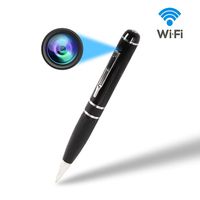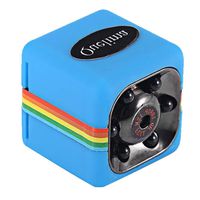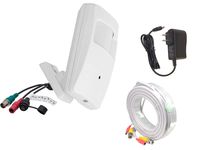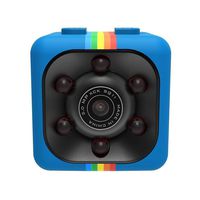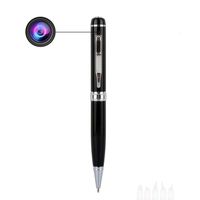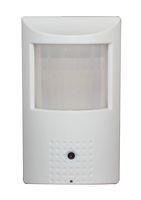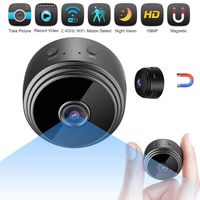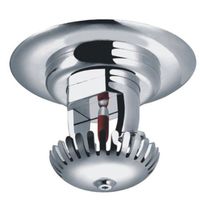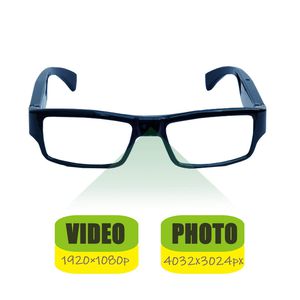
Video format:AVI
Video encoding:M-JPEG
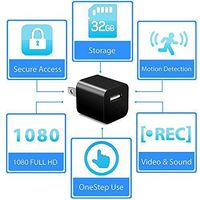
Video resolution:1920*1080p
Video frame rate:30fps
Media playing software:Attached software in the operating system,or the mainstream
video playing software
Picture format:JPG
Picture pixel:12MP
Image ratio:4:3
Compatible O/S:windows me/2000/xp/2003/vista;Mac OS 10.4;linux
Charging time:about 1.5 hours
Interface:mini 5 pin usb
Storage:micro sd(tf)card,up to 32gb
Battery:high-capacity lithium polymer
Operation instructions
1.power on
In shutdown state,long press the power button,the red and blue lights become on,the red light will be off after the device initialization,the blue light will always bright,the device turns into standby mode.(If not enter into other function within one minute,the device will be shutdown automatically,without memory card,the double exchange lights flash 3 times,then power off automatically).
2.Photo
In standby mode,short-press the power button to start taking pictures,the blue light is off,then lights on,and save a *.JPG format image files.
NOTE:PLEASE TAKE PHOTOS IN THE ENVIRONMENT WITH FULL ILLUMINATION,THE LENS IS NOT COVERED BY SHELTER,AND KEEP THE DISTANCE WITH THE SUBJECT MORE THAN 50CM. THEN,THE PHOTOS ARE IN CORRECT DIRECTIONS,NATURAL COLORS,CLEAR PICTURES AND STABLE IMAGES.
3.Video
In standby mode,long-press the video button for about 3 seconds,the blue light flashes 3 times then light off,start videoing.In videoing,short-press the video button,the blue light is on,stop videoing,a file in *.AVI format is saved.For guaranty the size and safety of the taken videos,the system saves the videos once every 10 minutes automatically,and taking the video continuously.
4.Power off
In standby mode,long-press the power button for 5seconds,the blue light is off,meanwhile,the red light flashes 3 times then becomes off,indicating the shutdown.
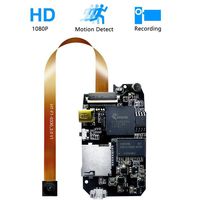
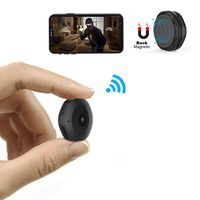
Hidden Camera Eyeglasses Full HD 1980×1080P Perfect for Covert Recording in face to face interactions Office/Home Security/Travel/Training/Teaching/Pets(Black)[2019 Upgraded]
Video format:AVI
Video encoding:M-JPEG
Video resolution:1920*1080p
Video frame rate:30fps
Media playing software:Attached software in the operating system,or the mainstream
video playing software
Picture format:JPG
Picture pixel:12MP
Image ratio:4:3
Compatible O/S:windows me/2000/xp/2003/vista;Mac OS 10.4;linux
Charging time:about 1.5 hours
Interface:mini 5 pin usb
Storage:micro sd(tf)card,up to 32gb
Battery:high-capacity lithium polymer
Operation instructions
1.power on
In shutdown state,long press the power button,the red and blue lights become on,the red light will be off after the device initialization,the blue light will always bright,the device turns into standby mode.(If not enter into other function within one minute,the device will be shutdown automatically,without memory card,the double exchange lights flash 3 times,then power off automatically).
2.Photo
In standby mode,short-press the power button to start taking pictures,the blue light is off,then lights on,and save a *.JPG format image files.
NOTE:PLEASE TAKE PHOTOS IN THE ENVIRONMENT WITH FULL ILLUMINATION,THE LENS IS NOT COVERED BY SHELTER,AND KEEP THE DISTANCE WITH THE SUBJECT MORE THAN 50CM. THEN,THE PHOTOS ARE IN CORRECT DIRECTIONS,NATURAL COLORS,CLEAR PICTURES AND STABLE IMAGES.
3.Video
In standby mode,long-press the video button for about 3 seconds,the blue light flashes 3 times then light off,start videoing.In videoing,short-press the video button,the blue light is on,stop videoing,a file in *.AVI format is saved.For guaranty the size and safety of the taken videos,the system saves the videos once every 10 minutes automatically,and taking the video continuously.
4.Power off
In standby mode,long-press the power button for 5seconds,the blue light is off,meanwhile,the red light flashes 3 times then becomes off,indicating the shutdown.
in next 2 weeks