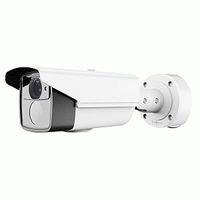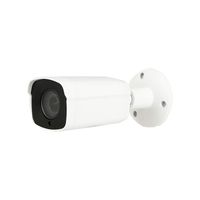
Description
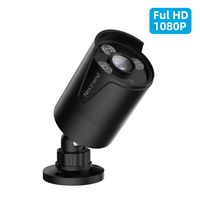
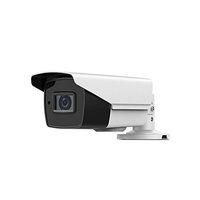
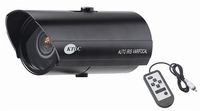
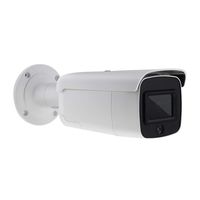
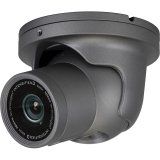
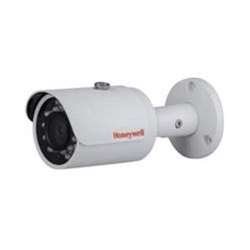
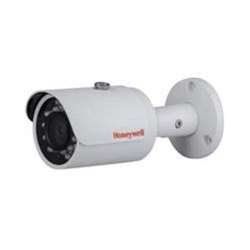
The HBD3PR1 is an affordable, fully featured IP cameras that pair perfectly with a Performance Series NVR. Superior Image Quality HBD3PR1/HBD3PR2: 3 MP (20 fps) and Full HD 1080p (25/30 fps) image with 1/3" 3 MP sensor, no distortion of image in 16:9 display, 12.5% more horizontal pixel density than conventional 3 MP 4:3 cameras HBD1PR1: 1.3 MP (25/30fps) and HD 720p (25/30 fps) image with 1/3" 1.3 MP sensor True Day/Night capability, vivid color pictures by day and clear black-and-white pictures at night with mechanical IR cut filter Excellent low-light performance with 3D Noise Reduction, saving storage and bandwidth together with H.264 High Profile codec Flexible Surveillance Solution IR LEDs provide up to 100 ft (30 m) of illumination in dimly lit or nighttime scenes, depending on scene reflectance Smart IR technology for even distribution of IR Waterproof (IP66) camera housing is perfect for outdoor installations 2.7-12 mm F1.4 motorized focus/zoom lens (HBD3PR2) and 3.6 mm F2.1 fixed lens (HBD1PR1/HBD3PR1) provide wide range of field of view options Monitor from anywhere using HonView Touch mobile app for both Apple and Android smart phones and tablet computers Configurable motion detection and camera Easy to Install and Use Built-in PoE (Power over Ethernet) eliminates separate power supply and associated wiring; 12 V DC inputs where PoE power is unavailable Plug-and-play with a Honeywell Performance Series NVR Remote configuration, motorized zoom adjustments and auto focus (HBD3PR2) through Honeywell Viewer web client or Embedded NVR Onboard Video Storage HBD3PR2: Supports up to 128 GB microSDHC (Class 10) card for local video storage when network is interrupted (card not included)
Honeywell Video HBD3PR1
Price is below average
Current Price
$155
Average
$164.07
Min Price
$71.9
Max Price
$236.3
Price dynamics
6%
Description
The HBD3PR1 is an affordable, fully featured IP cameras that pair perfectly with a Performance Series NVR. Superior Image Quality HBD3PR1/HBD3PR2: 3 MP (20 fps) and Full HD 1080p (25/30 fps) image with 1/3" 3 MP sensor, no distortion of image in 16:9 display, 12.5% more horizontal pixel density than conventional 3 MP 4:3 cameras HBD1PR1: 1.3 MP (25/30fps) and HD 720p (25/30 fps) image with 1/3" 1.3 MP sensor True Day/Night capability, vivid color pictures by day and clear black-and-white pictures at night with mechanical IR cut filter Excellent low-light performance with 3D Noise Reduction, saving storage and bandwidth together with H.264 High Profile codec Flexible Surveillance Solution IR LEDs provide up to 100 ft (30 m) of illumination in dimly lit or nighttime scenes, depending on scene reflectance Smart IR technology for even distribution of IR Waterproof (IP66) camera housing is perfect for outdoor installations 2.7-12 mm F1.4 motorized focus/zoom lens (HBD3PR2) and 3.6 mm F2.1 fixed lens (HBD1PR1/HBD3PR1) provide wide range of field of view options Monitor from anywhere using HonView Touch mobile app for both Apple and Android smart phones and tablet computers Configurable motion detection and camera Easy to Install and Use Built-in PoE (Power over Ethernet) eliminates separate power supply and associated wiring; 12 V DC inputs where PoE power is unavailable Plug-and-play with a Honeywell Performance Series NVR Remote configuration, motorized zoom adjustments and auto focus (HBD3PR2) through Honeywell Viewer web client or Embedded NVR Onboard Video Storage HBD3PR2: Supports up to 128 GB microSDHC (Class 10) card for local video storage when network is interrupted (card not included)
Price will be lower
in next 2 weeks
in next 2 weeks
According to the data, price will be lower in next two weeks, so not waste your money and track better price!
Product review & video
[Music] hello there welcome back to YouTube today I'm going to unbox Honeywell h4w to ger one IP camera and we will see how to configure it through web browser let's go this box seal and come from manufacturer you in this we have CD and user guides keep its side for a while some Scrolls nuts and fissures to fix camera on site audio cable and ln key to open camera glass this is the main camera fully covered to prevent from the damages while shifting let's make connections take to patch cards and a POS which connect one patch card camera to switch and other patch card from PC to switch and insert CD into DVD reader in your PC now let's jump to computer and see how to give IP address to the camera first of all we need to make our Ethernet adapter as obtain an IP address automatically to do that go to network and sharing center by right-clicking on network connection symbol from taskbar the


Similar products