Description
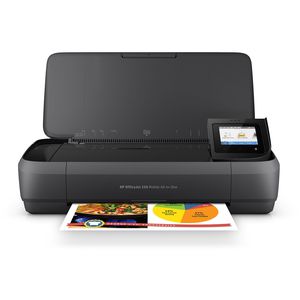
Print, scan, and copy from nearly anywhere with this portable all-in-one. Android users can easily detect and connect to a nearby OfficeJet 250 and print using Wi-Fi Direct. This quiet workhorse has a long battery life and delivers the most pages. Ideal for mobile professionals and telecommuters who need a high-quality, reliable, portable all-in-one they can take virtually anywhere. Portability meets productivity: Quickly print, copy, and scan multipage documents hands-free with the 10-page automatic document feeder. This durable, compact all-in-one fits in your car, backpack, and more for convenient printing anywhere. Start printing right out of the box with quick and easy setup, using HP Auto Wireless Connect. Simply connect and print from your laptop or mobile devices. Lead the way with fast, easy mobile printing: Reduce charging interruptions with a long-lasting battery. The 2.65-inch (6.73 cm) color touchscreen makes for easy printing, scanning, and copying. Set the pace for success wherever you go. Keep moving through the day with fast print speeds. Get the highest page yields of any in-class all-in-one, using Original HP cartridges. . High-powered quality and reliability: Power through the workday. Charge from home, in your car or office, and more. Get high-quality prints time after time with an all-in-one designed and built to be reliable. Minimize disruptions with premium design and quiet performance. Impress clients, without noisy interruptions. Plug in your AC power source to charge within 90 minutes while the printer is off, with HP Fast Charge..
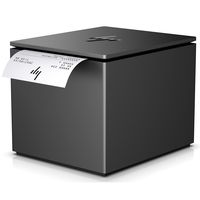
HP OfficeJet 250 All-in-One Portable Printer with Wireless & Mobile Printing (CZ992A)
Current Price
$379.89
Average
$315.77
Min Price
$249.99
Max Price
$379.99
Price dynamics
17%
Description
Print, scan, and copy from nearly anywhere with this portable all-in-one. Android users can easily detect and connect to a nearby OfficeJet 250 and print using Wi-Fi Direct. This quiet workhorse has a long battery life and delivers the most pages. Ideal for mobile professionals and telecommuters who need a high-quality, reliable, portable all-in-one they can take virtually anywhere. Portability meets productivity: Quickly print, copy, and scan multipage documents hands-free with the 10-page automatic document feeder. This durable, compact all-in-one fits in your car, backpack, and more for convenient printing anywhere. Start printing right out of the box with quick and easy setup, using HP Auto Wireless Connect. Simply connect and print from your laptop or mobile devices. Lead the way with fast, easy mobile printing: Reduce charging interruptions with a long-lasting battery. The 2.65-inch (6.73 cm) color touchscreen makes for easy printing, scanning, and copying. Set the pace for success wherever you go. Keep moving through the day with fast print speeds. Get the highest page yields of any in-class all-in-one, using Original HP cartridges. . High-powered quality and reliability: Power through the workday. Charge from home, in your car or office, and more. Get high-quality prints time after time with an all-in-one designed and built to be reliable. Minimize disruptions with premium design and quiet performance. Impress clients, without noisy interruptions. Plug in your AC power source to charge within 90 minutes while the printer is off, with HP Fast Charge..
Price will be lower
in next 2 weeks
in next 2 weeks
According to the data, price will be lower in next two weeks, so not waste your money and track better price!
Product review & video
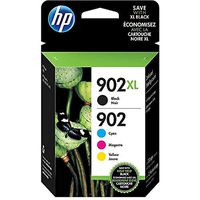
[Music] hi today I am going to show you how to unbox setup and install your HP Officejet 250 mobile all-in-one printer the first thing to do is open the box so break the tape and fold back the flaps inside the box you will find a packet of inbox resource materials the first thing you will see is the setup poster this has the basic setup instructions for this printer similar to what we are showing in this video the next item is the installation CD for both Windows and Mac if in the future you misplace this disk you can download the software drivers at 1 to 3 HP com next is a caution flyer about human consumption of the ink shipped with this printer and lastly is the get started guide which includes information on additional features for your printer and include some basic troubleshooting lift up the flap and you will find two ink cartridges one is tricolor and the other is black for this


Similar products