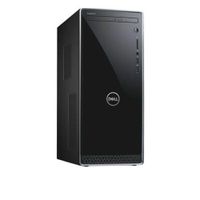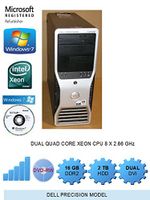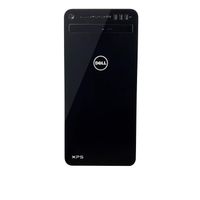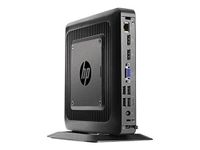
Description
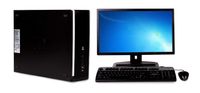
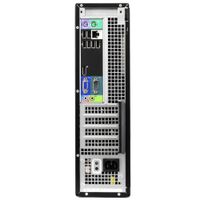
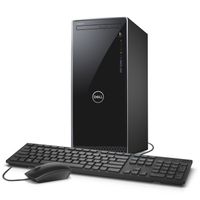
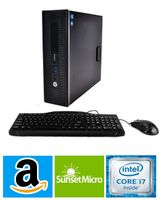
Additional Features: Intel HD Grapics 530 3-in-1 media card reader Bluetooth 4.0 2 x USB 3.0 ports, 4 x USB 2.0 ports, 1 x VGA port, 1 x HDMI port, 1 x Ethernet port, 1 x headphone/microphone jack 1 x PCI Express (x16) slot 9.7 lbs, 15.59" x 3.94" x 12.58" Software: Genuine Microsoft Windows 10 Home McAfee LiveSafe (30-day trial) Wild Tangent Games for HP HP Support Assistant VUDU CyberLink Power Media Player, PowerDirector DTS Studio Sound Netflix Dropbox HP Recovery Manager Backup and Restore options built into Windows allow you to create safety copies of your most important personal files, so you're always prepared for the worst Support and Warranty: 1-year limited hardware warranty; 24/7 technical assistance available online or toll-free by phone Restore discs are not included (unless specified by supplier). We recommend you use the installed software to create your own restore and backup DVD the first week you use the computer. What's In The Box: Power cord USB wired keyboard with volume control Optical mouse Quick Start Guide
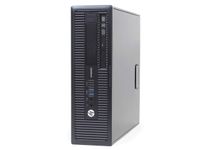
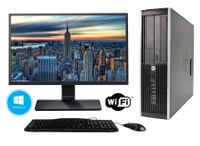
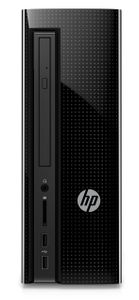
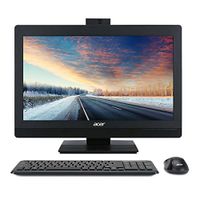
HP Slimline 260-p133w Desktop PC with Intel Core i5-6400T Processor, 8GB Memory, 1TB Hard Drive and Windows 10 Home
Current Price
$399.99
Average
$367.5
Min Price
$196.25
Max Price
$817.81
Price dynamics
8%
Description
Additional Features: Intel HD Grapics 530 3-in-1 media card reader Bluetooth 4.0 2 x USB 3.0 ports, 4 x USB 2.0 ports, 1 x VGA port, 1 x HDMI port, 1 x Ethernet port, 1 x headphone/microphone jack 1 x PCI Express (x16) slot 9.7 lbs, 15.59" x 3.94" x 12.58" Software: Genuine Microsoft Windows 10 Home McAfee LiveSafe (30-day trial) Wild Tangent Games for HP HP Support Assistant VUDU CyberLink Power Media Player, PowerDirector DTS Studio Sound Netflix Dropbox HP Recovery Manager Backup and Restore options built into Windows allow you to create safety copies of your most important personal files, so you're always prepared for the worst Support and Warranty: 1-year limited hardware warranty; 24/7 technical assistance available online or toll-free by phone Restore discs are not included (unless specified by supplier). We recommend you use the installed software to create your own restore and backup DVD the first week you use the computer. What's In The Box: Power cord USB wired keyboard with volume control Optical mouse Quick Start Guide
Price will be lower
in next 2 weeks
in next 2 weeks
According to the data, price will be lower in next two weeks, so not waste your money and track better price!
Product review & video
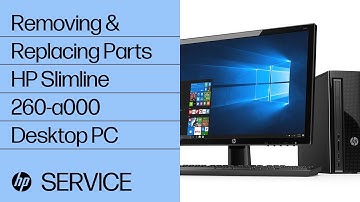
To remove the access panel first, loosen the thumb screw at the rear of the panel that secures the panel to the PC. Grasp the handle on the panel and pull towards the back of the PC to release the panel. Pull the panel away from the PC. The access panel has several tabs on its top, bottom, and leading edges, which fit into slots and over the front lip of the PC. To replace the panel, align the tabs on the
panel over the corresponding slots on the PC. Then slide the panel forward to lock it into
position. Tighten the thumb screw to secure the panel to the PC. To remove the optical drive first, remove
the access panel. Detach the power and data connectors from the back of the drive. Press on the black drive release latch at
the top of the drive and slide the drive out the front of the drive bay. To replace the optical drive, slide the drive
into its drive bay through the front of the PC l

Similar products