Description
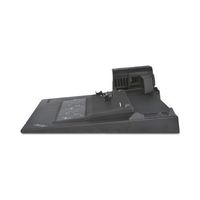
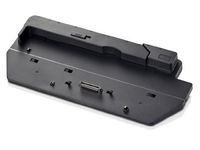
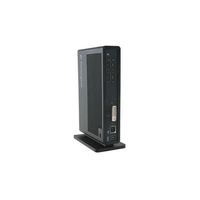
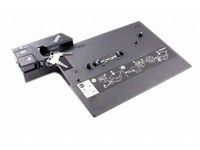
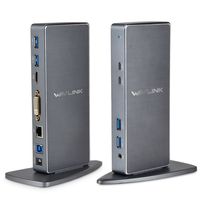
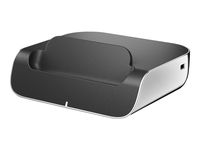
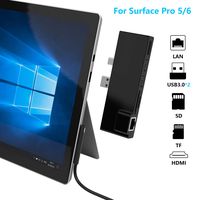
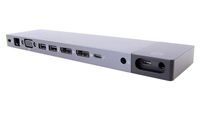
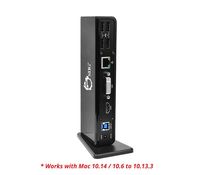
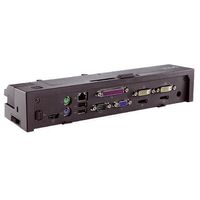
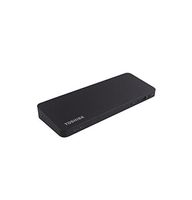
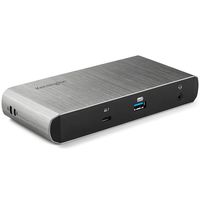
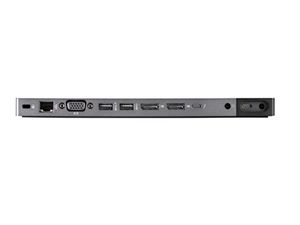
Create a remarkably powerful and streamlined mobile workstation workspace without the clutter with the HP ZBook Dock with Thunderbolt 3. Get expansive device, display, and network connectivity plus simultaneous charging of your system through one simple cable from the dock to your HP ZBook. Have a lot to attach? No problem! Link up to 10 devices at once through ports that include Thunderbolt 3 (which also supports DisplayPort 1.2 and USB 3.1 Gen 2), four USB 3.0, RJ-45, VGA, combo audio, and two additional DisplayPorts. Rapidly replenish your HP ZBook's power after a demanding day with an impressive charging station that passes power directly through a Thunderbolt 3 power cable to your HP ZBook. Get stunningly easy setup on a dock that is small enough to take with you. Slip the dock into your briefcase and initiate charging, expansion, and wired networking with one cable. Proudly display this sleek and efficient solution in the office, or tuck it away and clean up your workspace for good. Either way, no more cables and no more clutter to worry about. Take multi-tasking to the extreme with support for two UHD/4K displays that are ready to broadcast every color and detail of your projects through a superfast bandwidth connection as soon as you plug into to the dock. Compatible with the: HP ZBook 17 G3, HP ZBook 15 G3, HP ZBook Studio G3. Weight: 0.5 lb (227gr). Dimensions (W x D x H): 9.06 x 2.24 x .69 in (230 x 57 x 17.5 mm). What's in the box: Dock; Thunderbolt/AC power cable; AC Adapter and Documentation.
HP ZBook 200W Thunderbolt 3 Dock (P5Q61UT)
Price is below average
Current Price
$142.49
Average
$198.92
Min Price
$70.37
Max Price
$301.99
Price dynamics
28%
Description
Create a remarkably powerful and streamlined mobile workstation workspace without the clutter with the HP ZBook Dock with Thunderbolt 3. Get expansive device, display, and network connectivity plus simultaneous charging of your system through one simple cable from the dock to your HP ZBook. Have a lot to attach? No problem! Link up to 10 devices at once through ports that include Thunderbolt 3 (which also supports DisplayPort 1.2 and USB 3.1 Gen 2), four USB 3.0, RJ-45, VGA, combo audio, and two additional DisplayPorts. Rapidly replenish your HP ZBook's power after a demanding day with an impressive charging station that passes power directly through a Thunderbolt 3 power cable to your HP ZBook. Get stunningly easy setup on a dock that is small enough to take with you. Slip the dock into your briefcase and initiate charging, expansion, and wired networking with one cable. Proudly display this sleek and efficient solution in the office, or tuck it away and clean up your workspace for good. Either way, no more cables and no more clutter to worry about. Take multi-tasking to the extreme with support for two UHD/4K displays that are ready to broadcast every color and detail of your projects through a superfast bandwidth connection as soon as you plug into to the dock. Compatible with the: HP ZBook 17 G3, HP ZBook 15 G3, HP ZBook Studio G3. Weight: 0.5 lb (227gr). Dimensions (W x D x H): 9.06 x 2.24 x .69 in (230 x 57 x 17.5 mm). What's in the box: Dock; Thunderbolt/AC power cable; AC Adapter and Documentation.
Price will be lower
in next 2 weeks
in next 2 weeks
According to the data, price will be lower in next two weeks, so not waste your money and track better price!
Product review & video
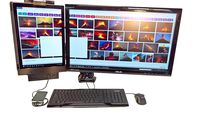
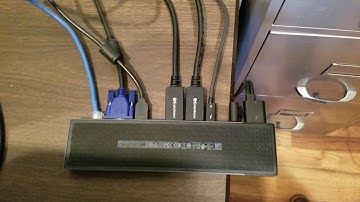
okay this is the setup that we're dealing with right here by the way thanks guys for helping to track down this problem we have for 1920 by 1200 external monitors that are connected to the Thunderbolt 3 dock and of course the HP's e-book g17 g3 that's connected to it all of these monitors would work great just plug them right in and they'd work great up until about a few weeks ago when we applied the firmware update to the dock and we also did a BIOS update to the computer those came out about the same time so after that we have started seeing a problem which I'll show you right now since then we have back revs the BIOS update and the problem still exists so it appears that the problem may be in the Thunderbolt 3 dock firmware upgrade ok so here's what we've got we've got the computer it's on right now let's show you how we have it connected to the dock if you look right here here is th

Similar products