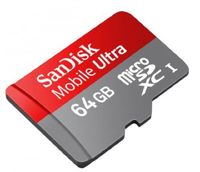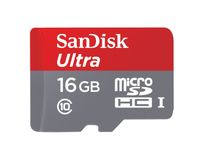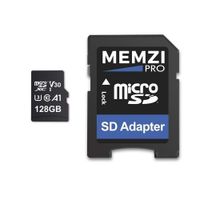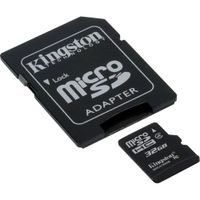
Description
You can find detailed instructions for installing and solving the main problems (if your iPod does not see the card through iFlash) - on the manufacturer's website indicated on the board. Top popular reasons: fake SD card, incorrect formatting of the card, incorrect restore of the iPod (software problem), problem with the HDD ribbonPlease check your model against this compatibility list before ordering: * iPod 5g Video 30Gb ~2 000 Tracks * iPod 5g Video 60Gb ~5 000 Tracks * iPod 5.5g Video 30Gb ~20 000 Tracks * iPod 5.5g Video 80Gb ~50 000 Tracks * iPod 6g Classic 80Gb - 128gb cards, ~50 000 Tracks * iPod 6g Classic 120Gb, 160Gb 128gb cards, ~50 000 Tracks, may be Requires Ribbon * iPod 6.5g 120Gb - 128gb cards, ~50 000 Tracks * iPod 7g Classic 160Gb (late 2009) * iPod 6th Gen 160Gb (Thick) model will require a replacement HDD Ribbon as the original hard drive uses an CE-ATA interface, replacement Ribbons must be purchased separately The track limit's shown are only approximate, the actual limit will depend on your iTunes library and the amount of meta-data stored within (e.g. artist name, track name, genre, comments, album art, etc, etc). The track limits are a function of the iTunes database size and the memory (RAM) on the iPod motherboard, it is not a limitation of the iFlash adapters.
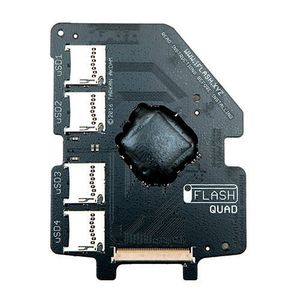
HYUN iFlash Quad MicroSD Adapter iPod 5G 6G 7G Video Classic Upto 4x Micro SD Cards
Price is below average
Current Price
$52.99
Average
$61.07
Min Price
$15.04
Max Price
$75.99
Price dynamics
13%
Description
You can find detailed instructions for installing and solving the main problems (if your iPod does not see the card through iFlash) - on the manufacturer's website indicated on the board. Top popular reasons: fake SD card, incorrect formatting of the card, incorrect restore of the iPod (software problem), problem with the HDD ribbonPlease check your model against this compatibility list before ordering: * iPod 5g Video 30Gb ~2 000 Tracks * iPod 5g Video 60Gb ~5 000 Tracks * iPod 5.5g Video 30Gb ~20 000 Tracks * iPod 5.5g Video 80Gb ~50 000 Tracks * iPod 6g Classic 80Gb - 128gb cards, ~50 000 Tracks * iPod 6g Classic 120Gb, 160Gb 128gb cards, ~50 000 Tracks, may be Requires Ribbon * iPod 6.5g 120Gb - 128gb cards, ~50 000 Tracks * iPod 7g Classic 160Gb (late 2009) * iPod 6th Gen 160Gb (Thick) model will require a replacement HDD Ribbon as the original hard drive uses an CE-ATA interface, replacement Ribbons must be purchased separately The track limit's shown are only approximate, the actual limit will depend on your iTunes library and the amount of meta-data stored within (e.g. artist name, track name, genre, comments, album art, etc, etc). The track limits are a function of the iTunes database size and the memory (RAM) on the iPod motherboard, it is not a limitation of the iFlash adapters.
Price will be lower
in next 2 weeks
in next 2 weeks
According to the data, price will be lower in next two weeks, so not waste your money and track better price!
Product review & video
picking up where we left off in video number 86 I was attempting to make good on the promises of so many internet post showing simple and easy ways to upgrade your old ipod classic to modern standards specifically increasing the battery life the storage capacity and overall longevity by removing the old spinning hard disk and replacing it with solid-state media having read a number of posts on the subject years ago when it first showed up and having a few older CF cards on hand I decided to try the cheapest method available to me first which was to use a CF card I already owned and order a cheap generic CF to zip that zero insertion force adapter on Amazon these boards here are readily available for under $15 but they are equally undocumented and unsupported as they are cheap that method clearly failed the adapter wouldn't work at all and it was pretty much a complete waste of time I di