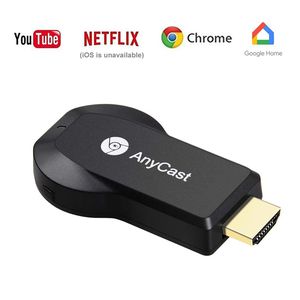
Description
The wifi display dongle supports DLNA/Airplay Mirror/Miracast/Ezcast Function for iOS/Android/Samsung/LG/ Nokia/iPhone/iPad Air/Mini/Pro devices,
which is perfect for watching movies, conference use and gaming to pursuit different audio-visual feast. Compared with a traditional receiver,
the item has better connectivity and strong anti-jamming that give smoother data transfer.
WIDE COMPATIBILITY:
WiFi Display Receiver is compatible with smartphones and tablets such as iPhone, Samsung, Sony, iPad with Android 4.4 and iOS 8 above, iPad mini/Air/Pro,
Samsung/Google/Nokia/HTC/LG, etc. With this wifi display receiver, you can easily share high-resolution media files with friends and family.
(PowerPoint, Excel, Word, PDF and images to HD TV/monitor /beamer).
Connection for the iOS device
Step 1: Get SSID and PSK/Password on Anycast page;
Step 2: Connect AnyCast in WiFi Setting on iPhone;
Step 3: Go to a browser and input 192.168.203.1 to come to the setting menu(You can connect your home wifi here by clicking "Internet" and Choosing your home Wifi to connect);
Step 4: Pull up the Control Center on iPhone and turn on Airplay, and select AnyCast dongle to start mirroring.
Connection for Android device
Step 1: Enable WIFI on your mobile device, and find the "wireless display" in the "setting" menu, touch and your will see the AnyCast' SSID;
Step 2: Touch AnyCast SSID and start the connected mobile device with the Anycast dongle. And then your mobile device is mirrored to the big screen;
Step 3: Your device can connect to the WIFI router to keep internet surfing.
[PACKAGE INCLUDED]
1 x WiFi display dongle
1x WiFi Antenna
1 x User Manual
which is perfect for watching movies, conference use and gaming to pursuit different audio-visual feast. Compared with a traditional receiver,
the item has better connectivity and strong anti-jamming that give smoother data transfer.
WIDE COMPATIBILITY:
WiFi Display Receiver is compatible with smartphones and tablets such as iPhone, Samsung, Sony, iPad with Android 4.4 and iOS 8 above, iPad mini/Air/Pro,
Samsung/Google/Nokia/HTC/LG, etc. With this wifi display receiver, you can easily share high-resolution media files with friends and family.
(PowerPoint, Excel, Word, PDF and images to HD TV/monitor /beamer).
Connection for the iOS device
Step 1: Get SSID and PSK/Password on Anycast page;
Step 2: Connect AnyCast in WiFi Setting on iPhone;
Step 3: Go to a browser and input 192.168.203.1 to come to the setting menu(You can connect your home wifi here by clicking "Internet" and Choosing your home Wifi to connect);
Step 4: Pull up the Control Center on iPhone and turn on Airplay, and select AnyCast dongle to start mirroring.
Connection for Android device
Step 1: Enable WIFI on your mobile device, and find the "wireless display" in the "setting" menu, touch and your will see the AnyCast' SSID;
Step 2: Touch AnyCast SSID and start the connected mobile device with the Anycast dongle. And then your mobile device is mirrored to the big screen;
Step 3: Your device can connect to the WIFI router to keep internet surfing.
[PACKAGE INCLUDED]
1 x WiFi display dongle
1x WiFi Antenna
1 x User Manual
[Upgraded version] WiFi Wireless Display Dongle 1080P Wireless HDMI Screen Mirror Dongle PHADEN WiFi Display TV Dongle Receiver 1080P Easy Sharing Wireless streaming TV Stick For iOS/Android Devices T
Current Price
$23.99
Average
$22.04
Min Price
$15.99
Max Price
$26.99
Price dynamics
8%
Description
The wifi display dongle supports DLNA/Airplay Mirror/Miracast/Ezcast Function for iOS/Android/Samsung/LG/ Nokia/iPhone/iPad Air/Mini/Pro devices,
which is perfect for watching movies, conference use and gaming to pursuit different audio-visual feast. Compared with a traditional receiver,
the item has better connectivity and strong anti-jamming that give smoother data transfer.
WIDE COMPATIBILITY:
WiFi Display Receiver is compatible with smartphones and tablets such as iPhone, Samsung, Sony, iPad with Android 4.4 and iOS 8 above, iPad mini/Air/Pro,
Samsung/Google/Nokia/HTC/LG, etc. With this wifi display receiver, you can easily share high-resolution media files with friends and family.
(PowerPoint, Excel, Word, PDF and images to HD TV/monitor /beamer).
Connection for the iOS device
Step 1: Get SSID and PSK/Password on Anycast page;
Step 2: Connect AnyCast in WiFi Setting on iPhone;
Step 3: Go to a browser and input 192.168.203.1 to come to the setting menu(You can connect your home wifi here by clicking "Internet" and Choosing your home Wifi to connect);
Step 4: Pull up the Control Center on iPhone and turn on Airplay, and select AnyCast dongle to start mirroring.
Connection for Android device
Step 1: Enable WIFI on your mobile device, and find the "wireless display" in the "setting" menu, touch and your will see the AnyCast' SSID;
Step 2: Touch AnyCast SSID and start the connected mobile device with the Anycast dongle. And then your mobile device is mirrored to the big screen;
Step 3: Your device can connect to the WIFI router to keep internet surfing.
[PACKAGE INCLUDED]
1 x WiFi display dongle
1x WiFi Antenna
1 x User Manual
which is perfect for watching movies, conference use and gaming to pursuit different audio-visual feast. Compared with a traditional receiver,
the item has better connectivity and strong anti-jamming that give smoother data transfer.
WIDE COMPATIBILITY:
WiFi Display Receiver is compatible with smartphones and tablets such as iPhone, Samsung, Sony, iPad with Android 4.4 and iOS 8 above, iPad mini/Air/Pro,
Samsung/Google/Nokia/HTC/LG, etc. With this wifi display receiver, you can easily share high-resolution media files with friends and family.
(PowerPoint, Excel, Word, PDF and images to HD TV/monitor /beamer).
Connection for the iOS device
Step 1: Get SSID and PSK/Password on Anycast page;
Step 2: Connect AnyCast in WiFi Setting on iPhone;
Step 3: Go to a browser and input 192.168.203.1 to come to the setting menu(You can connect your home wifi here by clicking "Internet" and Choosing your home Wifi to connect);
Step 4: Pull up the Control Center on iPhone and turn on Airplay, and select AnyCast dongle to start mirroring.
Connection for Android device
Step 1: Enable WIFI on your mobile device, and find the "wireless display" in the "setting" menu, touch and your will see the AnyCast' SSID;
Step 2: Touch AnyCast SSID and start the connected mobile device with the Anycast dongle. And then your mobile device is mirrored to the big screen;
Step 3: Your device can connect to the WIFI router to keep internet surfing.
[PACKAGE INCLUDED]
1 x WiFi display dongle
1x WiFi Antenna
1 x User Manual
Price will be lower
in next 2 weeks
in next 2 weeks
According to the data, price will be lower in next two weeks, so not waste your money and track better price!
Product review & video
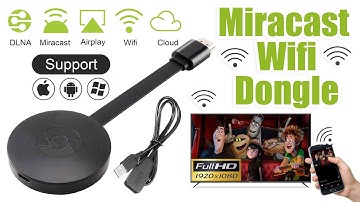
[Music] hello guys uh we are back with one of our new product and today we are going to check this ez chromecast it's a mirror cast device you can easily mirror with your phone to your tv wireless so let's see what we get inside first of all user manual we have main device it's uh actually my phone over here here you can see there is a power port and a reset button and here we can get one wireless receiver power adapter micro usb and usb port you can plug back to your tv or you can use uh adapter 5 volt adapter so it will be easy to get constant 5 for 5.0 volt power you can use this kind of adapter over here just plug it this way it's easy and connect this device to your easier cast and this one goes back to your tv and you can mirror from your phone directly to your tv okay guys so here we have a hdmi cable from back to our tv okay so what we're going to do we just connect it this devi


Similar products





































