Description
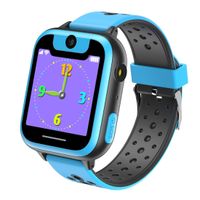
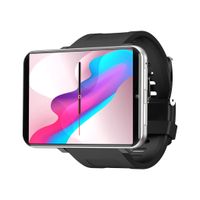
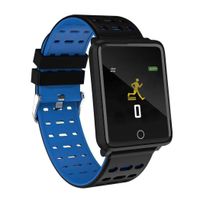
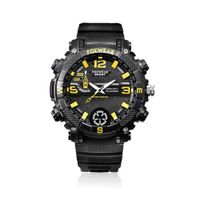
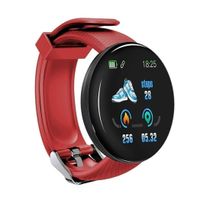
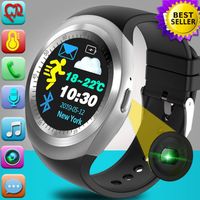
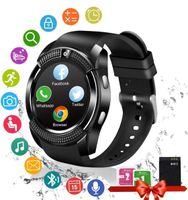
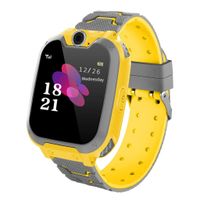
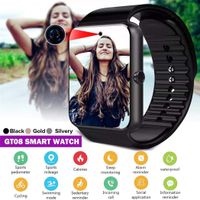
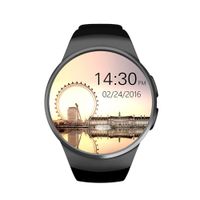
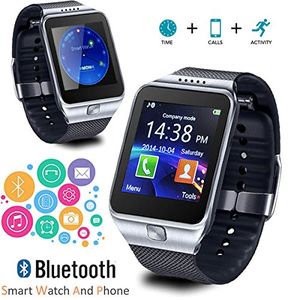
indigi SWAP 2TWO is a smart watch and phone is an innovative smartwatch that keeps you connected to your phone via Bluetooth, in response to many of our valued SWAP1 customer inquiry, now we added built-in camera feature on SWAP2. With its color touchscreen, integrated microphone and speaker, The SWAP acts as a wireless dialer, allowing users to handle calls directly from their wrist - bringing you the all functions of a modern smartphone in a convenient wrist watch form and at a fraction of the price! Complete with Bluetooth, GSM Quad Band connectivity and being fully unlocked. SWAP TWO is a quadband GSM (850MHz, 900MHz, 1800MHz, 1900MHz) unlocked phone that can be used from anywhere across the world. You can stick in your GSM micro SIM-card and you can gain instant access to an amazing communication device that works like a cell phone on your wrist. Without sim-card, No problem! SWAP TWO also allow you to connect to your smartphone via Bluetooth and bring all the features to your wrist. On incoming calls, SWAP TWO rings and vibrates, displaying the caller number and/or contact on its color screen. You can easily answer or reject calls thanks to its home buttons and integrated speaker and microphone. SWAP TWO also notifies you of missed calls and incoming SMS. SWAP TWO lets you stream music from your paired device and features an anti-lost alarm that alerts you with a gentle vibration when your phone is away. Equipped with a pedometer that tracks steps taken, calories burned, and mileage traveled. SWAP TWO also equipped with sleep monitor that track hours and quality of sleep.
indigi Bluetooth Smart Watch Phone for iPhone 6 Plus Galaxy Android Smart Phone
Current Price
$64.93
Average
$60.5
Min Price
$44.99
Max Price
$64.93
Price dynamics
7%
Description
indigi SWAP 2TWO is a smart watch and phone is an innovative smartwatch that keeps you connected to your phone via Bluetooth, in response to many of our valued SWAP1 customer inquiry, now we added built-in camera feature on SWAP2. With its color touchscreen, integrated microphone and speaker, The SWAP acts as a wireless dialer, allowing users to handle calls directly from their wrist - bringing you the all functions of a modern smartphone in a convenient wrist watch form and at a fraction of the price! Complete with Bluetooth, GSM Quad Band connectivity and being fully unlocked. SWAP TWO is a quadband GSM (850MHz, 900MHz, 1800MHz, 1900MHz) unlocked phone that can be used from anywhere across the world. You can stick in your GSM micro SIM-card and you can gain instant access to an amazing communication device that works like a cell phone on your wrist. Without sim-card, No problem! SWAP TWO also allow you to connect to your smartphone via Bluetooth and bring all the features to your wrist. On incoming calls, SWAP TWO rings and vibrates, displaying the caller number and/or contact on its color screen. You can easily answer or reject calls thanks to its home buttons and integrated speaker and microphone. SWAP TWO also notifies you of missed calls and incoming SMS. SWAP TWO lets you stream music from your paired device and features an anti-lost alarm that alerts you with a gentle vibration when your phone is away. Equipped with a pedometer that tracks steps taken, calories burned, and mileage traveled. SWAP TWO also equipped with sleep monitor that track hours and quality of sleep.
Price will be lower
in next 2 weeks
in next 2 weeks
According to the data, price will be lower in next two weeks, so not waste your money and track better price!
Product review & video
all right um ladies gentleman today's video is about how to peer or connect your d09 SmartWatch over here to the iPhone 6 so the first thing I want to do is go to the settings option where it says settings over here look for that don't use a swipe up menu because this is the first time you're actually pairing the SmartWatch so you're going to go to where it says settings you got to turn on your Bluetooth settings so we'll go to where it says Bluetooth and you're going to turn that on rest it down e on your SmartWatch you're going to go to the menu section okay where it says menu right there this is the menu right there so the bottom left and then you're going to enter this section with all different options like a menu going across the slide until you get the the Bluetooth icon I'm just trying to get a clear shot for you okay and then right there where it says the Bluetooth it's kind of


Similar products