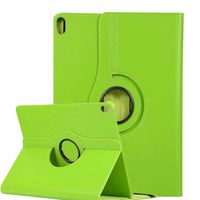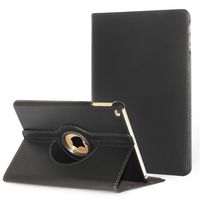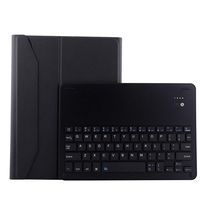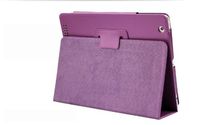
Description
ONLY FOR: iPad Air 2
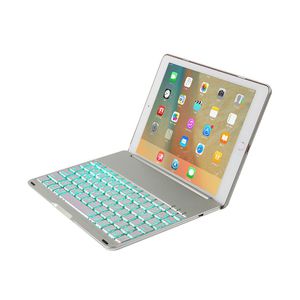
Description:
1. Light weight ,quiet keystrokes,waterproof and dust-proof
2 Automatic connecting Bluetooth keyboard for ipad air with 7 backlighting
3.Colors Backlight could be Selected
4.Press the shape of the sun's key on the keyboard,could Adjust back light
How to connect the Bluetooth?
Open the cover, the keyboard will be turned on automatically.
Turn on the Bluetooth of your iPad Air 2.
Click "fn" + "C" keys to open the Bluetooth of the keyboard.
Open the iPad Air 2 Bluetooth Search when the Bluetooth lights twinkling.
Then there will be "Bluetooth 3.0 Keyboard" comes up in the searching page. Just select it.
The Bluetooth will be connected automatically.
Technical parameters:
1.material:Aluminum+plastic
2.key life:2-3 years
3.charging cable:include
4.power:1.2 mA
5.battery capcity:150 mAh
6.working current:2.5 mAh
7.standby time :300 hours
8.working time:60 hours
9.charging time:<2hours
10.charging voltage:3.7 V
11.charging current:≤200mA
12.Bluetooth version:3.0
Packing details:
1.Bluetooth keyboard
2.USB Charging Cable
3.User's Manual
Size Guide:
On the back of the tablet, near the bottom, you will find the Model No..
Check the Model No. below to confirm if you viewed the right item.
iPad Air 2: A1566 or A1567
Thank you for your browse.If you need any help or give us any advice,contact us anytime.Hope to see your shares on SNS platforms and let more customers know our products.
For your convenience, please search "TechCode + your product" to take the fastest way to buy other products you want and have a clear view of other products we offer in store.
Thank you very much.
Description:
1. Light weight ,quiet keystrokes,waterproof and dust-proof
2 Automatic connecting Bluetooth keyboard for ipad air with 7 backlighting
3.Colors Backlight could be Selected
4.Press the shape of the sun's key on the keyboard,could Adjust back light
How to connect the Bluetooth?
Open the cover, the keyboard will be turned on automatically.
Turn on the Bluetooth of your iPad Air 2.
Click "fn" + "C" keys to open the Bluetooth of the keyboard.
Open the iPad Air 2 Bluetooth Search when the Bluetooth lights twinkling.
Then there will be "Bluetooth 3.0 Keyboard" comes up in the searching page. Just select it.
The Bluetooth will be connected automatically.
Technical parameters:
1.material:Aluminum+plastic
2.key life:2-3 years
3.charging cable:include
4.power:1.2 mA
5.battery capcity:150 mAh
6.working current:2.5 mAh
7.standby time :300 hours
8.working time:60 hours
9.charging time:<2hours
10.charging voltage:3.7 V
11.charging current:≤200mA
12.Bluetooth version:3.0
Packing details:
1.Bluetooth keyboard
2.USB Charging Cable
3.User's Manual
Size Guide:
On the back of the tablet, near the bottom, you will find the Model No..
Check the Model No. below to confirm if you viewed the right item.
iPad Air 2: A1566 or A1567
Thank you for your browse.If you need any help or give us any advice,contact us anytime.Hope to see your shares on SNS platforms and let more customers know our products.
For your convenience, please search "TechCode + your product" to take the fastest way to buy other products you want and have a clear view of other products we offer in store.
Thank you very much.
iPad Air 2 Backlit Keyboard Case,TechCode Protective 7 Colors Folio LED Backlit Smart Slim Colorful Bluetooth Keyboard Case With Executive Multi Function Case Cover
Current Price
$55.99
Average
$48.04
Min Price
$16.99
Max Price
$81.99
Price dynamics
14%
Description
ONLY FOR: iPad Air 2
Description:
1. Light weight ,quiet keystrokes,waterproof and dust-proof
2 Automatic connecting Bluetooth keyboard for ipad air with 7 backlighting
3.Colors Backlight could be Selected
4.Press the shape of the sun's key on the keyboard,could Adjust back light
How to connect the Bluetooth?
Open the cover, the keyboard will be turned on automatically.
Turn on the Bluetooth of your iPad Air 2.
Click "fn" + "C" keys to open the Bluetooth of the keyboard.
Open the iPad Air 2 Bluetooth Search when the Bluetooth lights twinkling.
Then there will be "Bluetooth 3.0 Keyboard" comes up in the searching page. Just select it.
The Bluetooth will be connected automatically.
Technical parameters:
1.material:Aluminum+plastic
2.key life:2-3 years
3.charging cable:include
4.power:1.2 mA
5.battery capcity:150 mAh
6.working current:2.5 mAh
7.standby time :300 hours
8.working time:60 hours
9.charging time:<2hours
10.charging voltage:3.7 V
11.charging current:≤200mA
12.Bluetooth version:3.0
Packing details:
1.Bluetooth keyboard
2.USB Charging Cable
3.User's Manual
Size Guide:
On the back of the tablet, near the bottom, you will find the Model No..
Check the Model No. below to confirm if you viewed the right item.
iPad Air 2: A1566 or A1567
Thank you for your browse.If you need any help or give us any advice,contact us anytime.Hope to see your shares on SNS platforms and let more customers know our products.
For your convenience, please search "TechCode + your product" to take the fastest way to buy other products you want and have a clear view of other products we offer in store.
Thank you very much.
Description:
1. Light weight ,quiet keystrokes,waterproof and dust-proof
2 Automatic connecting Bluetooth keyboard for ipad air with 7 backlighting
3.Colors Backlight could be Selected
4.Press the shape of the sun's key on the keyboard,could Adjust back light
How to connect the Bluetooth?
Open the cover, the keyboard will be turned on automatically.
Turn on the Bluetooth of your iPad Air 2.
Click "fn" + "C" keys to open the Bluetooth of the keyboard.
Open the iPad Air 2 Bluetooth Search when the Bluetooth lights twinkling.
Then there will be "Bluetooth 3.0 Keyboard" comes up in the searching page. Just select it.
The Bluetooth will be connected automatically.
Technical parameters:
1.material:Aluminum+plastic
2.key life:2-3 years
3.charging cable:include
4.power:1.2 mA
5.battery capcity:150 mAh
6.working current:2.5 mAh
7.standby time :300 hours
8.working time:60 hours
9.charging time:<2hours
10.charging voltage:3.7 V
11.charging current:≤200mA
12.Bluetooth version:3.0
Packing details:
1.Bluetooth keyboard
2.USB Charging Cable
3.User's Manual
Size Guide:
On the back of the tablet, near the bottom, you will find the Model No..
Check the Model No. below to confirm if you viewed the right item.
iPad Air 2: A1566 or A1567
Thank you for your browse.If you need any help or give us any advice,contact us anytime.Hope to see your shares on SNS platforms and let more customers know our products.
For your convenience, please search "TechCode + your product" to take the fastest way to buy other products you want and have a clear view of other products we offer in store.
Thank you very much.
Price will be lower
in next 2 weeks
in next 2 weeks
According to the data, price will be lower in next two weeks, so not waste your money and track better price!
Product review & video
hi everyone this is Kristen and if you've been looking for the perfect little keyboard case for your iPad air 2 which will turn your air 2 into a beautiful little laptop with all kinds of enhanced functionality then the clamp case plus may be for you this is honestly an outstanding product I've reviewed a lot of keyboard cases for the iPad air 2 and the clam case plus is definitely the best one that I've come across so the clam case plus is crafted from a combination of polycarbonate and aluminum this is the spot up here where you put your iPad in insertion and removal is quite easy to put it in you simply put your iPad in bottom first and then click it up into your top corners and then you are all set so as you can see once you have your iPad air to inside the clam case plus you really have what looks like a little laptop here and it also has a lot of laptop like functionality you can


Similar products