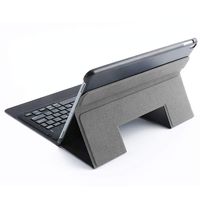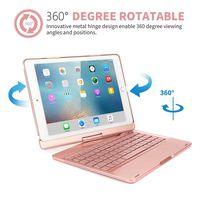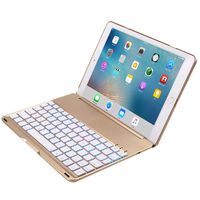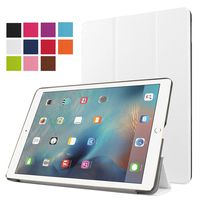
Description
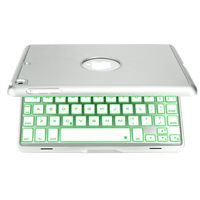
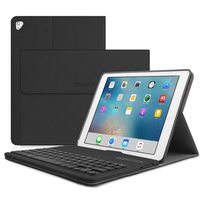
Vacio 7 Color Backlit Detachable Smart Keyboard Case Slim Fit Folio Back Cover with Wireless Bluetooth Keyboard for iPad
How do you make your iPad an even better device?
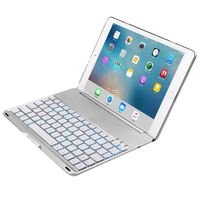
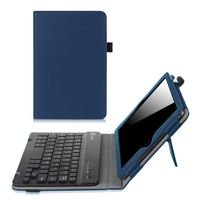
The answer is easy. Protect it with the Ultra Thin Keyboard Cover that doubles as a wireless keyboard for your iPad.
Backlit Keyboard Case for iPad
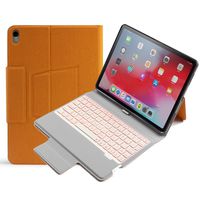
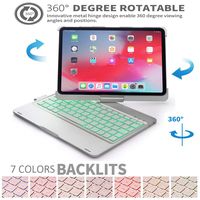
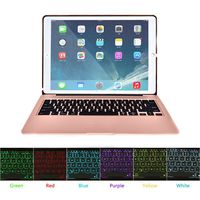
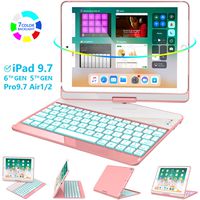
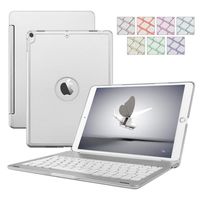
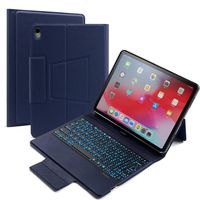
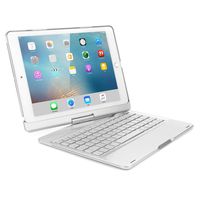
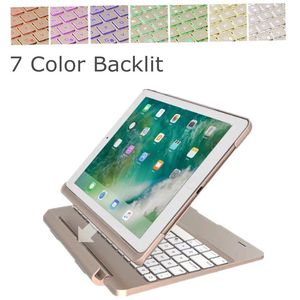
The incredibly effective backlight design provides you with various brightness levels. You can change the colors of the keys to your liking in just a few taps. If you're planning on doing a lot of typing in a darker environment, This one is your best bet.
Turn Your iPad into A Mini Laptop in Seconds
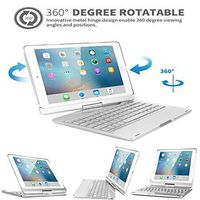
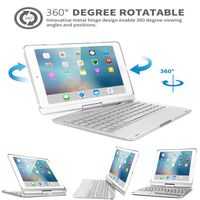
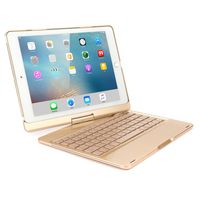
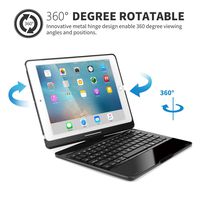
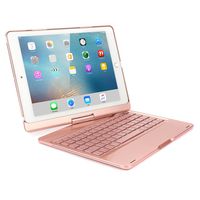
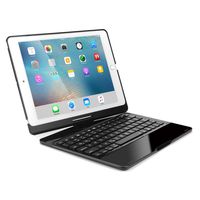
If you have heavy writing needs and don't want to go with a heavy laptop, this one is a good choice, just turn your iPad into a mini laptop in seconds.
3-In-1 Keyboard Case for iPad
You can either use it like a laptop in keyboard mode, flip the case sideways into book mode, face the tablet away from the keyboard in video mode.
How to Connect Bluetooth?
1. Power on the keyboard by sliding the On/Off to On position.
2. Turn on the Bluetooth of your iPad.
3. Then click the combination key: "Fn" + "C" on the keyboard, the Bluetooth of the keyboard is opened.
4. Open the iPad Bluetooth Search when the Bluetooth lights twinkling.
5. Then there will be "Bluetooth 3.0 Keyboard" comes up in the searching page. Just select it.
6. The Bluetooth will be connected automatically.
Package Content:
1 * iPad Keyboard Case
1 * USB cable
1 * Instruction
How do you make your iPad an even better device?
The answer is easy. Protect it with the Ultra Thin Keyboard Cover that doubles as a wireless keyboard for your iPad.
Backlit Keyboard Case for iPad
The incredibly effective backlight design provides you with various brightness levels. You can change the colors of the keys to your liking in just a few taps. If you're planning on doing a lot of typing in a darker environment, This one is your best bet.
Turn Your iPad into A Mini Laptop in Seconds
If you have heavy writing needs and don't want to go with a heavy laptop, this one is a good choice, just turn your iPad into a mini laptop in seconds.
3-In-1 Keyboard Case for iPad
You can either use it like a laptop in keyboard mode, flip the case sideways into book mode, face the tablet away from the keyboard in video mode.
How to Connect Bluetooth?
1. Power on the keyboard by sliding the On/Off to On position.
2. Turn on the Bluetooth of your iPad.
3. Then click the combination key: "Fn" + "C" on the keyboard, the Bluetooth of the keyboard is opened.
4. Open the iPad Bluetooth Search when the Bluetooth lights twinkling.
5. Then there will be "Bluetooth 3.0 Keyboard" comes up in the searching page. Just select it.
6. The Bluetooth will be connected automatically.
Package Content:
1 * iPad Keyboard Case
1 * USB cable
1 * Instruction
iPad Air 2 Case 9.7 inch Cover - Keyboard Case Flip Case with Kickstand, Flexible Lightweight Color Backlit Detachable Smart Keyboard Case Slim Fit Touch Back Cover with Wireless Bluetooth (Gold)
Current Price
$55.99
Average
$55.99
Min Price
$55.99
Max Price
$55.99
Description
Vacio 7 Color Backlit Detachable Smart Keyboard Case Slim Fit Folio Back Cover with Wireless Bluetooth Keyboard for iPad
How do you make your iPad an even better device?
The answer is easy. Protect it with the Ultra Thin Keyboard Cover that doubles as a wireless keyboard for your iPad.
Backlit Keyboard Case for iPad
The incredibly effective backlight design provides you with various brightness levels. You can change the colors of the keys to your liking in just a few taps. If you're planning on doing a lot of typing in a darker environment, This one is your best bet.
Turn Your iPad into A Mini Laptop in Seconds
If you have heavy writing needs and don't want to go with a heavy laptop, this one is a good choice, just turn your iPad into a mini laptop in seconds.
3-In-1 Keyboard Case for iPad
You can either use it like a laptop in keyboard mode, flip the case sideways into book mode, face the tablet away from the keyboard in video mode.
How to Connect Bluetooth?
1. Power on the keyboard by sliding the On/Off to On position.
2. Turn on the Bluetooth of your iPad.
3. Then click the combination key: "Fn" + "C" on the keyboard, the Bluetooth of the keyboard is opened.
4. Open the iPad Bluetooth Search when the Bluetooth lights twinkling.
5. Then there will be "Bluetooth 3.0 Keyboard" comes up in the searching page. Just select it.
6. The Bluetooth will be connected automatically.
Package Content:
1 * iPad Keyboard Case
1 * USB cable
1 * Instruction
How do you make your iPad an even better device?
The answer is easy. Protect it with the Ultra Thin Keyboard Cover that doubles as a wireless keyboard for your iPad.
Backlit Keyboard Case for iPad
The incredibly effective backlight design provides you with various brightness levels. You can change the colors of the keys to your liking in just a few taps. If you're planning on doing a lot of typing in a darker environment, This one is your best bet.
Turn Your iPad into A Mini Laptop in Seconds
If you have heavy writing needs and don't want to go with a heavy laptop, this one is a good choice, just turn your iPad into a mini laptop in seconds.
3-In-1 Keyboard Case for iPad
You can either use it like a laptop in keyboard mode, flip the case sideways into book mode, face the tablet away from the keyboard in video mode.
How to Connect Bluetooth?
1. Power on the keyboard by sliding the On/Off to On position.
2. Turn on the Bluetooth of your iPad.
3. Then click the combination key: "Fn" + "C" on the keyboard, the Bluetooth of the keyboard is opened.
4. Open the iPad Bluetooth Search when the Bluetooth lights twinkling.
5. Then there will be "Bluetooth 3.0 Keyboard" comes up in the searching page. Just select it.
6. The Bluetooth will be connected automatically.
Package Content:
1 * iPad Keyboard Case
1 * USB cable
1 * Instruction
Price will be lower
in next 2 weeks
in next 2 weeks
According to the data, price will be lower in next two weeks, so not waste your money and track better price!
Product review & video
hey guys it's wenda here and i am back with another video in this video we are talking about a brand new ipad keyboard case from type case so this is the one that i got um this is from typecase and it is called the flexbook touch so i got it in pink it shows a black one here but the one inside is pink and i'm just going to be unboxing it with you showing you guys how to set it up as well as just my thoughts on it it's a keyboard case and it has a touchpad so that you can use it like a mouse it has lots of different ways that you can use it so if you guys follow me on instagram you know that i loved my other keyboard case which is pretty similar except it didn't have the touchpad so this is kind of like an upgrade for me so yeah let's just get on with the video [Music] hey guys welcome back to my channel so if you're new here my name is winda and i am the blogger behind wonderful.com whe

Similar products