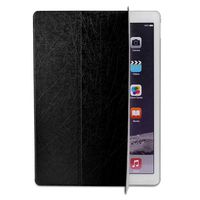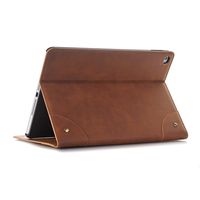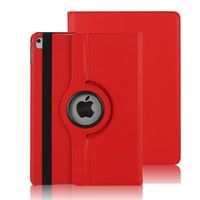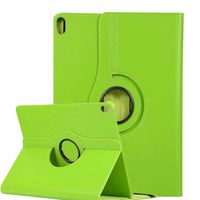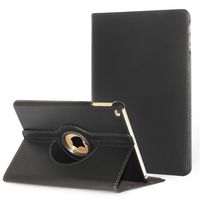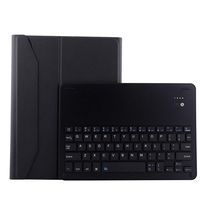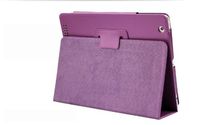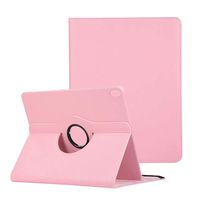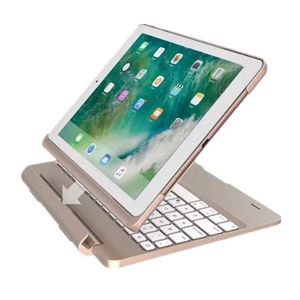
Description
ONLY FOR:iPad Air 2: A1566 or A1567
Size Guide:
★ On the back of the tablet, near the bottom, you will find the model No..
★ Check the model No. below to confirm if you viewed the right item.
2018 The new 9.7-inch iPad: A1893 or A1954
2017 New iPad 9.7: A1822 or A1823
iPad Air 2: A1566 or A1567
iPad Air: A1474 or A1475
iPad: A1219 or A1337
iPad 2: A1395 or A1396 or A1397
iPad 3: A1416 or A1430 or A1403
iPad 4: A1458 or A1459 or A1460
iPad Mini: A1432 or A1454 or A1455
iPad Mini 2(with Retina Display): A1489 or A1490
iPad Mini 3: A1599 or A1600
iPad Mini 4: A1538 or A1550
iPad Pro 9.7 inch: A1674 or A1673
iPad Pro 10.5 inch : A1701 or A1709
iPad Pro 12.9 inch: A1652 or A1584
How to Connect Bluetooth?
1. Power on the keyboard by sliding the On/Off to On position.
2. Turn on the Bluetooth of your iPad.
3. Then click the combination key: "Fn" + "C" on the keyboard, the Bluetooth of the keyboard is opened.
4. Open the iPad Bluetooth Search when the Bluetooth lights twinkling.
5. Then there will be "Bluetooth 3.0 Keyboard" comes up in the searching page. Just select it.
6. The Bluetooth will be connected automatically.
Backlit Keyboard Case for iPad
♫ The incredibly effective backlight design provides you with various brightness levels.
♫ You can change the colors of the keys to your liking in just a few taps.
♫ If you have heavy writing needs and don't want to go with a heavy laptop, this one is a good choice, just turn your iPad into a mini laptop in seconds.
3-In-1 Keyboard Case for iPad
♫ You can either use it like a laptop in keyboard mode, flip the case sideways into book mode, face the tablet away from the keyboard in video mode.
Package Content:
1 * iPad Keyboard Case
1 * USB cable
1 * Instruction
Size Guide:
★ On the back of the tablet, near the bottom, you will find the model No..
★ Check the model No. below to confirm if you viewed the right item.
2018 The new 9.7-inch iPad: A1893 or A1954
2017 New iPad 9.7: A1822 or A1823
iPad Air 2: A1566 or A1567
iPad Air: A1474 or A1475
iPad: A1219 or A1337
iPad 2: A1395 or A1396 or A1397
iPad 3: A1416 or A1430 or A1403
iPad 4: A1458 or A1459 or A1460
iPad Mini: A1432 or A1454 or A1455
iPad Mini 2(with Retina Display): A1489 or A1490
iPad Mini 3: A1599 or A1600
iPad Mini 4: A1538 or A1550
iPad Pro 9.7 inch: A1674 or A1673
iPad Pro 10.5 inch : A1701 or A1709
iPad Pro 12.9 inch: A1652 or A1584
How to Connect Bluetooth?
1. Power on the keyboard by sliding the On/Off to On position.
2. Turn on the Bluetooth of your iPad.
3. Then click the combination key: "Fn" + "C" on the keyboard, the Bluetooth of the keyboard is opened.
4. Open the iPad Bluetooth Search when the Bluetooth lights twinkling.
5. Then there will be "Bluetooth 3.0 Keyboard" comes up in the searching page. Just select it.
6. The Bluetooth will be connected automatically.
Backlit Keyboard Case for iPad
♫ The incredibly effective backlight design provides you with various brightness levels.
♫ You can change the colors of the keys to your liking in just a few taps.
♫ If you have heavy writing needs and don't want to go with a heavy laptop, this one is a good choice, just turn your iPad into a mini laptop in seconds.
3-In-1 Keyboard Case for iPad
♫ You can either use it like a laptop in keyboard mode, flip the case sideways into book mode, face the tablet away from the keyboard in video mode.
Package Content:
1 * iPad Keyboard Case
1 * USB cable
1 * Instruction
iPad Keyboard Bluetooth Case 9.7,MeiLiio 7 Colors LED Backlit Bluetooth Wireless Detachable Keyboard Case with Folio Protective Back Cover Slim Smart Keyboard for Apple iPad Air 2 9.7 inch Tab (Gold)
Current Price
$55.99
Average
$55.99
Min Price
$55.99
Max Price
$55.99
Description
ONLY FOR:iPad Air 2: A1566 or A1567
Size Guide:
★ On the back of the tablet, near the bottom, you will find the model No..
★ Check the model No. below to confirm if you viewed the right item.
2018 The new 9.7-inch iPad: A1893 or A1954
2017 New iPad 9.7: A1822 or A1823
iPad Air 2: A1566 or A1567
iPad Air: A1474 or A1475
iPad: A1219 or A1337
iPad 2: A1395 or A1396 or A1397
iPad 3: A1416 or A1430 or A1403
iPad 4: A1458 or A1459 or A1460
iPad Mini: A1432 or A1454 or A1455
iPad Mini 2(with Retina Display): A1489 or A1490
iPad Mini 3: A1599 or A1600
iPad Mini 4: A1538 or A1550
iPad Pro 9.7 inch: A1674 or A1673
iPad Pro 10.5 inch : A1701 or A1709
iPad Pro 12.9 inch: A1652 or A1584
How to Connect Bluetooth?
1. Power on the keyboard by sliding the On/Off to On position.
2. Turn on the Bluetooth of your iPad.
3. Then click the combination key: "Fn" + "C" on the keyboard, the Bluetooth of the keyboard is opened.
4. Open the iPad Bluetooth Search when the Bluetooth lights twinkling.
5. Then there will be "Bluetooth 3.0 Keyboard" comes up in the searching page. Just select it.
6. The Bluetooth will be connected automatically.
Backlit Keyboard Case for iPad
♫ The incredibly effective backlight design provides you with various brightness levels.
♫ You can change the colors of the keys to your liking in just a few taps.
♫ If you have heavy writing needs and don't want to go with a heavy laptop, this one is a good choice, just turn your iPad into a mini laptop in seconds.
3-In-1 Keyboard Case for iPad
♫ You can either use it like a laptop in keyboard mode, flip the case sideways into book mode, face the tablet away from the keyboard in video mode.
Package Content:
1 * iPad Keyboard Case
1 * USB cable
1 * Instruction
Size Guide:
★ On the back of the tablet, near the bottom, you will find the model No..
★ Check the model No. below to confirm if you viewed the right item.
2018 The new 9.7-inch iPad: A1893 or A1954
2017 New iPad 9.7: A1822 or A1823
iPad Air 2: A1566 or A1567
iPad Air: A1474 or A1475
iPad: A1219 or A1337
iPad 2: A1395 or A1396 or A1397
iPad 3: A1416 or A1430 or A1403
iPad 4: A1458 or A1459 or A1460
iPad Mini: A1432 or A1454 or A1455
iPad Mini 2(with Retina Display): A1489 or A1490
iPad Mini 3: A1599 or A1600
iPad Mini 4: A1538 or A1550
iPad Pro 9.7 inch: A1674 or A1673
iPad Pro 10.5 inch : A1701 or A1709
iPad Pro 12.9 inch: A1652 or A1584
How to Connect Bluetooth?
1. Power on the keyboard by sliding the On/Off to On position.
2. Turn on the Bluetooth of your iPad.
3. Then click the combination key: "Fn" + "C" on the keyboard, the Bluetooth of the keyboard is opened.
4. Open the iPad Bluetooth Search when the Bluetooth lights twinkling.
5. Then there will be "Bluetooth 3.0 Keyboard" comes up in the searching page. Just select it.
6. The Bluetooth will be connected automatically.
Backlit Keyboard Case for iPad
♫ The incredibly effective backlight design provides you with various brightness levels.
♫ You can change the colors of the keys to your liking in just a few taps.
♫ If you have heavy writing needs and don't want to go with a heavy laptop, this one is a good choice, just turn your iPad into a mini laptop in seconds.
3-In-1 Keyboard Case for iPad
♫ You can either use it like a laptop in keyboard mode, flip the case sideways into book mode, face the tablet away from the keyboard in video mode.
Package Content:
1 * iPad Keyboard Case
1 * USB cable
1 * Instruction
Price will be lower
in next 2 weeks
in next 2 weeks
According to the data, price will be lower in next two weeks, so not waste your money and track better price!
Product review & video
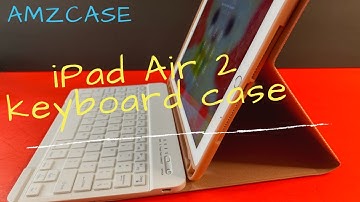
everyone I'm here to show you this wireless keyboard for the iPad a nine point seven inch this is sold on Amazon buy a MZ case it goes for $39.99 comes in multiple colors and has four and a half stars this will work with the iPad the iPad I mean the iPad air the iPad air 2 the iPad pro nine point seven inch the 5th gen 2017 model iPad in the 2018 6 gen iPad alright and I have an iPad air 2 to test this on today this is what the packaging looks like right here let me go ahead and open this up and just check it out so I think it's a pink one it comes in multiple colors that's what it looks like comes with a USB charging cable of course ok let's see so there's a nice brand right there magnetic nice nice cloths everywhere lip detection this is a hard plastic right here and this is the keyboard which is held magnetically and you don't see the magnets I like that it comes with this rubber key

Similar products