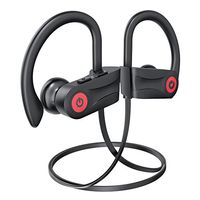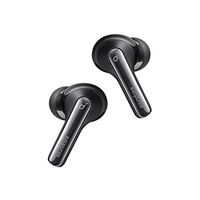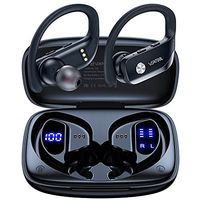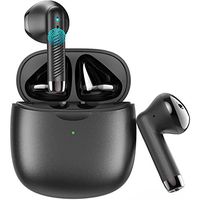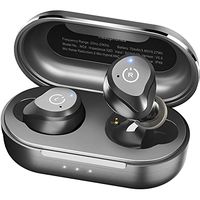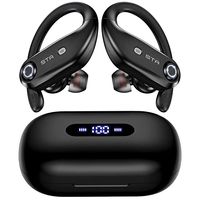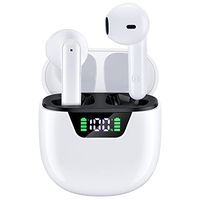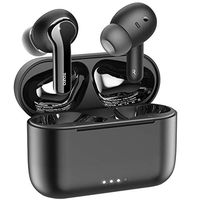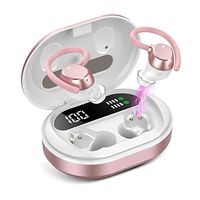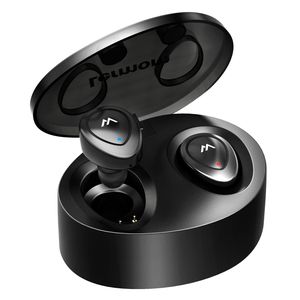
Description
What you get?
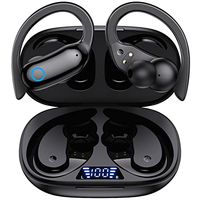
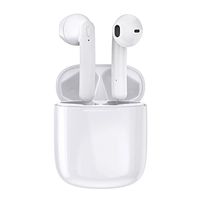
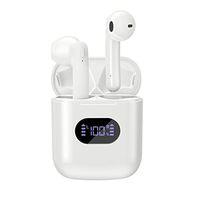
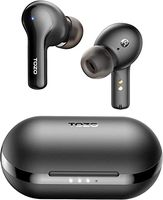
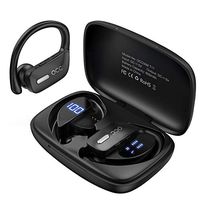
1.Bluetooth Earbuds x1Pair
2.Charging Case x1PC
3.Micro USB Cable x1PC
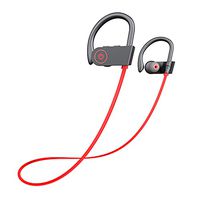
4.Spare Ear Caps x3Pairs
5.Ear Hooks x1Pair
6.User Manual x1PC
Specification:
1.Bluetooth Version: V4.2+EDR
2.Supports: HSP/HFP/A2DP/AVRCP
3.Charging Interface: Point-Contact
4.Charging Port: Micro USB
5.Earbud Dimension/Weight: 28*20*28mm; 5g*2
6.Charging Case Dimension/Weight: 80*60*30mm; 50g
7.Battery Supply/Capacity: (Li-ion battery inside)430mAh/Charging Case; 50mAh/Earbud
8.Charging Time: about 1-2 hours
9.Playtime: Single Earbud gives 3-4 hours and a set gives 2-3 hours. (the actual using time changes with the song types and volume requirements)
How to Pair Twins Earbuds with my phone?
1.After you wear the 2 Earbuds, push and hold-in both of the 2 Earbud's Multi-function Buttons simultaneously for 5-7 seconds, you will hear the voice prompt, "Power On", and one or several beeps. (Please be patient and do NOT release the buttons for at least 3 seconds after hearing the voice prompt "Power On". See Note,below)
2.The Twins Earbuds will connect with each other, and there will be several beeps, & voice prompts, "connected" "left channel" "right channel" in turn. (This means that the Twins Bluetooth Earbuds have paired with each other successfully.)
3.Now open the Bluetooth setting on your mobile phone, search and click the model "K2" to pair and connect. After a while you should hear voice prompt "Second device connected".
Note:
If you release the Multi-function Buttons, immediately when you hear the voice prompt, "Power On", then the Twins Earbuds will not pair with each other, nor with any secondary device, - they will only be switched on. You need, instead, to wait a second or two for the "beeps" to let them start pairing with each other and be ready to pair with secondary devices.
1.Bluetooth Earbuds x1Pair
2.Charging Case x1PC
3.Micro USB Cable x1PC
4.Spare Ear Caps x3Pairs
5.Ear Hooks x1Pair
6.User Manual x1PC
Specification:
1.Bluetooth Version: V4.2+EDR
2.Supports: HSP/HFP/A2DP/AVRCP
3.Charging Interface: Point-Contact
4.Charging Port: Micro USB
5.Earbud Dimension/Weight: 28*20*28mm; 5g*2
6.Charging Case Dimension/Weight: 80*60*30mm; 50g
7.Battery Supply/Capacity: (Li-ion battery inside)430mAh/Charging Case; 50mAh/Earbud
8.Charging Time: about 1-2 hours
9.Playtime: Single Earbud gives 3-4 hours and a set gives 2-3 hours. (the actual using time changes with the song types and volume requirements)
How to Pair Twins Earbuds with my phone?
1.After you wear the 2 Earbuds, push and hold-in both of the 2 Earbud's Multi-function Buttons simultaneously for 5-7 seconds, you will hear the voice prompt, "Power On", and one or several beeps. (Please be patient and do NOT release the buttons for at least 3 seconds after hearing the voice prompt "Power On". See Note,below)
2.The Twins Earbuds will connect with each other, and there will be several beeps, & voice prompts, "connected" "left channel" "right channel" in turn. (This means that the Twins Bluetooth Earbuds have paired with each other successfully.)
3.Now open the Bluetooth setting on your mobile phone, search and click the model "K2" to pair and connect. After a while you should hear voice prompt "Second device connected".
Note:
If you release the Multi-function Buttons, immediately when you hear the voice prompt, "Power On", then the Twins Earbuds will not pair with each other, nor with any secondary device, - they will only be switched on. You need, instead, to wait a second or two for the "beeps" to let them start pairing with each other and be ready to pair with secondary devices.
Wireless Earbuds Lermom Bluetooth Headphones Dual Stereo Sound Earphones Mini Headset with Charging Storage Case and Built-in Mic for iPhone iPad and Most Android Phones
Price is below average
Current Price
$16.99
Average
$20.24
Min Price
$16.99
Max Price
$29.99
Price dynamics
16%
Description
What you get?
1.Bluetooth Earbuds x1Pair
2.Charging Case x1PC
3.Micro USB Cable x1PC
4.Spare Ear Caps x3Pairs
5.Ear Hooks x1Pair
6.User Manual x1PC
Specification:
1.Bluetooth Version: V4.2+EDR
2.Supports: HSP/HFP/A2DP/AVRCP
3.Charging Interface: Point-Contact
4.Charging Port: Micro USB
5.Earbud Dimension/Weight: 28*20*28mm; 5g*2
6.Charging Case Dimension/Weight: 80*60*30mm; 50g
7.Battery Supply/Capacity: (Li-ion battery inside)430mAh/Charging Case; 50mAh/Earbud
8.Charging Time: about 1-2 hours
9.Playtime: Single Earbud gives 3-4 hours and a set gives 2-3 hours. (the actual using time changes with the song types and volume requirements)
How to Pair Twins Earbuds with my phone?
1.After you wear the 2 Earbuds, push and hold-in both of the 2 Earbud's Multi-function Buttons simultaneously for 5-7 seconds, you will hear the voice prompt, "Power On", and one or several beeps. (Please be patient and do NOT release the buttons for at least 3 seconds after hearing the voice prompt "Power On". See Note,below)
2.The Twins Earbuds will connect with each other, and there will be several beeps, & voice prompts, "connected" "left channel" "right channel" in turn. (This means that the Twins Bluetooth Earbuds have paired with each other successfully.)
3.Now open the Bluetooth setting on your mobile phone, search and click the model "K2" to pair and connect. After a while you should hear voice prompt "Second device connected".
Note:
If you release the Multi-function Buttons, immediately when you hear the voice prompt, "Power On", then the Twins Earbuds will not pair with each other, nor with any secondary device, - they will only be switched on. You need, instead, to wait a second or two for the "beeps" to let them start pairing with each other and be ready to pair with secondary devices.
1.Bluetooth Earbuds x1Pair
2.Charging Case x1PC
3.Micro USB Cable x1PC
4.Spare Ear Caps x3Pairs
5.Ear Hooks x1Pair
6.User Manual x1PC
Specification:
1.Bluetooth Version: V4.2+EDR
2.Supports: HSP/HFP/A2DP/AVRCP
3.Charging Interface: Point-Contact
4.Charging Port: Micro USB
5.Earbud Dimension/Weight: 28*20*28mm; 5g*2
6.Charging Case Dimension/Weight: 80*60*30mm; 50g
7.Battery Supply/Capacity: (Li-ion battery inside)430mAh/Charging Case; 50mAh/Earbud
8.Charging Time: about 1-2 hours
9.Playtime: Single Earbud gives 3-4 hours and a set gives 2-3 hours. (the actual using time changes with the song types and volume requirements)
How to Pair Twins Earbuds with my phone?
1.After you wear the 2 Earbuds, push and hold-in both of the 2 Earbud's Multi-function Buttons simultaneously for 5-7 seconds, you will hear the voice prompt, "Power On", and one or several beeps. (Please be patient and do NOT release the buttons for at least 3 seconds after hearing the voice prompt "Power On". See Note,below)
2.The Twins Earbuds will connect with each other, and there will be several beeps, & voice prompts, "connected" "left channel" "right channel" in turn. (This means that the Twins Bluetooth Earbuds have paired with each other successfully.)
3.Now open the Bluetooth setting on your mobile phone, search and click the model "K2" to pair and connect. After a while you should hear voice prompt "Second device connected".
Note:
If you release the Multi-function Buttons, immediately when you hear the voice prompt, "Power On", then the Twins Earbuds will not pair with each other, nor with any secondary device, - they will only be switched on. You need, instead, to wait a second or two for the "beeps" to let them start pairing with each other and be ready to pair with secondary devices.
Price will be lower
in next 2 weeks
in next 2 weeks
According to the data, price will be lower in next two weeks, so not waste your money and track better price!
Product review & video
hey guys digital David its I'm excited to be unboxing or viewing for you also wireless earbuds right here they do connect via bluetooth so this is really cool I did receive these products to review my channel but any opinion expressed in this video is truly my own so that being said this is feel the music it's the tws dual ear training wireless earbuds and this is how they come packaged tree from amazon go ahead I'll throw a link in my video scription below go ahead check it out let me know what you think you can go see photos read some more tech details on these earbuds from Amazon and see the most accurate price so these are definitely for somebody that's on a budget and they're really cool so it's wireless earbuds seriously no ear no wire between the two buds it's truly wireless so they sync to each other than they seem to your phone and it has that charging case built-in which is re


Similar products