Description
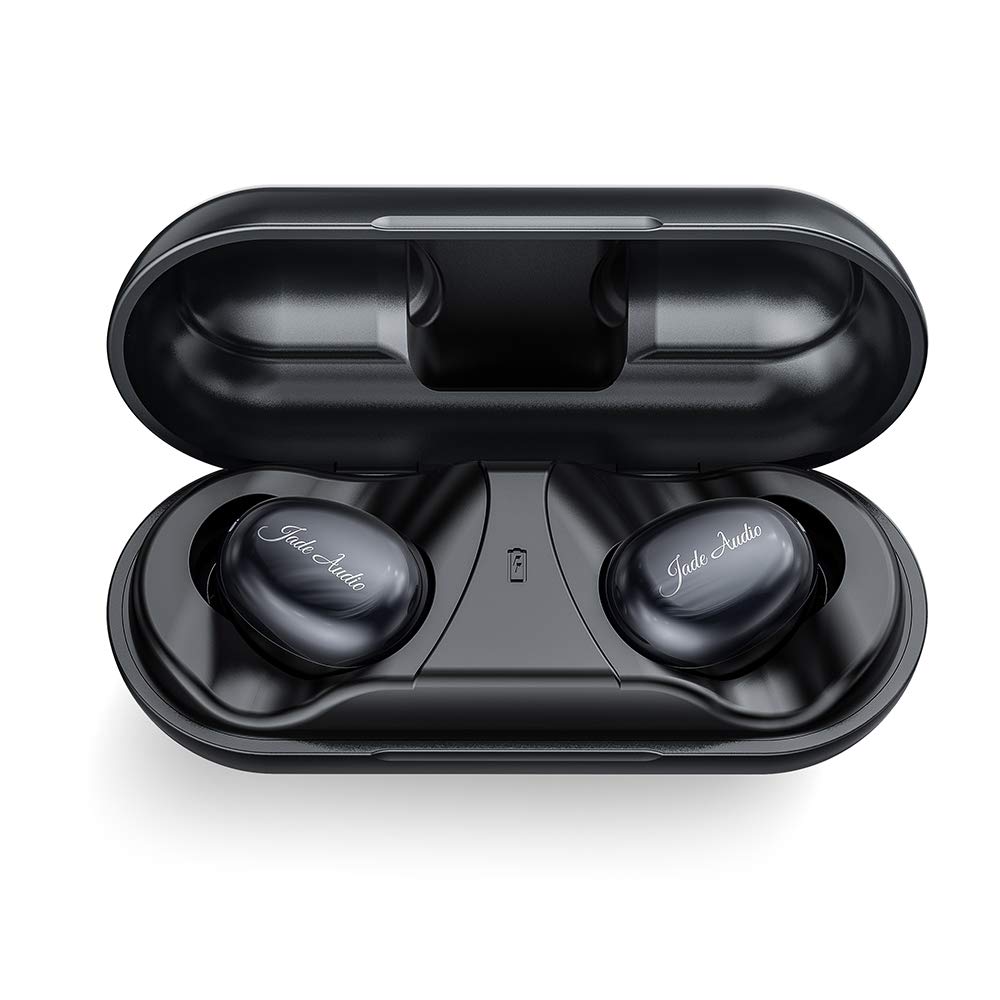
JadeAudio EW1 TWS is the FiiO's online direct selling brand. Color Black
Button Operation
Left earbub Single Click:Play/Vol Down(play music)/Answer calls(incoming call);Double click:Voice assistance(need the phone support);Long press for 2 seconds:Prev Track,Hang up the phone,Decline a call.
Right earbud Single Click:Play/Vol up/(play music)/Answer calls(incoming call);Double Click:Pause/Vol down.Long press for 2 seconds:Next Track/Hang up the phone/Decline a call
Note:You would hear the beep sound if the function is successfully operated(excluding vol up/down)
How to clear pairing
Press the button for about 8 seconds,after a beep sound the red and blue light would light up.Then double click the button and blue light flashes to clear pairing record(need to clear the pairing record of the left and right side together)
TWS Pairing
Using it for the first time or after clearing pairing record,the earbuds willautomatically start up after being removed from the charging box and automatically pair the left and right sides.At this point,turn on the bluetooth on your cellphone to search for JadeAudio EW1 R or JadeAudio EW1 L and connect.
if you have problem, please feel free to contact support@fiio.com
Button Operation
Left earbub Single Click:Play/Vol Down(play music)/Answer calls(incoming call);Double click:Voice assistance(need the phone support);Long press for 2 seconds:Prev Track,Hang up the phone,Decline a call.
Right earbud Single Click:Play/Vol up/(play music)/Answer calls(incoming call);Double Click:Pause/Vol down.Long press for 2 seconds:Next Track/Hang up the phone/Decline a call
Note:You would hear the beep sound if the function is successfully operated(excluding vol up/down)
How to clear pairing
Press the button for about 8 seconds,after a beep sound the red and blue light would light up.Then double click the button and blue light flashes to clear pairing record(need to clear the pairing record of the left and right side together)
TWS Pairing
Using it for the first time or after clearing pairing record,the earbuds willautomatically start up after being removed from the charging box and automatically pair the left and right sides.At this point,turn on the bluetooth on your cellphone to search for JadeAudio EW1 R or JadeAudio EW1 L and connect.
if you have problem, please feel free to contact support@fiio.com
JadeAudio FiiO's sub-Brand EW1 True Wireless HiFi Earbuds TWS Bluetooth V5.0 Headphones in-Ear with aptX/AAC Support(Clear Calls with Noise Cancelling, Smart Touch, IPX5,21 Hours Playtime)
Price is below average
Current Price
$29.99
Average
$41.93
Min Price
$29.99
Max Price
$49.99
Price dynamics
28%
Description
JadeAudio EW1 TWS is the FiiO's online direct selling brand. Color Black
Button Operation
Left earbub Single Click:Play/Vol Down(play music)/Answer calls(incoming call);Double click:Voice assistance(need the phone support);Long press for 2 seconds:Prev Track,Hang up the phone,Decline a call.
Right earbud Single Click:Play/Vol up/(play music)/Answer calls(incoming call);Double Click:Pause/Vol down.Long press for 2 seconds:Next Track/Hang up the phone/Decline a call
Note:You would hear the beep sound if the function is successfully operated(excluding vol up/down)
How to clear pairing
Press the button for about 8 seconds,after a beep sound the red and blue light would light up.Then double click the button and blue light flashes to clear pairing record(need to clear the pairing record of the left and right side together)
TWS Pairing
Using it for the first time or after clearing pairing record,the earbuds willautomatically start up after being removed from the charging box and automatically pair the left and right sides.At this point,turn on the bluetooth on your cellphone to search for JadeAudio EW1 R or JadeAudio EW1 L and connect.
if you have problem, please feel free to contact support@fiio.com
Button Operation
Left earbub Single Click:Play/Vol Down(play music)/Answer calls(incoming call);Double click:Voice assistance(need the phone support);Long press for 2 seconds:Prev Track,Hang up the phone,Decline a call.
Right earbud Single Click:Play/Vol up/(play music)/Answer calls(incoming call);Double Click:Pause/Vol down.Long press for 2 seconds:Next Track/Hang up the phone/Decline a call
Note:You would hear the beep sound if the function is successfully operated(excluding vol up/down)
How to clear pairing
Press the button for about 8 seconds,after a beep sound the red and blue light would light up.Then double click the button and blue light flashes to clear pairing record(need to clear the pairing record of the left and right side together)
TWS Pairing
Using it for the first time or after clearing pairing record,the earbuds willautomatically start up after being removed from the charging box and automatically pair the left and right sides.At this point,turn on the bluetooth on your cellphone to search for JadeAudio EW1 R or JadeAudio EW1 L and connect.
if you have problem, please feel free to contact support@fiio.com
Price will be lower
in next 2 weeks
in next 2 weeks
According to the data, price will be lower in next two weeks, so not waste your money and track better price!
Product review & video
have you ever found it hard to make a decision because you have too many options well that's exactly what she'll go through if you're trying to buy the best affordable pair of truly wireless earphones honestly I think a lot of people just get overwhelmed and say forget it I'll just pony up the dough for some air pods but that sucks air pods are expensive which is why we bought the top-50 wireless earphones for under $100 from amazon.com and went through the pain staking tedium of trying out every single one of them so stick around and I'll tell you which ones suck and why and which select few are actually worth a closer look but first a closer look at our sponsor Origin PC customized an Origin PC desktop powered by an NVIDIA GeForce r-tx graphics card pair with a GC monitor for a fast refresh rate and an edge on your competition learn more at the link below first we'll eliminate the one



Similar products