Description
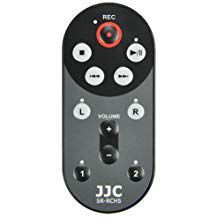
The JJC SR-RCH5 Wired Remote Control is designed for the Zoom H5 Handy Recorder. It allows you to control your Zoom H5 from up to 4.6' (1.4m) away, so it prevents handling noise during recording. The remote not only has functions of record, playback, fast forward, rewind and volume control, but also allows you to enable tracks for input. During recording, marks can be added to tracks. A stereo record enable function lets you create a stereo pair when using external stereo microphones, or alternatively each XLR input can be record enabled independently. In addition, during recording and playback, indicator lights of SR-RCH5 show status of record-enabled tracks and blink to indicate signal overload. No batteries are required during operation, and the remote is attached easily to the Zoom H5 recorder. When not in use, just wrap the cable around the remote body for easy transport and storage.
JJC SR-RCH5 Recorder Wired Remote for Zoom H5 Handy Playback Record RCH-5 RCH5 Plus A&R cleaning cloth
Price is below average
Current Price
$17.99
Average
$19.61
Min Price
$15.95
Max Price
$37.99
Price dynamics
8%
Description
The JJC SR-RCH5 Wired Remote Control is designed for the Zoom H5 Handy Recorder. It allows you to control your Zoom H5 from up to 4.6' (1.4m) away, so it prevents handling noise during recording. The remote not only has functions of record, playback, fast forward, rewind and volume control, but also allows you to enable tracks for input. During recording, marks can be added to tracks. A stereo record enable function lets you create a stereo pair when using external stereo microphones, or alternatively each XLR input can be record enabled independently. In addition, during recording and playback, indicator lights of SR-RCH5 show status of record-enabled tracks and blink to indicate signal overload. No batteries are required during operation, and the remote is attached easily to the Zoom H5 recorder. When not in use, just wrap the cable around the remote body for easy transport and storage.
Price will be lower
in next 2 weeks
in next 2 weeks
According to the data, price will be lower in next two weeks, so not waste your money and track better price!
Product review & video
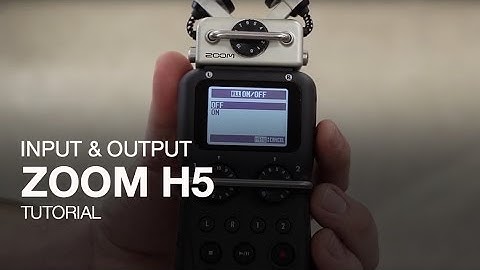
hi everyone and welcome to an H five product tutorial video in this video we will show you the input and output features of the h5 recorder the low-cut filter can be used to remove any low-end signal from your recording you can apply the low-cut filter to your capsule or the inputs if you'd like to apply it to everything select all once you select all you can select the frequency that you want your low-cut filter set at it can also be used to remove some wind and background noise when you return to the main record screen you'll see a symbol for low-cut next to your tracks the next setting of the h5 is the compressor and limiter features you can use this to compress or limit the inputs or your capsule the compressor can be used to even out the level of your recordings the compressor that's a general vocal or drum and the limiter can be set to general concert or studio the limiter should


Similar products